
Improve your customer response times and generate more leads with lightweight, no-fuss email tracking by timetoreply lite.
This email tracking tool for small businesses is fast, simple, and scalable.

of your customers want answers in an hour
of sales go to the first company to respond
of customers want problems solved on the first try
The reason timetoreply lite is the best email tracking tool for small businesses is that it’s easy to use and set up.
Here’s who can benefit from it.

Make email support fast, reliable, and stress-free.

Respond faster and close more deals with better visibility.

Stay responsive while wearing every hat in your business.

Gain full visibility into your team’s email performance.







You don’t need to change how you work, just plug timetoreply lite into your existing inbox, and you’re all set. Here’s how to set up this email tracking tool for small businesses.
Log in with your existing inbox; no complicated setup or extra tools are needed. Whether you use Gmail or Outlook, this email tracking tool for small businesses just takes a few clicks to link. It’ll be up and running in minutes.
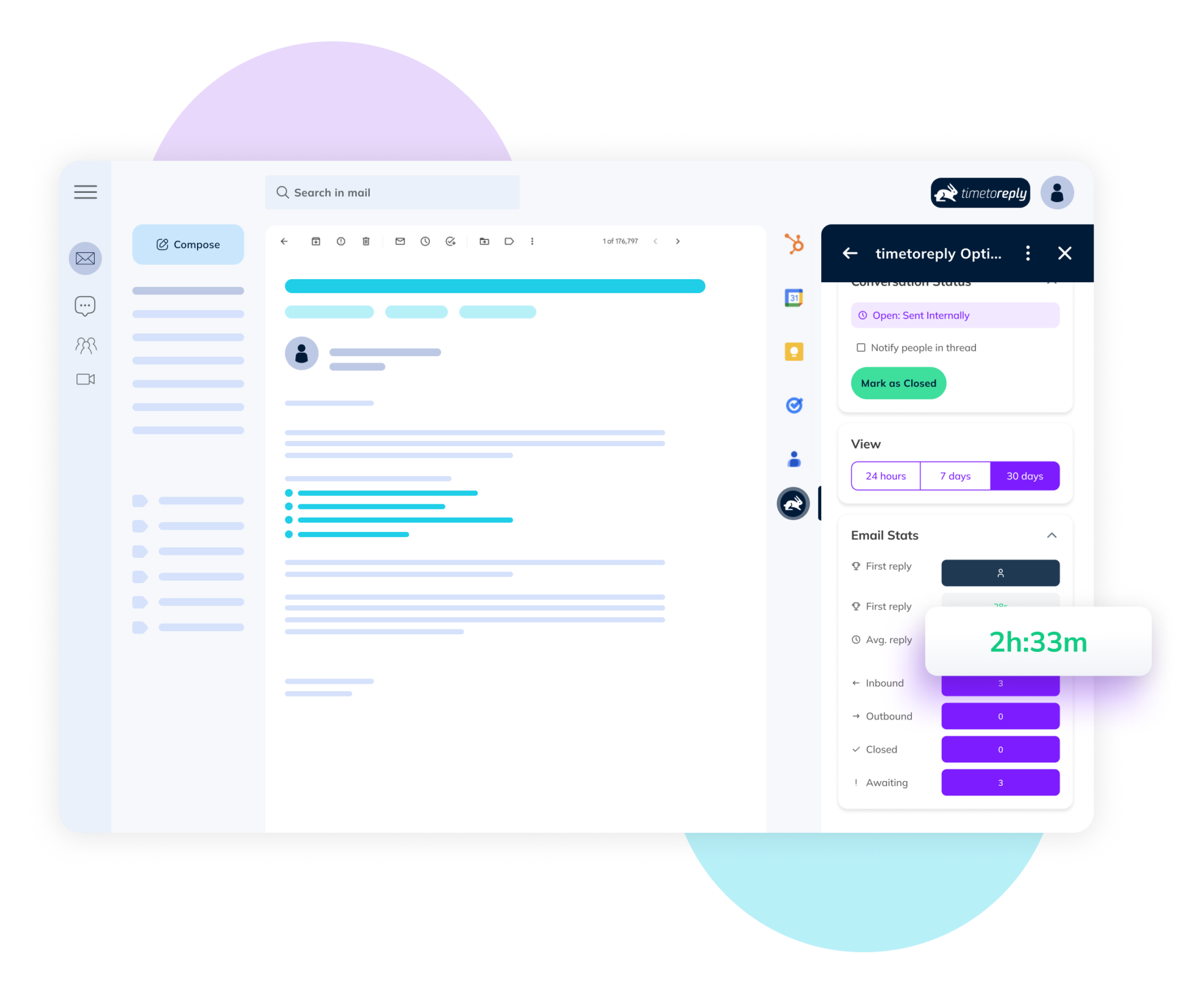
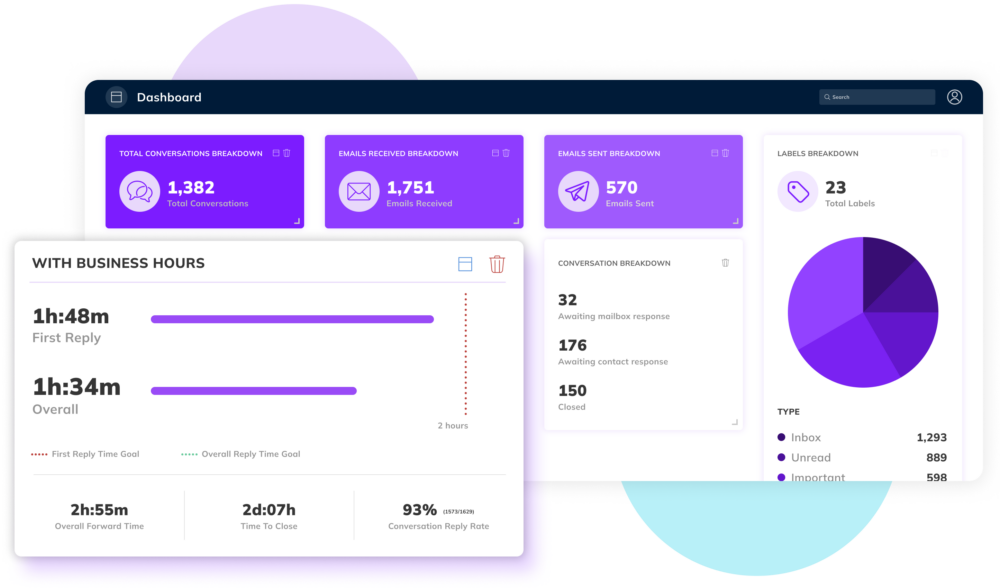
Once it’s connected, you can check your team’s email performance instantly. You can track reply times, email volumes, and more in real time. This email tracking tool for small businesses is ready to go out of the box.
If you also get the browser extension, you’ll get real-time notifications for overdue replies. This ensures that you never miss an email, whether from a lead or a customer, and helps you maintain great customer relationships.
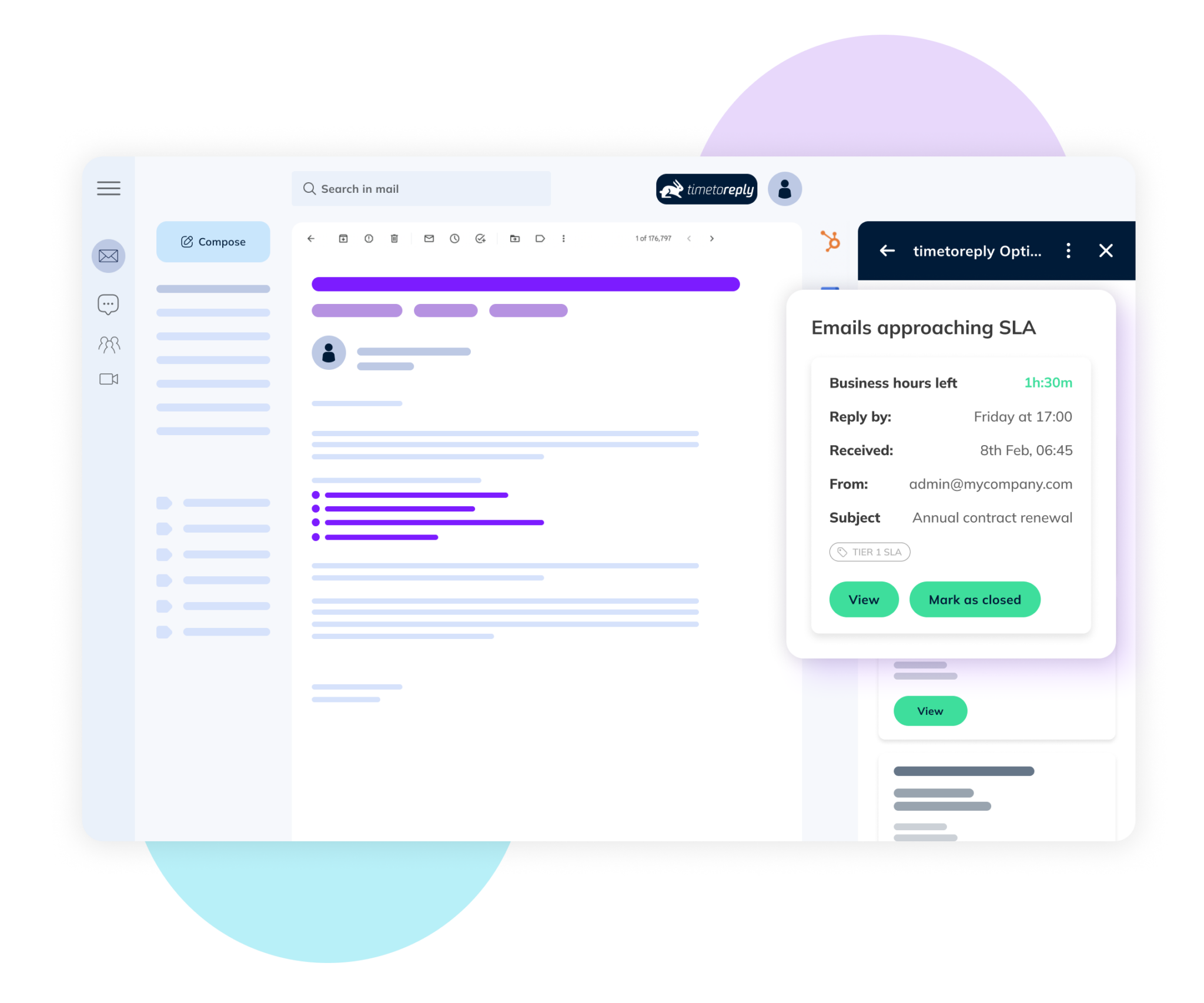
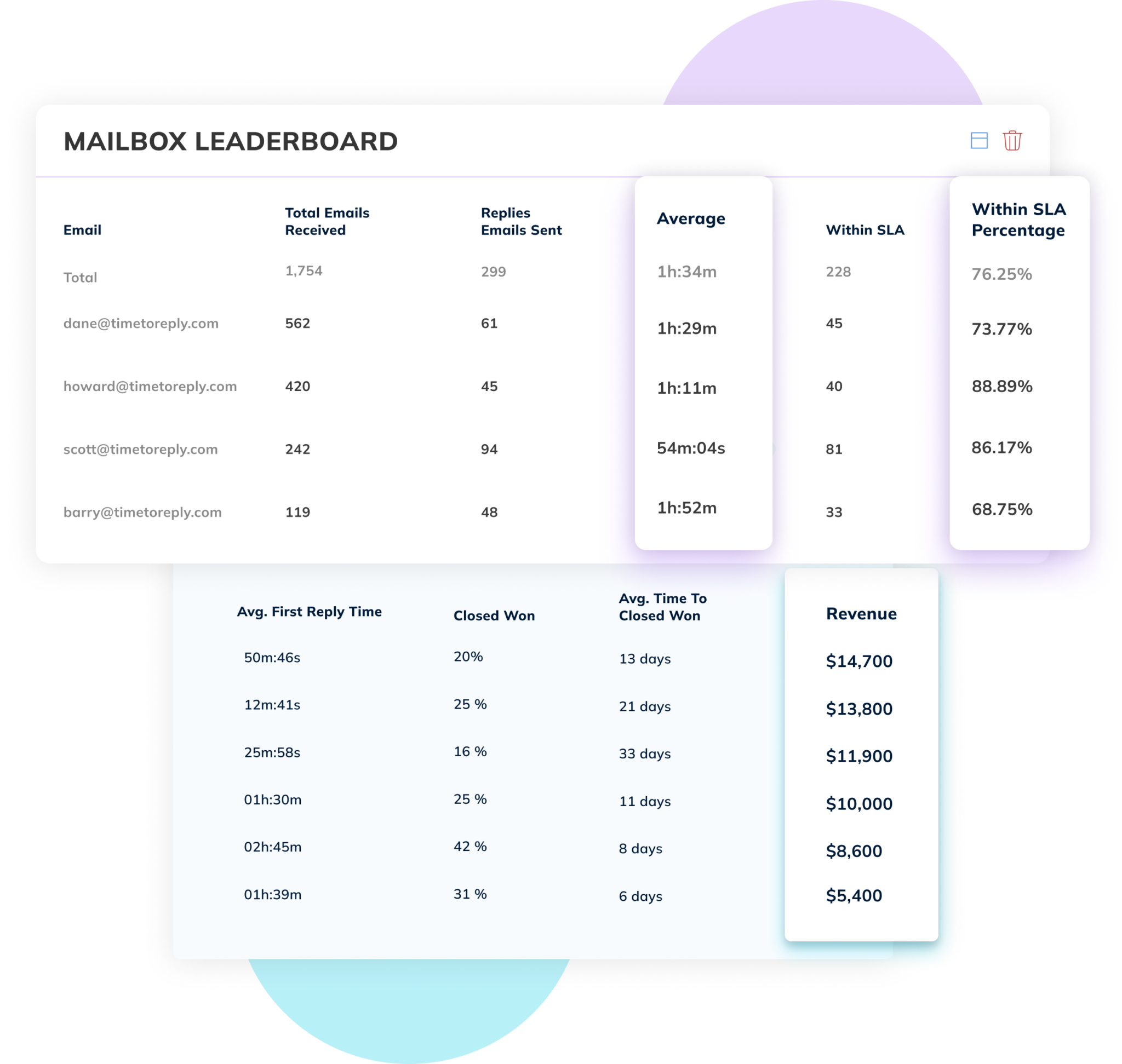
Spot delays, fix gaps, and keep response times in check. Use daily or weekly reports to stay on top of things without the guesswork. Whether you’re working solo or managing a team, you’ll know how to improve your performance.



Here are the features that make timetoreply lite the best email tracking tool for small businesses.

Are your email replies fast enough to keep leads warm and customers happy? With timetoreply lite, you get instant insights into your email response times, so you stay updated.
You can spot slow replies and fix them before they cost you business. This email tracking tool for small businesses helps maintain a sharp, responsive, and professional image.

This email tracking tool is built for small businesses that work on Gmail or Microsoft Outlook. It integrates with these email platforms really well, and without any hassle.
You can practically manage everything from one place, without switching tabs. This email analytics tool makes it really easy to track your response times without hassle.

Want to monitor your team’s email productivity and reply times? Now you can. This email tracking tool breaks down reply performance in a way that’s easy to understand.
With timetoreply lite you’ll get a clear picture without drowning in data or charts. It provides insights without overkill, and it works right out of the box.

No one has time for another dashboard, and with timetoreply lite, you don’t need one. Choose daily or weekly summaries and get a snapshot in your inbox.
These daily or weekly summaries and reports are easy to scan and even easier to act on. It’s just enough info to keep you informed, without adding any extra work.

This isn’t a tool that tries to impress you with endless options. This email tracking tool for small businesses does only a few things, but does them well.
There are no bloated menus or features you’ll never touch. Just a clear view of how you’re doing, and that’s it. No bells and whistles or confusing options.

No one’s reading your emails — not now, not ever. This email tracking tool only tracks when emails are sent and received, nothing else. So, your data is safe.
With timetoreply lite, you keep full control of your inbox and your data. This email tracking tool for small businesses is designed to be useful without being intrusive.
“Very quick to set up and really useful reports.”
Henry Bird
“Great insights help us find the key problems to solve.”
Sagwadi Maluleke
“Easy to use and delivers what it promises.”
Shaun Oakes
On their own, dashboards deliver data — not improvement. That’s why you need a specialized email tracking tool for small businesses.
Dashboards give you numbers, but not always the ones that matter…and they’re just metrics, not actionable insights you can use right away.
Sure, you can see where performance might be falling flat…but then what? Dashboards don’t coach your team. That’s on you. They’re flying blind.
Dashboards love to tell you your team missed their targets…after the fact. By then, the damage is done. You need real-time insights to make a difference.
Because average isn’t an option for small businesses still trying to make their mark. Our email tracking tool, timetoreply lite, is built for small,
dynamic teams that want to lead, not follow.
 Improve response times
Don’t leave your team to fly blind. Send them their performance data to their inbox and combine it with smart recommendations and alerts.
Turn data into actionPassive dashboards? Not here, timetoreply lite gives both managers and team members live insights, so everyone can optimize and not just analyze.
Win & delight customerstimetoreply lite has two modes — sales, and customer-facing. This email tracking tool for small businesses can help you improve customer experience.
Get started quicklyNo fluff, no hassle. Get started faster than your favorite barista can make you a coffee. With timetoreply lite, you’ll see a positive impact quickly.
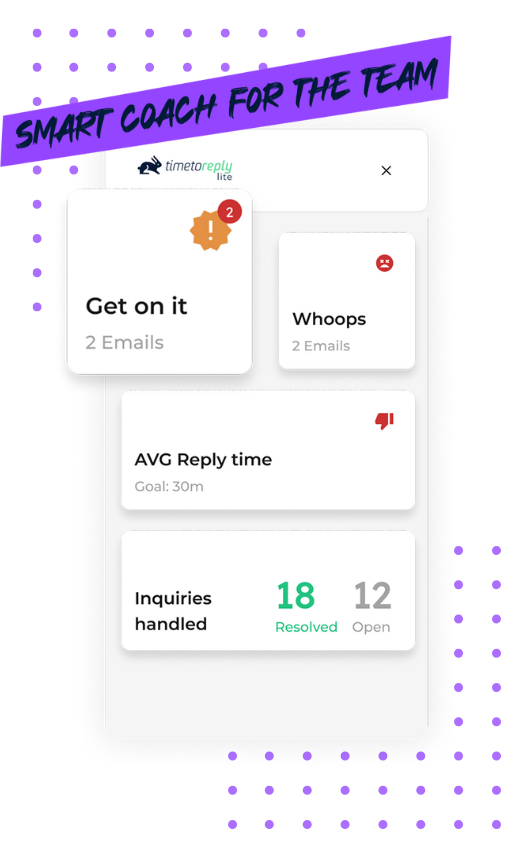
With timetoreply lite, your team will never miss a beat. They get instant alerts when response times are at risk, so they never drop the ball…and your customers & prospects are always happy
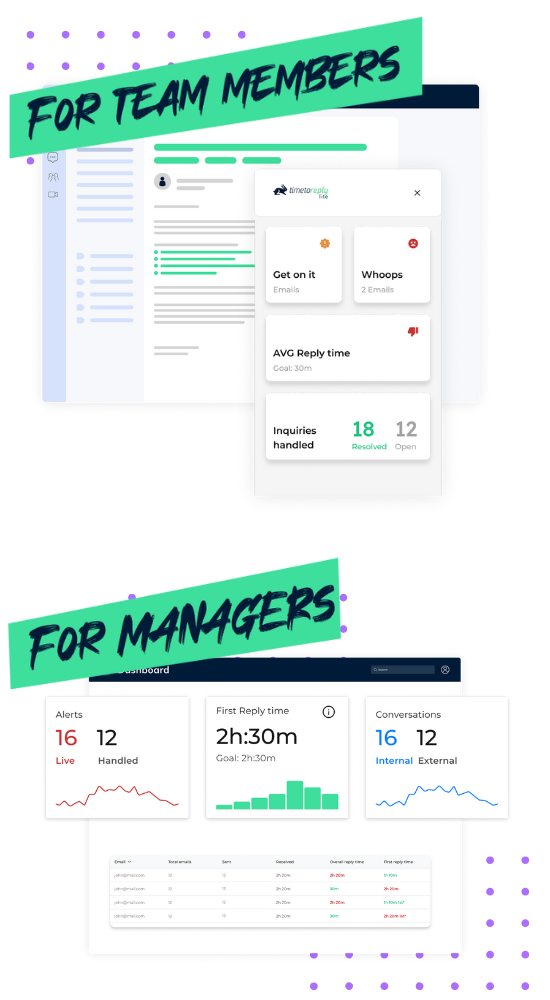
With timetoreply lite, your team will never miss a beat. They get instant alerts when response times are at risk, so they never drop the ball…and your customers & prospects are always happy
timetoreply lite’s manager dashboard gives you the tools to unlock your team’s full potential—live insights, actionable data, and smarter decisions, all in one place.
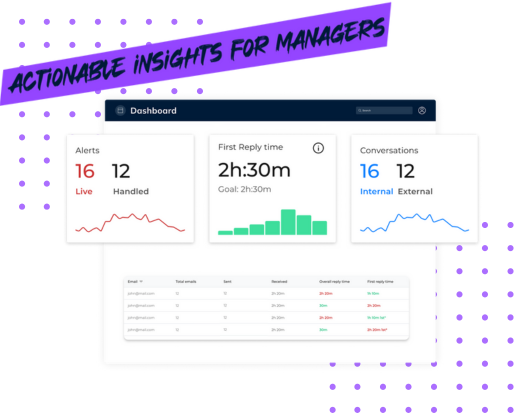
Our email tracking tool for small businesses connects to Gmail or Outlook and starts working immediately. No learning curve, just smart data when you need it.
Start with a free trial to test this email tracking tool for small businesses.