
Struggling to keep client queries, proposals, and feedback moving across multiple projects? The timetoreply lite product is an email analytics tool for small consultancy firms that connects to Gmail or Outlook in minutes and surfaces reply time trends so project managers can hit deadlines.

of your customers want answers in an hour
of sales go to the first company to respond
of customers want problems solved on the first try
Consulting moves fast, and every client email can change project scope or timing. An email analytics tool for small consultancy firms gives you clear visibility into reply speed, overdue messages, and where work is stalling, so you deliver on time and keep clients confident.

Quick replies build credibility and keep projects going. An email analytics tool for small consultancy firms helps you:

Turn email timestamps into auditable time records with an email analytics tool for small consultancy firms. It can help you:

Spot stalled threads before they derail deliverables. An email analytics tool for small consultancy firms can:

See who’s overloaded and spread tasks fairly using an email analytics tool like timetoreply lite. It helps:



Turn scattered inbox activity into clear operational signals that keep deliverables on time. The email analytics tool for small consultancy firms gives you timely alerts, team comparisons, and easy exports so you stop guessing who’s blocked and start fixing it quickly.
Link your team or individual inboxes in a few clicks and start tracking response times. No complicated IT work or installers, just a fast, secure connection that respects your workflow. Many consultancies are tracking email response metrics within minutes.
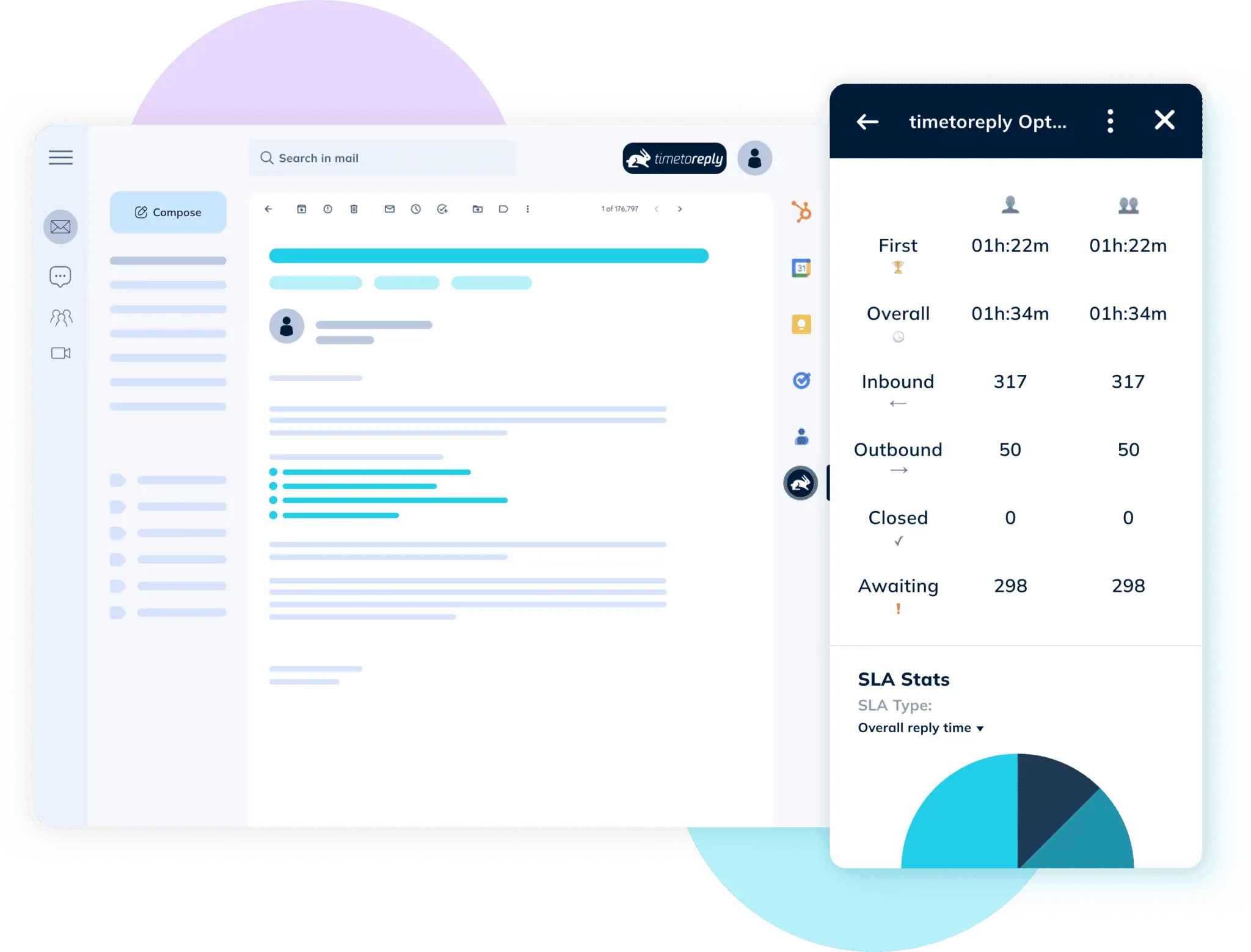

We log send and receive timestamps automatically, so every reply is measured without manual tagging. Reply rates, first-reply time, and message volumes update as messages arrive. That data makes email delays visible during critical project phases.
Your dashboard shows reply averages by consultant, client, or project with quick filters. Compare people and projects to spot overloaded team members or campaigns that need extra attention. This is great for project managers who manage multiple projects.
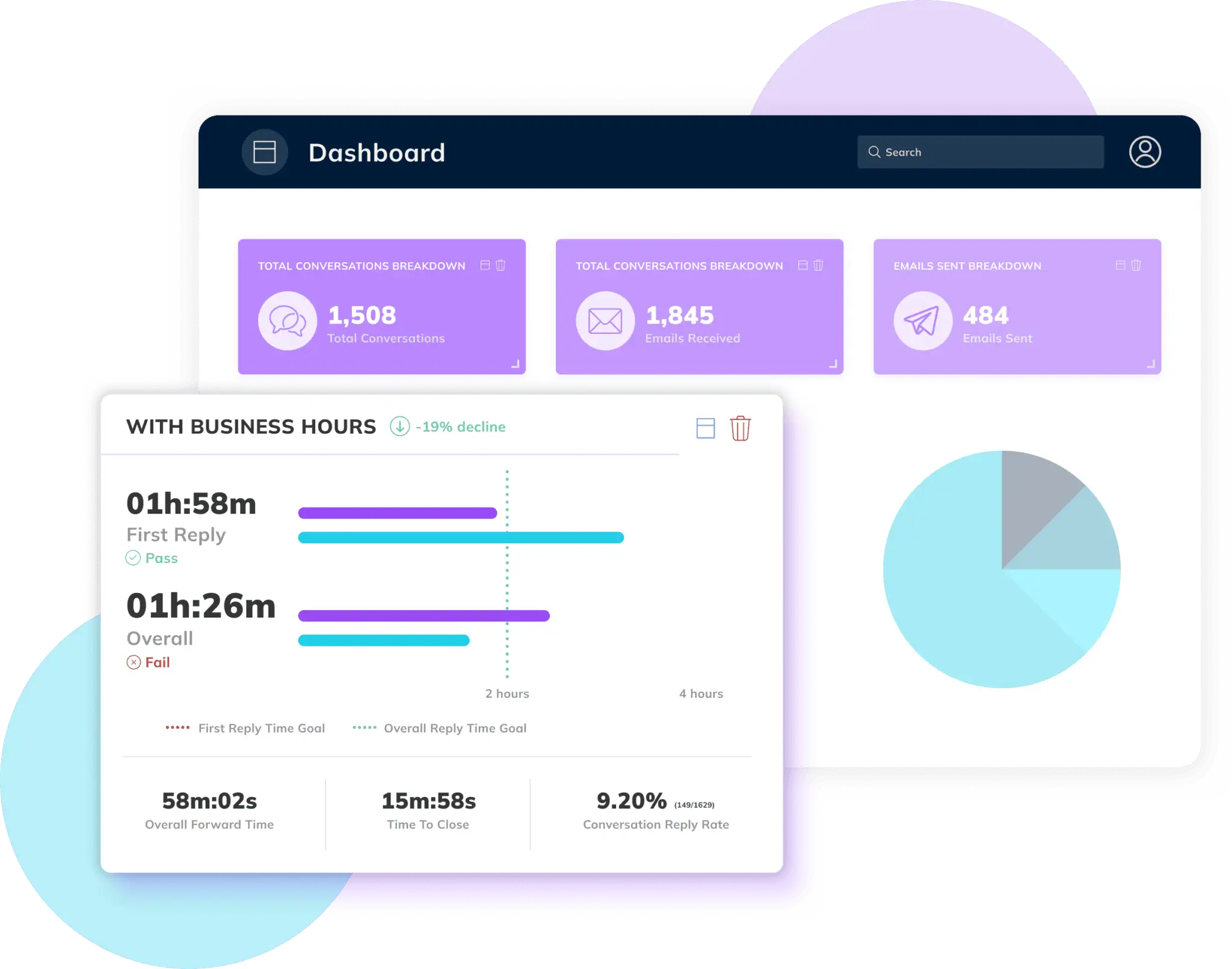

Set custom alerts for VIP clients, proposal windows, or launch milestones and get notified when threads cross your thresholds. Receive daily or weekly digests for export logs for billing or client reports. Turn raw timestamps into practical follow-up steps.


Our email analytics tool for small consultancy firms gives fast, actionable visibility into reply speed so you can protect proposals and keep projects on time. The timetoreply lite tool provides all essential insights to help you keep projects on track.

See real-time reply averages by client, project, or consultant in one simple view. Filters let you focus on active work so you can spot delays during critical phases.

Create thresholds for priority clients or milestones and get notified when a thread goes overdue. Alerts help your team follow up before a delay becomes a problem.

Track reply times and averages for up to 10 consultants without extra setup. That makes timetoreply lite a good fit for small teams that want immediate metrics.

Supports shared and delegated mailboxes so replies sent by the team are attributed correctly. That keeps client threads clear and accountable for later audits.

Choose a cadence and receive concise summaries of reply performance automatically. Summaries are export-ready for client updates or internal performance reviews.

Connect Gmail or Outlook in a couple of clicks and set basic alert rules without IT. Admin settings let you control who sees dashboards and exports.
“Very quick to set up and really useful reports.”
Henry Bird
“It has really helped all the businesses that I advise.”
Chris Staines
“Timetoreply is easy to use but also powerful.”
Jay Baer
Give partners and project leads clear visibility into who’s replying and how long it takes with our email analytics tool for small consultancy firms.
Use that data to speed approvals, cut follow-ups, and protect delivery dates across every engagement.