
The best Zendesk alternative depends on how your team handles support. Freshdesk is a good choice for help desk management, Front helps teams work from a shared inbox, and timetoreply focuses on email performance and SLA tracking. In this guide, we compare the top tools by features, pricing, and ease of use.
For teams exploring Zendesk alternatives, the strongest choices are timetoreply, Freshdesk, Help Scout, Front, and Kustomer. These tools cover everything from email analytics to full customer service management.
Some are made to replace Zendesk directly. Others are a better fit if you want something lighter and easier to manage.
Teams usually switch because Zendesk can be expensive, crowded with features, and harder to learn than they expected. Common pain points include a steep learning curve, extra fees for advanced features, and a more difficult setup than expected.
So, if you are looking for Zendesk alternatives that perform better, then you’ve reached the right place.
In this guide, we’ll compare the top Zendesk alternatives, explain what makes each one different, and help you narrow down the best fit.
The best Zendesk alternatives vary by use case and your specific needs. If you want a helpdesk tool, then Freshdesk and Zoho Desk are great Zendesk alternatives. If you want to improve your support team’s response times, the timetoreply is the best fit.
Let’s look at the best Zendesk alternatives by type.
There are plenty of worthy Zendesk alternatives to consider. To help you make an informed decision, we carefully evaluated various Zendesk alternatives based on their strengths, pricing, and specific use cases.
Here are the main factors we considered when selecting the best Zendesk alternatives:
Also Read:
High cost, poor UI, slow support, and missing features are key reasons why businesses look for Zendesk alternatives.
Zendesk is a renowned customer service solution widely used to manage customer interactions, streamline workflows, and offer omnichannel support. But despite its popularity, it may not be the perfect fit for your specific business needs.
Here’s why you should consider exploring Zendesk alternatives:
The best way to compare the Zendesk alternatives we’ve covered here is based on use case. Find the tools for your specific needs and compare their features and pricing. For example, timetoreply is meant for email reply time tracking, while Front helps with shared inbox collaboration.
So, compare similar Zendesk alternatives. Here’s a quick reference table to help you find and compare the best Zendesk alternatives.
| Tool name | Best for | Unique strengths | Pricing |
| timetoreply | Native Gmail annd Outlook email analytics | SLA tracking and reply-time analytics that work within existing inboxes | Starts at $44/mailbox/month |
| Email Meter | Gmail and Microsoft 365 email analytics | Team email performance reports with a cloud-based setup | Starts at $15/user/month |
| Email Analytics | Teams tracking email activity and response times | Visual dashboards for response times and workload | Starts at $19/inbox/month |
| Freshdesk | All-around customer support management | Freddy AI automation and omnichannel ticketing | Starts at $23/user/month |
| Front | Shared inbox collaboration | Internal collaboration directly inside email threads | Starts at $35/user/month |
| Gorgias | Ecommerce customer support | Pulls customer order data into support conversations | Starts at $10/month |
| Help Scout | Small and growing support teams | Simple shared inbox built around email-style support | Starts at $30/user/month |
| Zoho Desk | Businesses already using Zoho products | Deep integration with the Zoho ecosystem and Zia AI | Starts at $9/user/month |
| Salesforce Service Cloud | Enterprise customer support | Advanced CRM-powered workflows and Einstein AI | Starts at $25/user/month |
| HubSpot Service Hub | Teams using HubSpot CRM | Native connection with HubSpot sales and marketing tools | Starts at $20/seat/month |
| LiveAgent | Budget-friendly omnichannel support | Built-in call center and gamification tools | Starts at $19/agent/month |
| HappyFox | Teams that want workflow automation | Strong rule-based ticket automation and smart workflows | Starts at $29/user/month |
| Kustomer | Customer service teams focused on customer history | Timeline view of the full customer journey across channels | Custom pricing |
The best Zendesk alternatives vary by use case. The best Zendesk alternatives for improving team productivity, for example, are timetoreply and Email Meter. The best helpdesk tools are Freshdesk and Zoho Desk.
Whether you’re looking for better pricing, customizable workflows, or niche support features, there are various Zendesk alternatives best suited for your needs.
Here’s an in-depth comparison of the top Zendesk alternatives to help you make the right choice:

Image via timetoreply
First on our list of the best Zendesk alternatives is timetoreply. It’s an email analytics software for Gmail and Outlook. Once you connect timetoreply to your team’s email inboxes, it will start tracking your email activity and collecting analytics on usage. You’ll see data on every key email metric you need to know, such as:
Rather than replacing your email tool, timetoreply integrates with your current email system. You can track detailed performance metrics, including email response time SLAs, conversation tracking, and email productivity benchmarks.
You can create custom dashboards that show your team the key email activity metrics they need to know and schedule reports so you’re always up-to-date on your team’s performance.
The timetoreply tool also lets you set goals for email performance to ensure your customers and sales leads are never left waiting for a reply.
Another advantage for growing companies using timetoreply as their email response management software is that timetoreply offers both Gmail and Outlook email analytics, as well as other inboxes.
Looking for the best Zendesk alternatives? Try timetoreply for free
Key features
Pros
Cons
Pricing
The timetoreply tool offers transparent pricing with multiple tiers based on your needs.
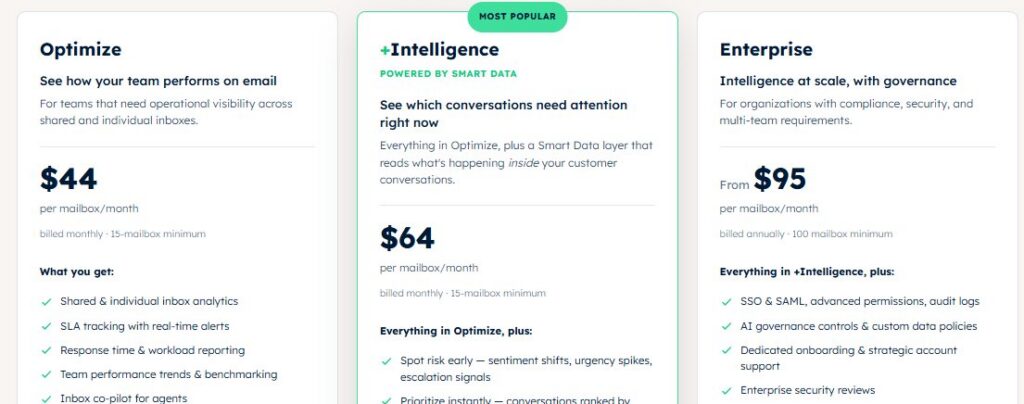
Image via timetoreply
Tool level
Usability
Pro tip: Use data from timetoreply analytics to establish achievable service level agreements for email responses and improve customer experience.
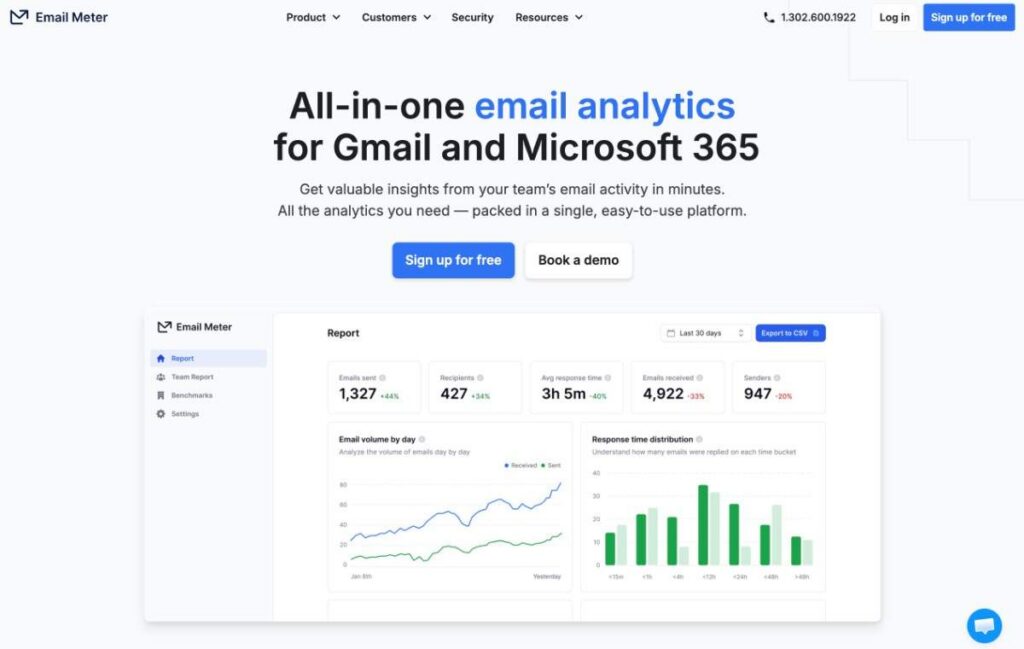
Image via Email Meter
Email Meter is also one of the top Zendesk alternatives on our list. It’s an email analytics tool for Gmail and Microsoft 365 designed to give your team actionable insights into your email performance.
It tracks data points such as:
Email Meter is exclusively designed to offer Microsoft 365 and Gmail email analytics and won’t work with other inbox providers. Like timetoreply, you won’t need to install any software on your devices to use Email Meter, as it’s a cloud-based email management solution.
Email Meter is one of the best Zendesk alternatives for businesses that don’t need a full ticketing system but want clear visibility into how their email communications are performing.
However, like Zendesk, Email Meter is best for enterprise companies, as the most powerful features are limited to their highest pricing plan.
Key features
See how Email Meter compares to timetoreply here.
Pros
Cons
Pricing
Email Meter offers a free plan and two pricing packages.
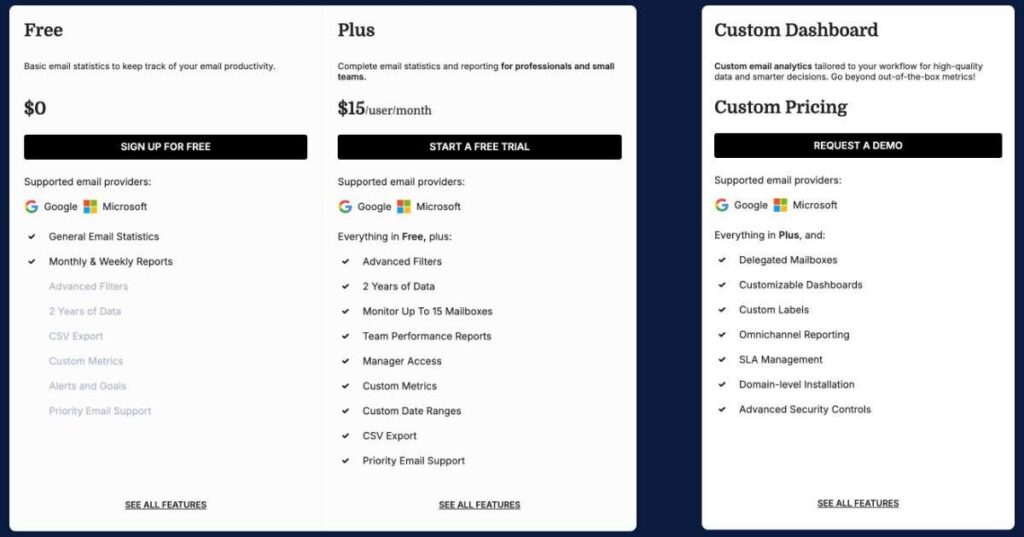
Image via Email Meter
Tool level
Usability
Pro tip: Customize reports to track specific metrics that are most relevant to your goals.
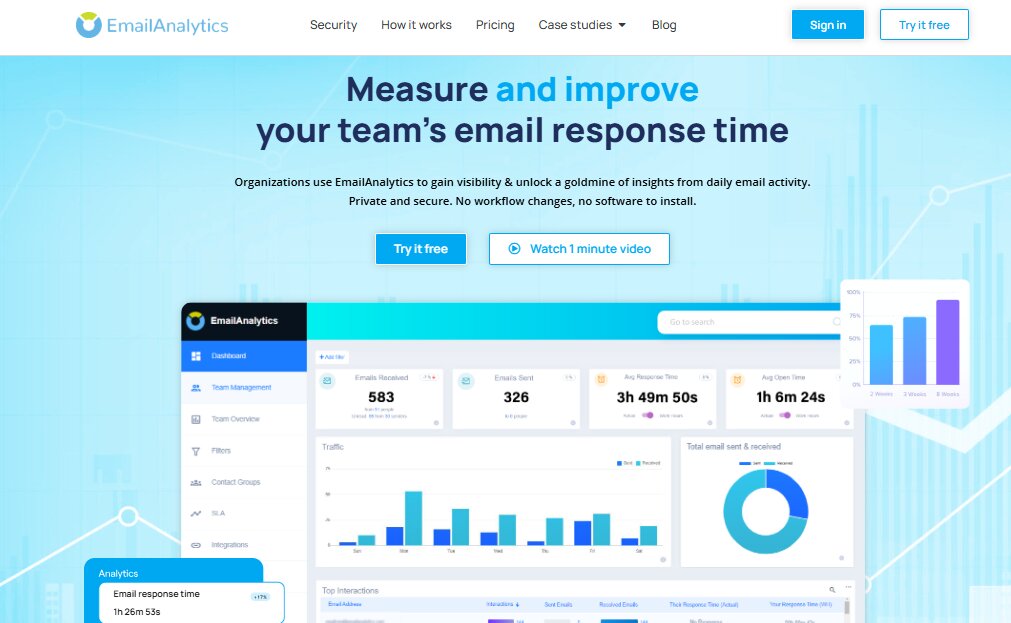
Image via EmailAnalytics
Email Analytics is an Outlook and Gmail analytics tool that helps you understand your team’s email activity and performance. Like Email Meter, it only works for Gmail and Outlook users. Once you connect your team’s accounts, it will start collecting data and compiling it into actionable data visualizations.
It provides insights into key standard email response times, email volume, and team workload. It’s one of the top-rated Zendesk alternatives for monitoring your team’s email activity and using that data to improve response times and agent productivity.
There are currently no goal-setting features built into Email Analytics like there are with timetoreply. However, it’s one of the top-rated Zendesk alternatives you can use to get a clear understanding of your current email performance.
All in all, it’s a solid option if you’re looking for Zendesk alternatives that offer features around email response tracking.
Key features
See how Email Analytics compares to timetoreply here.
Pros
Cons
Pricing
Email Analytics offers a 14-day free trial and a single plan, unlike most Zendesk alternatives.
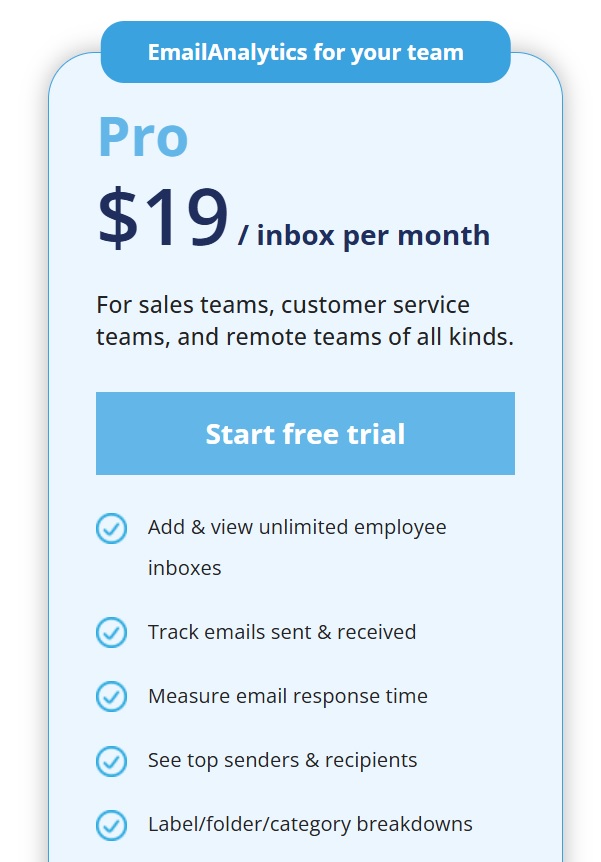
Image via EmailAnalytics
Tool level
Usability
Pro tip: Combine email insights with CRM data to get a holistic view of your customer service performance.
Also Read:
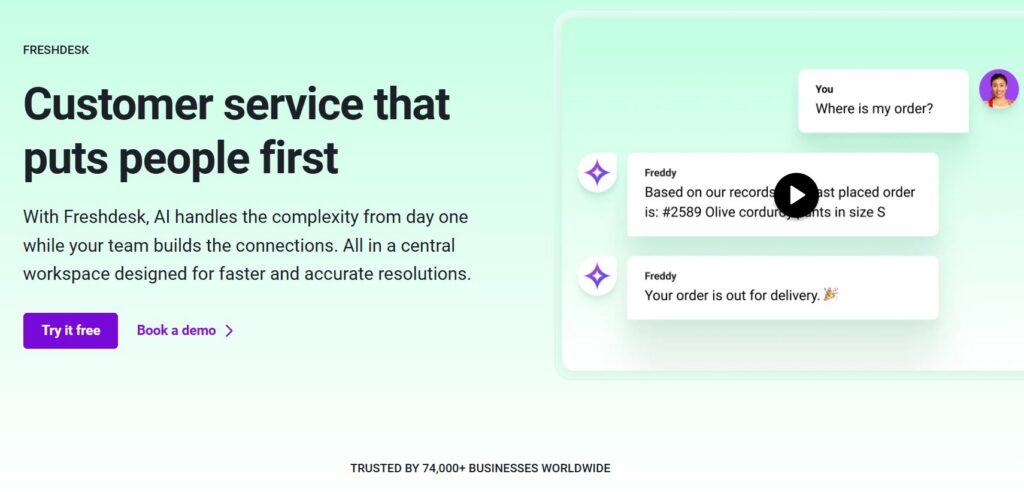
Image via Freshdesk
Freshdesk, developed by Freshworks, is a customer service and ticketing platform similar to Zendesk. It’s one of the best Zendesk alternatives that offers omnichannel support, advanced automation, AI-powered features, and an intuitive ticketing system.
Like with Zendesk, you’ll need to integrate it with your email accounts and support channels. Then, you’ll manage all your communications from the platform and won’t need to reply to emails from your regular Gmail or Outlook inbox.
You should also consider if you need a standalone system to manage your customer service needs. If you’re not ready to migrate your entire team’s day-to-day support work onto the platform, it’s best to explore other Zendesk alternatives.
On the other hand, if you need a tool similar to Zendesk but at a more affordable price point, Freshdesk is one of the most budget-friendly Zendesk alternatives.
Key features
Pros
Cons
Pricing
Freshdesk offers several pricing tiers, each with a free trial valid for 14 days.
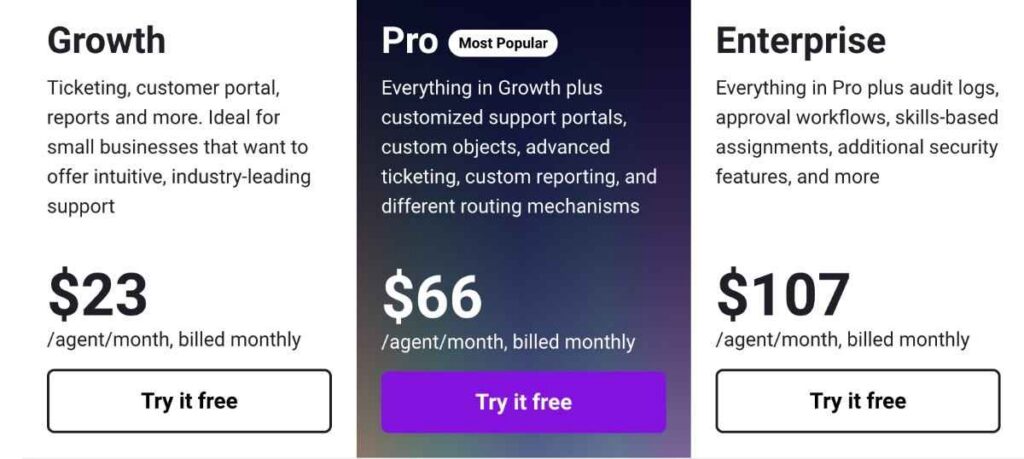
Image via Freshdesk
Tool level
Usability
Pro tip: Automate repetitive tasks to improve efficiency and free up agents to handle more complex issues.

Image via Front
Front is an email management platform that brings all your company email communication into one place, from sales to customer service, and your internal team emails.
It’s one of the Zendesk alternatives that allow multiple team members to manage, assign, and respond to emails, SMS, live chat, and social media messages from a unified inbox.
Like Zendesk, Front requires your company to move all your email communication onto the platform. You can also connect social media and phone numbers to manage incoming support messages on those channels.
It’s one of the best Zendesk alternatives that can save your support team from switching between channels throughout the day.
Front’s analytics feature is available on higher pricing tiers. You can measure your email response times, inbox volume, and trends in your inbox to help you ensure your email accounts are being monitored at peak hours.
However, it’s not one of the Zendesk alternatives designed as analytics platforms. The data isn’t as detailed as it is in tools like timetoreply, Email Meter, and Email Analytics.
Front integrates with various tools, so you can customize your workflow as much as you need to.
There’s no doubt that Front is a powerful platform for teams that need to unify their customer communication into one shared inbox.
It’s one of the top Zendesk alternatives for businesses that combines modern workflow tools with a customer-first approach.
Key features
See how Front compares to timetoreply here.
Pros
Cons
Pricing
Front offers tiered pricing plans and a free trial on the Starter package.
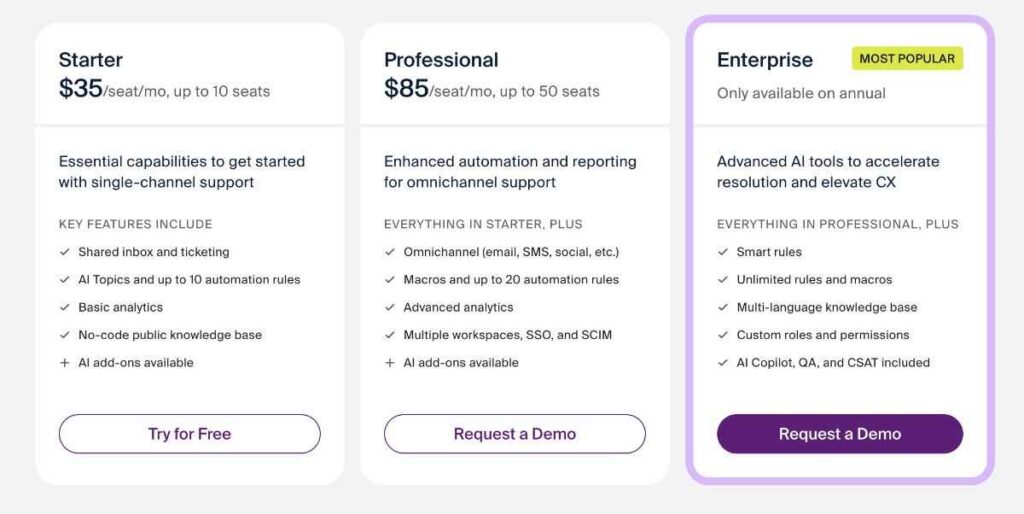
Image via Front
Tool level
Usability
Pro tip: Organize your inboxes by team, channel, or function to ensure efficient routing and visibility.
Also Read:
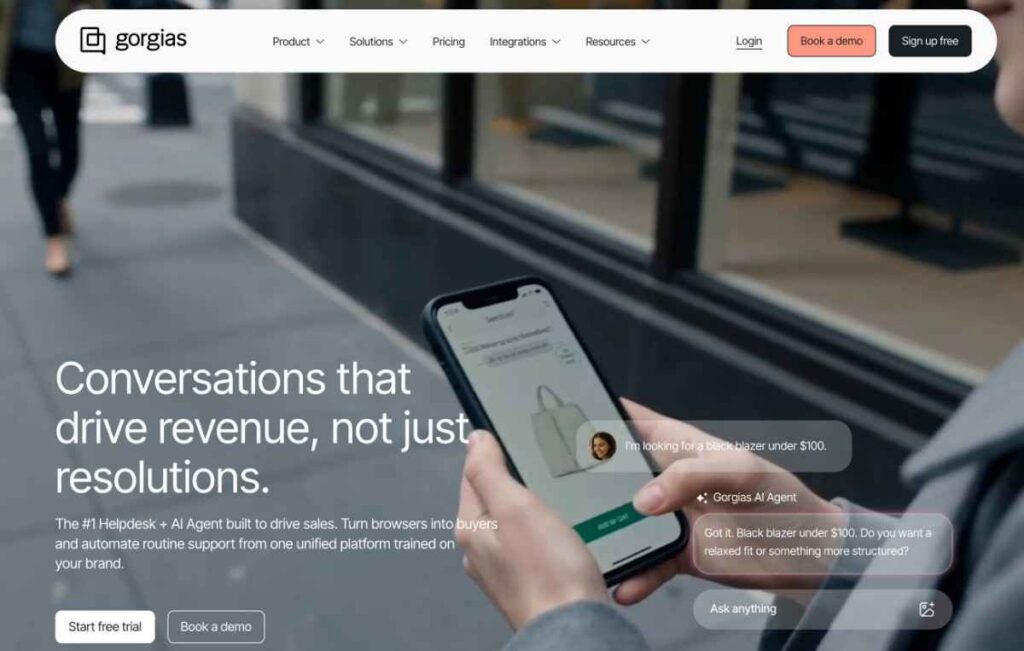
Image via Gorgias
Gorgias is an ecommerce help desk specifically designed for ecommerce businesses. It’s one of the most powerful Zendesk alternatives if you need advanced features to manage a high volume of customer service tickets.
Once you integrate Gorgias with your ecommerce website and other customer communication channels (Instagram, Facebook, Klaviyo, email, and more), you’ll start receiving all your messages in one place. Gorgias will also use the customer details to cross-reference them with past orders in your database, so your team has full context whenever they’re talking to customers.
In terms of email analytics, Gorgias stands out from most Zendesk alternatives. It compiles your metrics on your support team’s response time, ticket resolution time, ticket efficiency, peak hours, and more.
Gorgias is a powerful option, but it’s also one of the most expensive Zendesk alternatives, as you’ll need higher-tier plans for enough monthly tickets. Like Zendesk, it also requires you to migrate all your email activity onto the platform to get the most out of it. This means going through an onboarding period before your team can reach full productivity again.
Key features
Pros
Cons
Pricing
Gorgias offers volume-based pricing, depending on the number of tickets per month. A free 2-month trial is only available with annual billing. Here are the starting prices of plans, which increase based on the number of AI interactions you want.
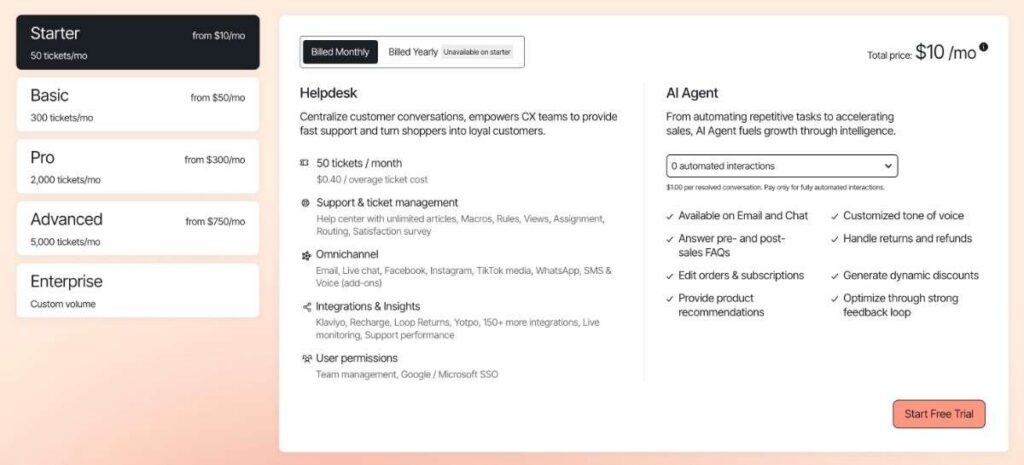
Image via Gorgias
Tool level
Usability
Pro tip: Use intent detection and autoresponders to instantly answer common FAQs and save agent time.
Also Read:
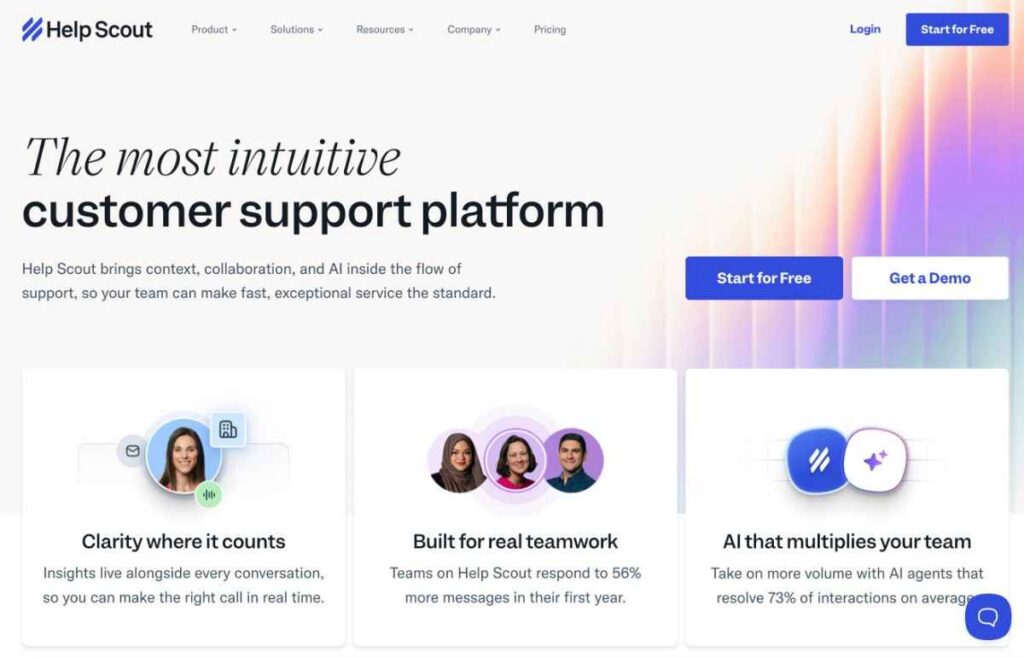
Image via Help Scout
Help Scout is a help desk designed to make it as easy as possible for your team to help your customers. It’s one of the most user-friendly Zendesk alternatives that simplifies customer service management. Once you’re set up, you can reply to customer emails and support tickets in your Help Scout inbox.
All of your support emails are added to a shared inbox, which makes it easy for any agent on your team to quickly reply to a conversation and improve customer satisfaction.
There’s an API that allows you to connect Help Scout to other business software and ensure all the information your team needs is at their fingertips.
To help you understand your email performance, there are analytics that you can look at to assess performance around metrics such as total conversations per day, new conversations, and more.
Help Scout is one of the lightweight and accessible Zendesk alternatives if you need a standalone support hub for your business.
Key features
Pros
Cons
Pricing
Help Scout offers a free plan and three paid plans.
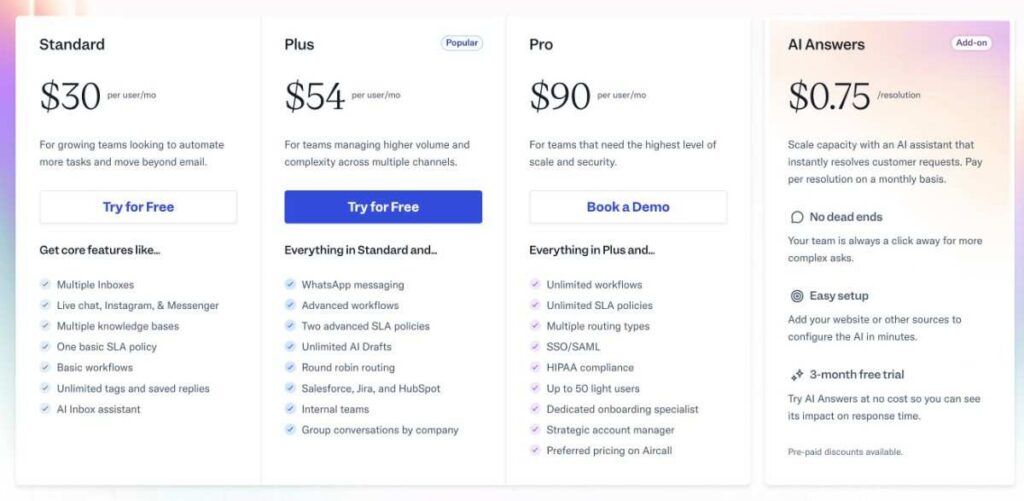
Image via Help Scout
Tool level
Usability
Pro tip: Instead of emailing teammates, use internal notes in the conversation thread to ask questions, provide context, share updates, and collaborate directly on a customer issue.
Also Read:
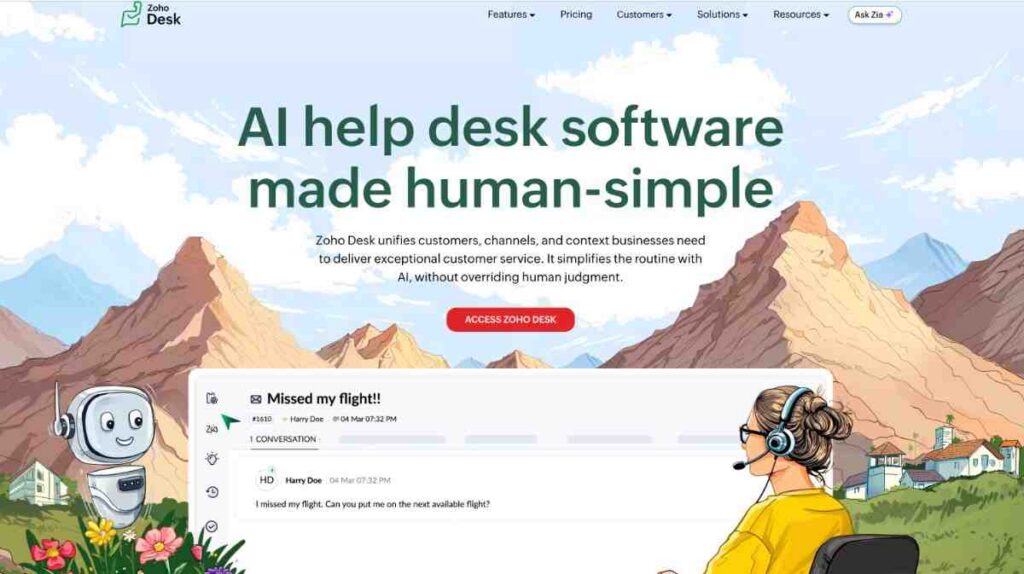
Image via Zoho Desk
Zoho Desk is part of the comprehensive Zoho suite of business tools. This makes it one of the best Zendesk alternatives to consider if you’re looking for deep integration capabilities.
Zoho Desk integrates seamlessly with other Zoho business tools like Zoho CRM, Zoho Analytics, and Zoho Projects. This cloud-based help desk solution enables you to deliver efficient and timely customer service across multiple channels.
It’s also one of the top Zendesk alternatives with advanced AI-driven automation and customizable workflows.
Key features
Pros
Cons
Pricing
Zoho Desk offers four paid tiers and a free forever plan.
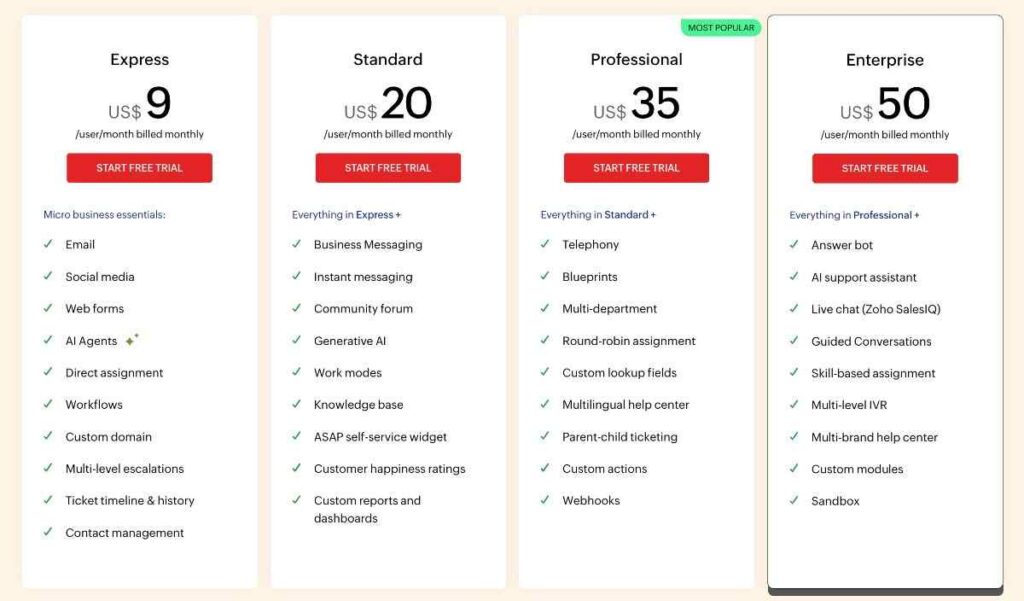
Image via Zoho Desk
Tool level
Usability
Zoho Desk is fairly easy to use if you’re just looking for basic features. Custom modules and workflows can be complex and require training.
Pro tip: Utilize Zia’s AI-powered suggestions, sentiment analysis, and automation to improve response times and enhance the overall customer experience.

Image via Salesforce Service Cloud
If you’re looking for an enterprise-grade customer service (CRM) platform, Salesforce Service Cloud is one of the top Zendesk alternatives you can choose.
It centralizes customer support, sales, and automation under one robust CRM ecosystem. Salesforce allows you to deliver fast, personalized, and connected service across every customer touchpoint.
Compared to Zendesk, this customer support software offers deeper insights into customer service analytics that you can leverage to build stronger customer relationships and improve satisfaction.
Salesforce differentiates itself from other Zendesk alternatives by offering highly personalized customer service and support.
Key features
Pros
Cons
Pricing
Salesforce Service Cloud offers several pricing plans.
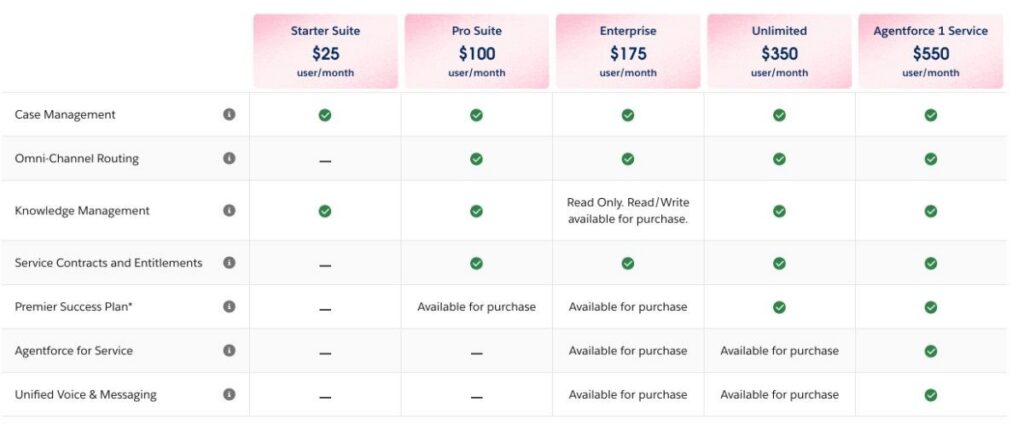
Image via Salesforce Service Cloud
Tool level
Usability
Pro tip: Leverage Salesforce’s free learning portal to help your team learn everything from basic navigation to advanced automation.
Also Read:
Image via HubSpot Service Hub
Next on our list of the best Zendesk alternatives is HubSpot Service Hub. It’s a customer support software built as a part of the larger HubSpot CRM platform.
Unlike standalone customer support tools like Zendesk, HubSpot Service Hub works natively with your CRM, marketing automation, and sales tools. This enables customer support teams to access complete histories and provide faster, more personalized responses to customer inquiries.
Compared to Zendesk, HubSpot Service Hub equips support teams with tools to manage customer conversations across various channels, automate support processes, and deliver a personalized customer experience.
Key features
Pros
Cons
Pricing
HubSpot Service Hub offers a tiered pricing model with per-seat costs for paid plans.

Image via HubSpot Service Hub
Tool level
Usability
Pro tip: Integrate with HubSpot Service Hub to access full customer lifecycle data and deliver a truly unified customer experience, combining sales and marketing automation.

Image via LiveAgent
LiveAgent is a customer service management platform that coordinates customer communications across multiple channels from a single interface.
It stands out as one of the top-rated Zendesk alternatives for its omnichannel capabilities, efficient ticket management, and extensive integrations.
It is one of the best Zendesk alternatives for small to mid-sized businesses seeking multi-channel customer support at a budget-friendly price.
Key features
Pros
Cons
Pricing
LiveAgent offers a tiered pricing structure with four plans. The first three plans include a free trial:

Image via LiveAgent
Tool level
Usability
Pro tip: Gamify your customer service operation using badges and leaderboards to motivate customer support agents, maximize engagement, and increase productivity.
Also Read:

Image via HappyFox
As one of the most unique Zendesk alternatives, HappyFox is an intuitive help desk solution that can help you streamline customer support operations and enhance agent productivity.
It’s a great fit if you’re looking for a platform with a clean UI, automated workflows, and multi-channel support.
This customer communication platform made it to our Zendesk alternatives list for its strong emphasis on automation features and centralized hub. It enables you to manage customer data across multiple channels and deliver a seamless customer experience.
Key features
Pros
Cons
Pricing
HappyFox offers four pricing packages based on the features included.

Image via HappyFox
Tool level
Usability
Pro tip: Utilize canned responses to quickly resolve common customer inquiries and enhance the overall customer experience.
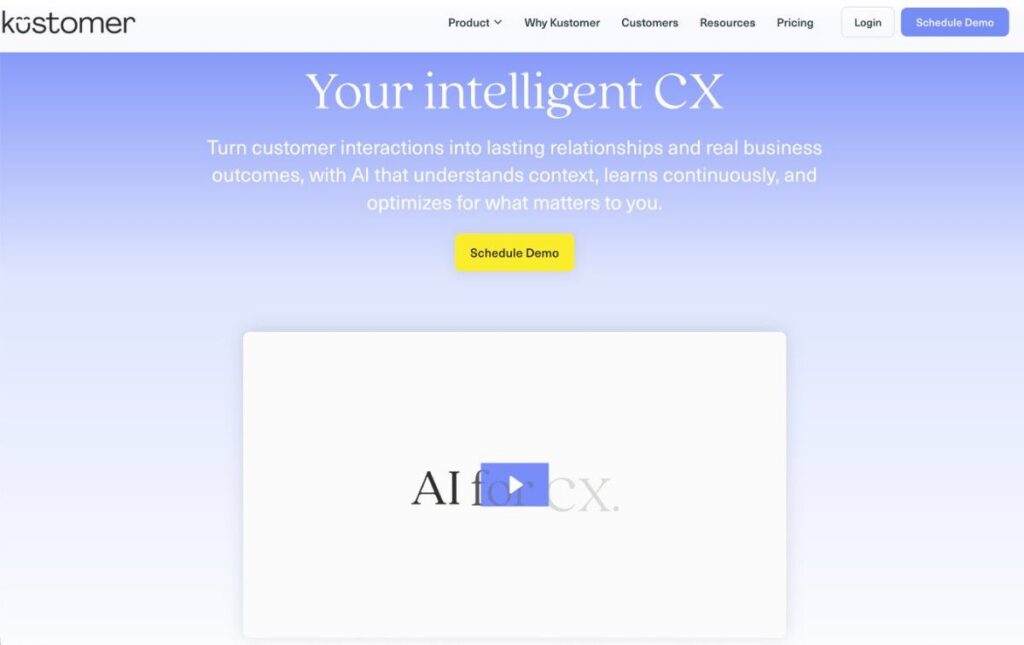
Image via Kustomer
Kustomer stands out from other Zendesk alternatives for its CRM-first approach to customer service. Unlike traditional help desks that treat each ticket as a separate interaction, Kustomer focuses on the entire customer journey.
This help desk solution provides customer support agents with a comprehensive and contextual view of every customer’s history across all channels. This enables them to anticipate customer needs and offer a personalized customer experience.
Key features
Pros
Cons
Pricing
Unlike most Zendesk alternatives, Kustomer does not offer tiered pricing plans. You can get a custom quote based on your needs.

Image via Kustomer
Tool level
Usability
Pro tip: Experiment with AI-powered sentiment analysis and smart assist to enhance agent efficiency and customer experience.
Also Read:
1. Who is Zendesk’s main competitor?
Zendesk’s main competitor is Freshdesk, known for its similar help desk functionality, intuitive interface, and flexible pricing. Other top Zendesk alternatives include timetoreply, Help Scout, Zoho Desk, Jira Service Management, and Salesforce Service Cloud.
2. Are there better Zendesk alternatives?
Yes, Zendesk alternatives like timetoreply, Freshdesk, Help Scout, and Zoho Desk may be better, depending on your needs. They offer lower costs, simpler interfaces, or deeper CRM integrations than Zendesk.
3. What are the disadvantages of Zendesk?
Zendesk can be expensive, has a steep learning curve, and its interface may feel overly technical. Additionally, customization options can be limited without advanced technical knowledge.
4. Are there free Zendesk alternatives?
Yes, Zendesk alternatives like Freshdesk and Zoho Desk offer free plans for basic customer service management features. If you need more advanced features, consider choosing Zendesk alternatives with affordable paid plans like timetoreply.
5. Is Zendesk a CRM or ERP?
Zendesk is a CRM tool specifically focused on customer service and support. It’s not an ERP system, which is designed to manage broader business operations, such as finance, inventory, and supply chain management.
6. What is Zendesk best used for?
Zendesk is ideal for managing customer service interactions. It offers multi-channel support, automates ticket workflows, and provides detailed analytics. It’s suitable for businesses seeking to streamline their support operations and improve customer satisfaction.
7. Which Zendesk alternative offers the best email analytics?
For businesses that handle support through email, timetoreply is one of the best Zendesk alternatives. Teams can track first replies, average response times, and inbox workload.
Managers also get a better view of team performance across departments. Unlike larger support systems, the platform works on top of Gmail and Outlook. That helps businesses improve reporting while keeping workflows simple and familiar.
8. Which Zendesk alternative is the best for SLA tracking?
The timetoreply tool is one of the better Zendesk alternatives for SLA tracking because it keeps things simple. Teams can see how quickly emails are answered and whether response goals are being met. Managers can also spot slow inboxes before they turn into larger customer issues. Since the tool works with Gmail and Outlook, teams can improve service levels without changing the way they already work.
9. What makes timetoreply one of the Zendesk alternatives?
Many Zendesk alternatives are built around ticketing systems and shared inboxes. The timetoreply tool takes a simpler approach. It works within the inboxes teams already use and adds reporting on top of them. That means businesses can improve support performance without changing the way employees work.
10. How does timetoreply help improve customer support operations?
The timetoreply tool helps customer support teams stay organized and respond faster. Managers can track response times, compare workloads, and review inbox activity from one place. This helps teams spot issues before customers start following up repeatedly.
Unlike many Zendesk alternatives, the platform works with tools employees already use every day. Teams can improve support operations without learning a completely new system. That saves time and helps businesses improve customer experience more quickly.
Also Read:
Zendesk is an excellent customer service platform for large companies. However, because it’s so feature-rich, it comes with a high price tag and will be overkill for most companies.
Depending on your needs, different Zendesk alternatives in this list will be a better fit than others.
If you need simplified Zendesk alternatives and are willing to move all your email activity onto a new platform, you might consider Front or Help Scout.
However, if you need Zendesk alternatives that offer market-leading email analytics and reporting, then timetoreply is for you. It helps you track your team’s email performance, meet SLAs, and improve customer experience.
Just book a demo to check out its features before you invest.
Get live inbox alerts and reply quickly to customer emails with timetoreply

Head of Customer Success @ timetoreply
Barry Blassoples is the Head of Customer Success at timetoreply, where he helps customer-facing teams boost revenue and protect brand reputation by providing actionable insights to improve their business email response times. He has over 15 years of leadership experience across customer success, sales, and marketing roles in high-growth tech companies.


Trusted by high-performing inbound sales teams and customer-facing teams globally.
Close more deals and delight more customers with the faster, smarter, deeper email analytics and performance optimization software that works straight from your team’s inbox.