
When comparing Email Meter vs EmailAnalytics, the right choice relies on your team’s goals, reporting needs, and response time targets. This guide compares features, metrics, platform support, security, pricing, and user reviews. We also examine when timetoreply is the better alternative for improving productivity and customer service.
Choosing between Email Meter vs EmailAnalytics comes down to depth versus simplicity.
For most customer-facing teams, Email Meter is the stronger pick if you want detailed analytics and a free plan to start. If you want simple manager-friendly response-time reports with built-in SLA monitoring, Email Analytics is the way to go.
Many teams struggle to understand how much time they spend on email. You may not know who’s overloaded, how quickly teams respond, or where communication bottlenecks slow down productivity. The right email analytics tool can help you spot problems early and improve team performance.
In this guide, we’ll compare Email Meter vs EmailAnalytics. You’ll learn how the two tools stack up on features, reporting, pricing, integrations, ease of use, and overall value. We’ll also show where timetoreply fits if you need real-time SLA tracking inside any inbox.
Important note: Email Meter is not Gmail Meter (a retired Gmail add-on) or MailMeter (an archiving tool). This guide covers the team email analytics platform at emailmeter.com.

Here is how Email Meter vs EmailAnalytics compare on the criteria that decide most purchases. We included timetoreply so you can see where the alternative sits.
| Criterion | Email Meter | EmailAnalytics | timetoreply |
| Best for | Data-driven teams wanting deep email tracking data | Managers looking for simple reports | Customer-facing teams needing real-time SLAs in any inbox |
| Platforms | Gmail, Workspace, Outlook, M365 | Gmail, Workspace, Outlook, M365 | Gmail, Workspace, Outlook, M365, IMAP |
| Shared mailboxes | Yes (delegated on Custom) | Yes (Gmail and Outlook) | Yes (Gmail and Outlook) |
| Core metrics | Response time tracking, email volume, benchmarks, AI | Email response time, volume, busiest times | Average email response time, SLAs, volume, individual performance |
| SLA + real-time alerts | Limited to Custom Dashboards tier | Included in the Pro plan | Real-time email response time targets alerts and SLAs available on all plans |
| AI features | Sentiment, categorization, AI Chat | Sentiment analysis (new) | Advanced performance optimization insights |
| Free plan / trial | Free forever plan + trial on paid plans | 14-day trial, no free plan | Demo + trial |
| Starting price | $19/user/month | $19/inbox/month | $38/mailbox/month |
| Data history | 2 years (Plus) | 2 years | Configurable |
| Security | ISO 27001, SAML SSO | Google-verified, GDPR | SOC 2 Type II, ISO 27001 |
| Ratings | G2 4.1, Capterra 4.8 | G2 4.5 | G2 4.3, Capterra 4.5 |
Pricing as of June 2026. Verify current pricing on each vendor’s site.
Email Meter offers deeper analytics, AI insights, and a free plan, with SLA management reserved for its Custom tier. EmailAnalytics is simpler to run and bundles SLA monitoring and unlimited inboxes into one Pro plan. Both platforms support Gmail and Outlook.
Also Read:
Before the head-to-head, Email Meter vs EmailAnalytics comparison, here is a one-line identity for each tool. Email analytics software measures how your team sends, receives, and responds to email, then turns that into reports you can act on.
| Email Meter | EmailAnalytics | timetoreply |
| Email Meter is an analytics platform for Gmail and Microsoft 365. It’s built for data-driven teams that want deep metrics, benchmarks, and AI insights. Best for analysts and operations leaders. | EmailAnalytics is a reporting tool for Gmail and Outlook. It’s known for simple dashboards and daily email digests. Best for managers who want quick valuable insights and visibility without setup work. | timetoreply is an email response time and SLA software for any inbox. It surfaces live metrics and countdowns inside the inbox. Best for customer-facing teams held to reply-time targets. |
Here’s an honest, balanced review of each platform’s strengths and weaknesses:
Pros:
Cons:
Pros:
Cons:
Pros:
Cons:
Email Meter balances depth and a free plan. EmailAnalytics blends simple email data with built-in SLAs. For real-time SLA control and broad inbox support, timetoreply is the best pick.

Image via timetoreply
To deliver a fair Email Meter vs EmailAnalytics comparison, we evaluated six major factors. These include features and metrics, platform support, shared mailbox visibility, onboarding experience, response-time analytics, security, and pricing.
The average email response time across industries is 14 hours 54 minutes, according to a 2026 EmailAnalytics report:

Image via EmailAnalytics
Slow, unmeasured email quietly costs you deals, renewals, and trust. That’s why choosing the right analytics tool is so important.
Here’s the criteria we used when comparing Email Meter vs EmailAnalytics:
Both tools provide valuable email features and data, but they address different needs. Email Meter offers more depth, while EmailAnalytics focuses on simplicity. Your choice relies on your specific team and individual needs.
This email analytics platform tracks both average and median email response time. It gives you a clearer view of performance when a few slow replies skew the numbers. You can track metrics like email traffic, volume, response activity, productivity patterns, and peak workload hours.
You get benchmarks against industry peers, custom drag-and-drop dashboards, and up to two years of history on the Plus plan.
Its AI layer adds sentiment analysis and automatic categorization. You also get a chat feature that answers questions about your email marketing data in plain language. These features help you enhance team productivity and improve customer experience.
AI-powered inbox management cuts average reply times by 18%, according to a CloudHQ 2025 study.
For analysts, the BigQuery integration is a standout feature. It pushes your email dataset into a data warehouse or BI tool, so you can blend email metrics with the rest of your reporting.
EmailAnalytics keeps things simple and focused. It measures average response time per person and recipient, emails sent and received, and top senders. It also tracks team members’ email activity by hour and day of the week.
Its signature touch is the daily and weekly email digest. Managers get a summary in their inbox without logging in. It’s great for teams that want a glance, rather than a deep dive. Label, folder, and category breakdowns let you separate internal communications from customer service emails.
A newer AI-powered sentiment analysis feature now flags the tone of email conversations. This feature narrows the gap with Email Meter on insights.
Winner: Email Meter wins for its broad metrics, AI insights, and BI export capabilities. EmailAnalytics works well for managers who just want a clean digest in their inbox.
In the EmailMeter vs EmailAnalytics comparison, Email Meter takes the lead with deeper reporting, AI, and trend analysis features. EmailAnalytics covers the essentials and adds convenient digest reports. Pick depth or simplicity.
Also Read:
This is where old Email Meter vs EmailAnalytics advice can be misleading. Both Email Meter and EmailAnalytics now support Gmail, Google Workspace, Outlook, and Microsoft 365, including shared mailboxes. Platform support is no longer a reason to rule either one out.
Email Meter connects to email clients like Google Workspace and Microsoft 365. It tracks email usage across individual users and shared mailboxes. However, shared and delegated inboxes are only available on the Custom Dashboards tier.
Managers can monitor team mailboxes, track activity, and measure email response performance across multiple users. This visibility unifies support, customer service, and sales team reporting.
EmailAnalytics also works with Gmail, Google Workspace, Outlook, and Microsoft 365. It explicitly supports Gmail and Outlook shared mailboxes. You can track team-wide customer support addresses alongside individual user accounts without switching dashboards.
Shared mailbox reporting is included in EmailAnalytics’ single Pro plan. This gives it a slight edge over EmailMeter.
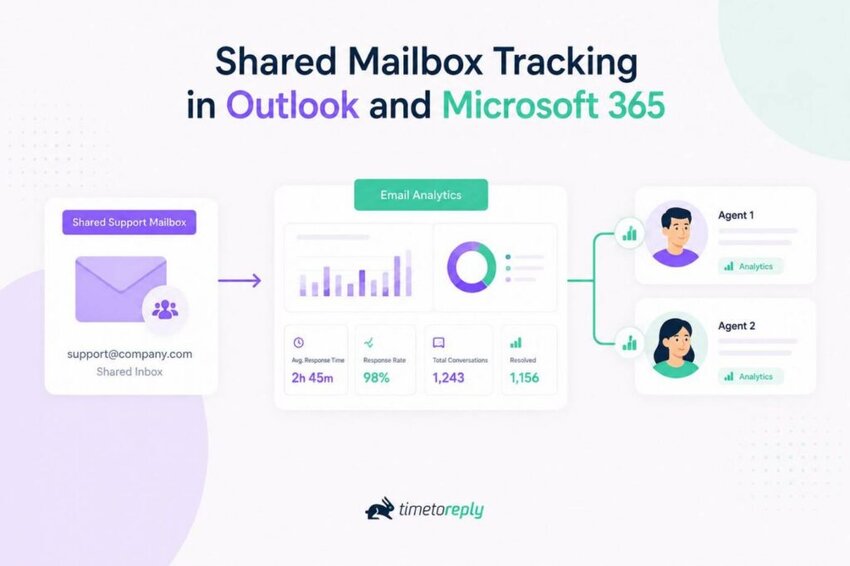
Image via timetoreply
Winner: A tie on platform coverage. Both support Gmail and Outlook. If platform breadth is your deciding factor, the real gap is any-inbox and IMAP support.
Both support Gmail, Google Workspace, Outlook, and Microsoft 365, including shared mailboxes. The difference is tiering: EmailAnalytics includes shared-mailbox tracking in its one plan, while Email Meter places delegated mailboxes on its Custom tier.
Also Read:
In the Email Meter vs EmailAnalytics comparison, both tools keep onboarding simple. Neither requires software to install. They connect through the Gmail and Outlook APIs and start pulling data in the background. The difference is the support style around that setup.
You can easily set up the Email Meter platform yourself. The onboarding flow guides you through connecting your main admin account in just a few clicks. You can also view key email metrics and customized reports on the platform’s clean interface.
However, the learning curve can become steeper as you start using its advanced customization features. For a manager who just wants simple email marketing insights, the navigation can feel overwhelming.
Setting up an account with EmailAnalytics only takes a few steps. Its dashboard uses easy-to-read charts and visual reports. Even first-time users can quickly understand the data.
The platform also sends automated daily reports, so you don’t need to log in every time. It’s suitable for small businesses and managers who want quick answers.
Winner: It depends on the user. EmailAnalytics wins for hands-off simplicity; Email Meter is best for teams that want to shape the data themselves.
EmailAnalytics is easier for a manager who wants a simple report and a daily digest. Email Meter rewards teams willing to configure dashboards with far more depth. Match the tool to who will actually use it.
If quick customer replies matter to your business, response-time tracking deserves close attention. In this Email Meter vs EmailAnalytics comparison, both tools measure response performance and track SLAs. How they do it is the main difference.
With Email Meter, you get detailed email response-time reporting. You can monitor average reply times, track team performance, and improve customer service.
SLA monitoring, however, sits on its Custom tier rather than its standard Plus plan. So a small team on Plus gets strong reporting, but formal SLA rules and alerts require an upgrade to Custom. For larger teams that need that control, the feature is available, just not at the entry price.
EmailAnalytics also tracks email response times at both individual and team levels. It helps you identify slow replies, monitor communication trends, and increase customer retention.
The platform recently added SLA monitoring and real-time alerts. These features are available on its single Pro plan. That makes SLA tracking accessible without a sales conversation or a higher tier.
For a team whose main goal is to enforce a reply-time target, having SLA alerts in the base plan is a practical advantage.
Winner: EmailAnalytics leads on accessibility, because SLA monitoring is in its base plan. Email Meter matches it only on the Custom tier. Teams that rely heavily on reply-time SLAs should also weigh timetoreply.
EmailAnalytics includes SLA monitoring and alerts in its standard plan, so it is more accessible for smaller teams. Email Meter offers SLA management too, but on its Custom tier.
Also Read:
If your inbox carries customer data, security is not optional. Both Email Meter vs EmailAnalytics take a read-only, privacy-first approach, but they differ in formal certifications.
Here is how they line up, with timetoreply for reference.
| Security factor | Email Meter | EmailAnalytics | timetoreply |
| Data accessed | Headers and metadata only, never email bodies or attachments | Metadata only, including subject lines — read-only | Metadata only, email content is never stored |
| ISO 27001 | Certified | Not stated | Certified |
| GDPR | Compliant | Compliant | Compliant |
| Independent audit / SSO | SAML SSO; encryption in transit and at rest | Google-verified (annual third-party audit) | SOC 2 Type II; independent audits |
Email Meter holds an ISO 27001 certification and offers SAML single sign-on, which enterprise buyers often require. EmailAnalytics is a Google-verified app audited annually and is GDPR-compliant, but it doesn’t publish ISO 27001 or SOC 2 certifications.
Both email analytics tools read metadata and can see subject lines. Neither stores the body of your email marketing campaigns nor customer support messages. If a formal certification is part of your vendor review, Email Meter has a stronger published posture.
Winner: Email Meter wins for its ISO 27001 certification and SSO. The timetoreply tool leads the group with SOC 2 Type II and ISO 27001 certifications.
Both Email Meter and EmailAnalytics are read-only and GDPR compliant. Email Meter adds an ISO 27001 certification and SAML SSO, giving it the edge for security-conscious buyers. timetoreply carries SOC 2 Type II and ISO 27001 for teams with stricter requirements.
Pricing is an important deciding factor when comparing Email Meter vs EmailAnalytics. Both email management and analytics platforms offer the same monthly starting price. However, Email Meter offers a free plan while EmailAnalytics just provides a 14-day free trial.
Here is the current breakdown, verified on each vendor’s site, as of June 2026:
Email Meter offers a free-forever plan plus a free trial on its Plus tier. For the Custom Dashboard package, you need to contact the sales team for a personalized quote.
EmailAnalytics offers a 14-day free trial but no free plan. Bulk discounts are available on request.
Winner: Both platforms tie here. You can test Email Meter before committing thanks to its free plan, but advanced features sit behind higher-priced tiers. EmailAnalytics only offers a free trial, but all core features are available on one plan.
Real-world user feedback provides the ultimate reality check when comparing Email Meter vs EmailAnalytics. Reviews help you understand each email reporting tool’s strengths and weaknesses.
Public ratings favor both tools, with one difference concerning sample size:
Email Meter scores 4.1 out of 5 on G2 across 28 reviews. It also holds a 4.8 out of 5 rating on Capterra across 20 reviews.
Reviewers praise Email Meter for its reporting depth and team performance insights. One G2 user shared, “I love the breakdown in email by time, day, week, and total. As an email-heavy company, the ability to see the number of conversations happening for each person helps us identify strengths and weaknesses in our small team.” – Small business owner
Some users note that setting up highly complex custom filters can feel a bit confusing at first. A Capterra reviewer pointed out, “Setting up some of the filters took some time and concentration, but I was able to be successful with the help articles on the website.” — Brian C.
EmailAnalytics holds a 4.5 out of 5 on G2, but from only 8 reviews, so weigh it accordingly. A smaller sample tells you less than Email Meter’s larger, more active review base.
Users consistently praise EmailAnalytics for its simplicity and response time reports. One G2 user said, “I needed to make sure that my client service team was replying to clients promptly. This tool enables me to do so. It’s simple, yet accomplished what I needed.” – Mike M.
A common critique is that EmailAnalytics lacks proper customer support. One user on G2 pointed out, “Limited support and pricing is what I dislike about EmailAnalytics.” – Abhilash P.
Winner: Email Meter leads in review volume and deep insights. EmailAnalytics has fewer reviews, but still earns positive feedback for its simple reporting features.
The Email Meter vs EmailAnalytics reviews comparison shows that both tools satisfy most users. Email Meter stands out for its deep team performance insights. EmailAnalytics excels in simplicity and email activity reporting.
Don’t only look at feature lists. The Email Meter vs EmailAnalytics decision becomes much easier when you focus on your business needs instead. You can also focus on alternatives like timetoreply, if both platforms still don’t solve all your problems.
Here’s a simple checklist to help you pick the right email reporting solution:
Choose Email Meter if:
Choose EmailAnalytics if:
Email Meter and EmailAnalytics both provide solid Outlook and Gmail analytics. However, some teams need more than productivity reports. If your business relies heavily on email communication, timetoreply may be a better fit.
Choose timetoreply instead when response times directly affect your customer satisfaction goals. The platform measures how quickly your team responds, how consistently they meet objectives, and how shared inboxes perform.
If your team uses mixed email providers, you may also need coverage beyond Gmail and Outlook. The timetoreply software works with any inbox, including IMAP, so no team is left out of your email reporting.
After-the-fact reports are also not enough if your reply speed is governed by customer service SLAs. The timetoreply tool tracks SLAs in real time and shows a countdown inside the inbox. This helps your agents act before missing a target, not after.

Image via timetoreply
You also get fully customizable reports and a security posture of SOC 2 Type II and ISO 27001. All of it runs without changing how your team already works.
One customer, Swift Momentum, improved its average response time by 300%-400% after measuring and acting on reply data with timetoreply.
Choose timetoreply when you need real-time SLA tracking, coverage for any inbox including IMAP, and enterprise-grade security. The platform does all this without changing your team’s workflow.
Also Read:
1.What is the difference between Email Meter and EmailAnalytics?
Email Meter is a deeper analytics platform with median response time, benchmarks, AI insights, and BI export, plus a free plan. EmailAnalytics is a simpler reporting tool that sends daily digests and includes SLA monitoring in one plan.
2. Does EmailAnalytics work with Outlook and Microsoft 365?
Yes. EmailAnalytics supports Gmail, Google Workspace, Outlook, and Microsoft 365, including Outlook shared mailboxes. Older Email Meter vs EmailAnalytics comparisons claimed it was Gmail-only, but that is no longer accurate. It connects through the official APIs, so there is nothing to install and no change to how your team uses email.
3. Do Email Meter and EmailAnalytics support shared mailboxes?
Yes, both do. EmailAnalytics includes shared-mailbox tracking for Gmail and Outlook in its standard plan. Email Meter supports delegated and shared mailboxes on its Custom tier.
For Microsoft 365, make sure the connected account has the right mailbox permissions, such as Full Access. This ensures both incoming mail and sent replies are visible.
4. Which is cheaper, Email Meter or EmailAnalytics?
Email Meter is more affordable for teams just starting out. It has a free plan and starts at $19 per user/month. EmailAnalytics only has a free 14-day trial and also costs $19 per inbox per month. EmailAnalytics includes SLA monitoring and unlimited inboxes at that price, which can change the value calculation for some teams.
5. Is there a free email analytics tool between Email Meter and EmailAnalytics?
Yes. Email Meter offers a free-forever plan with basic statistics and weekly and monthly reports. EmailAnalytics offers only a 14-day free trial, with no free plan after it ends. If a free option matters when comparing Email Meter vs EmailAnalytics, try Email Meter first.
6. Which tool is best for tracking team response times and SLAs?
EmailAnalytics includes SLA monitoring and real-time alerts in its base plan, making it accessible to SLA-focused teams. Email Meter offers SLA management on its Custom tier. If you need real-time, in-inbox SLA tracking across any provider, timetoreply is purpose-built for that.
7. Is Email Meter or EmailAnalytics better for customer-support teams?
It depends on your priority. EmailAnalytics is the simpler choice and bundles SLA alerts, which many support teams value. Email Meter gives you deeper metrics and benchmarks to coach performance over time.
Teams held to strict reply-time SLAs often shortlist timetoreply as an Email Meter vs EmailAnalytics alternative. Match the tool to whether you want simple oversight or deep, ongoing performance coaching.
8. What is the best alternative to Email Meter vs EmailAnalytics?
The timetoreply tool is a reliable alternative when you need real-time SLA tracking, coverage for any inbox, including IMAP, and SOC 2 Type II and ISO 27001 security.
It delivers response-time analytics and live countdowns inside the inbox, without changing your workflows. The platform suits customer-facing teams that track how quickly they reply to customers and leads.
9. Do Email Meter and EmailAnalytics read the content of my emails?
Both work from metadata, such as sender, recipient, timestamps, and subject lines, with read-only access. Neither tool stores the body of your emails, which is why they can analyze activity without changing your inbox. If a formal security review matters, Email Meter holds an ISO 27001 certification.
10. Can I track Gmail and Outlook in one dashboard?
Yes. Both Email Meter and EmailAnalytics support Gmail, Google Workspace, Outlook, and Microsoft 365, so you can track mixed teams. If your team also uses other providers or IMAP accounts, timetoreply extends coverage to any inbox in a single view.
For most teams weighing Email Meter vs EmailAnalytics, the call comes down to depth versus simplicity.
Email Meter is the stronger pick if you want richer analytics, AI insights, and a free plan to start. EmailAnalytics is the better fit if you want plug-and-play reporting with SLA monitoring in one flat price.
The deciding variable is how hands-on you want to be. Choose depth and control, or simplicity and built-in SLAs. Both now cover Gmail and Outlook, so platform support no longer settles it.
If your real need is real-time SLA tracking across any inbox, see what timetoreply can do for your team.
Ready to improve your team’s response times? The timetoreply software gives customer-facing teams live SLA tracking and response-time analytics inside any inbox. Book a demo today, and start delivering a better customer experience.
Get live inbox alerts and reply quickly to customer emails with timetoreply

Head of Customer Success @ timetoreply
Barry Blassoples is the Head of Customer Success at timetoreply, where he helps customer-facing teams boost revenue and protect brand reputation by providing actionable insights to improve their business email response times. He has over 15 years of leadership experience across customer success, sales, and marketing roles in high-growth tech companies.



Trusted by high-performing inbound sales teams and customer-facing teams globally.
Close more deals and delight more customers with the faster, smarter, deeper email analytics and performance optimization software that works straight from your team’s inbox.