
The best email analytics software in 2026 include timetoreply, Mailchimp, Mailgun, and Email Meter.
The timetoreply tool is a strong choice for tracking reply speed and team performance. Front and Zendesk are better for support teams. Klaviyo is more useful for marketing analytics and revenue tracking.
That mix is exactly why this topic gets confusing. Not every email analytics platform measures the same thing.
This article makes it simple. You will see the best email analytics platforms, what each one does well, and which one fits your team without the guesswork. So, let’s get right to it.
Here’s a quick look at the best email analytics platforms categorized by their strengths.
Also Read:
Here are the key criteria to keep in mind when choosing the best email analytics platform for your business:
By carefully evaluating these criteria, you can make an informed decision when selecting the best email analytics platforms that meet your current needs and position your business for future success.
Focus on ease of use, accurate data, strong integrations, and reporting you can tailor to your goals. Then weigh security, scalability, support, and cost so the tool still fits as your team grows.
Also Read:
Not all email analytics platforms do the same job. Some help teams track reply speed and inbox activity. Others focus on campaign performance, deliverability, or pre-send testing.
That’s why we’ll discuss some key categories before we get to our list of the best email analytics tools.
These email analytics platforms are built for teams that want to measure how fast they reply to emails. They track how well customer-facing teams are handling queries.
They are a strong fit for support, sales, and account management teams that work in shared inboxes.
The best email analytics platforms of this type are timetoreply and Email Meter.
These email analytics tools help marketers track campaign performance. They usually focus on opens, clicks, conversions, and revenue, so they are useful for understanding how audiences respond to email campaigns.
They are a better fit for newsletters, ecommerce campaigns, and automated marketing flows.
Some of the best email analytics platforms under this category include Mailchimp and Klaviyo.
These email analytics tools are more technical. They help teams monitor delivery, API performance, bounce rates, and other backend email signals.
They are usually used by developers, product teams, and businesses that send transactional or high-volume emails.
The best email analytics platforms in this category are Mailgun and Twilio SendGrid Marketing Campaigns.
These email analytics platforms help you improve email quality before you send it. You can use them to check how emails render across devices and inboxes, and to catch design or formatting issues early.
They are useful for teams that care about email appearance, consistency, and quality control.
The main example from this list of email analytics platforms is Litmus. However, Twilio SendGrid Marketing Campaigns also offers email testing features.
They fall into a few broad types: response analytics for reply speed, marketing analytics for campaign performance, infrastructure analytics for deliverability, and testing tools that check quality before you send. Match the type to your main goal instead of chasing every metric.
Also Read:
Did you know that email marketing remains the most effective marketing channel?

Image via Mailmodo
Whether you want to nurture subscribers, build and send newsletters, collect data, or generate leads, the best email marketing analytics will tell you if your objectives are working.
Without further ado, let’s explore 19 email marketing platforms to consider in 2026.
| Tool | Best for | Type | Key feature | Pricing |
| timetoreply | Customer-facing teams | Email response analytics | Response time tracking | $$ |
| HubSpot Marketing Analytics | Omnichannel marketing campaigns | Email marketing analytics | Cross-channel marketing analytics dashboards | $ |
| Sender | Small businesses | Email marketing analytics | Heatmaps | $ |
| Mailchimp | Small businesses running email campaigns | Email marketing analytics | Campaign performance reports | $ |
| Mailgun | Developers sending transactional emails | Email infrastructure analytics | Deliverability monitoring | $ |
| Email Meter | Teams using Gmail/Outlook analytics | Email response analytics | Email activity reports | $$ |
| Campaign Monitor | Marketing agencies | Email marketing analytics | Visual campaign reports | $ |
| Constant Contact | Small local businesses | Email marketing analytics | Beginner-friendly reporting | $ |
| ActiveCampaign | Marketing teams using automation | Email marketing analytics | Advanced automation + reporting | $ |
| Klaviyo | Ecommerce brands | Email marketing analytics | Revenue attribution analytics | $$$ |
| GetResponse | SMBs running email funnels | Email marketing analytics | Funnel + campaign analytics | $$ |
| MailerLite | Startups and creators | Email marketing analytics | Simple campaign analytics | $ |
| Zoho Campaigns | Existing Zoho users | Email marketing analytics | CRM-integrated reporting | $ |
| Omnisend | Ecommerce stores | Email marketing analytics | Multi-channel analytics | $$ |
| Drip | DTC brands | Email marketing analytics | Customer journey analytics | $$ |
| EmailOctopus | Budget-conscious teams | Email marketing analytics | Low-cost campaign tracking | $ |
| Benchmark Email | Small marketing teams | Email marketing analytics | Real-time reporting | $$ |
| Twilio SendGrid Marketing Campaigns | Teams that want to improve email performance | Email marketing and infrastructure analytics | Campaign analytics + deliverability insights | $$ |
| Litmus | Email QA teams | Email testing & optimization | Email preview testing | $$$ |

Image via timetoreply
As one of the best email analytics platforms for 2026, timetoreply helps your team track and master response times. Its unique conversation tracking lets you close threads and zero in on key client activity, while exportable reports make sharing insights easier.
With its live inbox alerts and countdown timers, your teams can fulfill Service Level Agreements (SLAs) to keep your customers happy. Most importantly, its custom dashboard provides detailed analytics on reply speeds, email volumes, and client interactions, filterable by domain or team.
Here are some of its standout features, which make it one of the best email analytics platforms.
Key features
Pros
Cons
Pricing
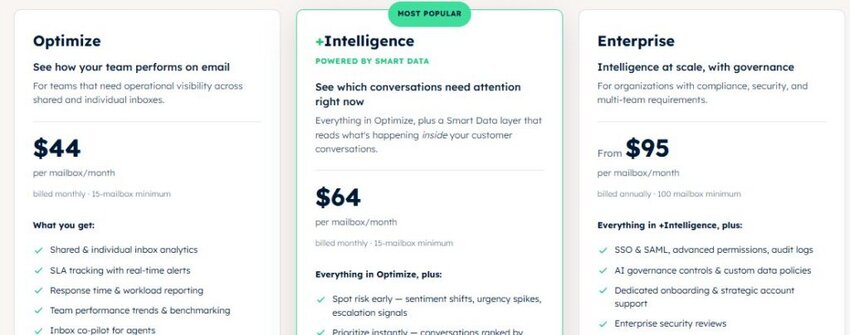
Image via timetoreply
Tool level
Usability
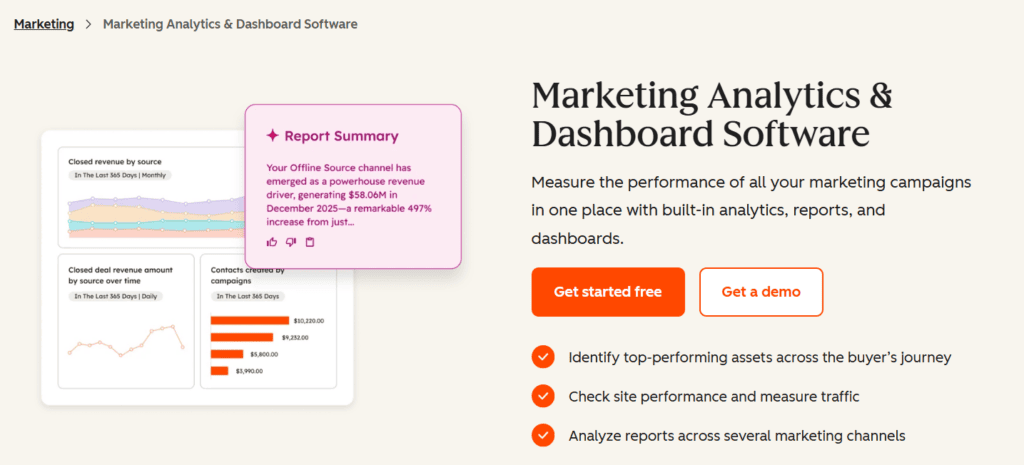
Image via HubSpot Marketing Analytics
HubSpot’s Marketing Analytics goes beyond basic metrics, such as email opens, reply rates, top link clicks, and revenue attribution. It lets you connect and measure the performance of all your other marketing channels. You’ll get unified marketing funnel overviews and see how each touchpoint contributes to your overall goals.
For example, you can see how many social media users generated site traffic and how much of the traffic signed up for your email newsletter. Further, you can track how many newsletter subscribers clicked on your offer and purchased a product through your landing/product pages.
Key features
Pros
Cons
Pricing
HubSpot’s Marketing Analytics tool is available in the Marketing Hub. You can use it completely for free, while paid plans are as follows:
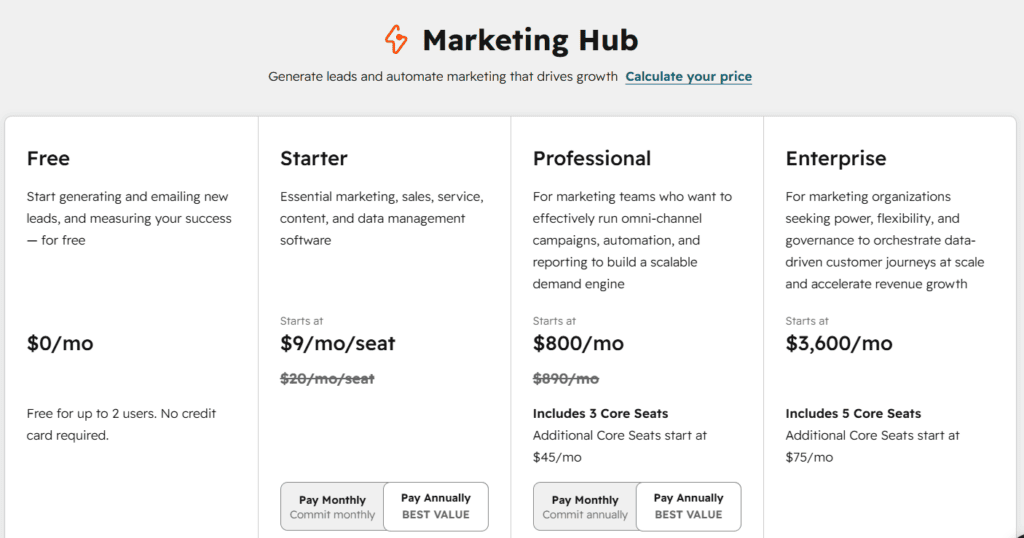
Image via HubSpot Marketing Analytics
Tool level
Usability
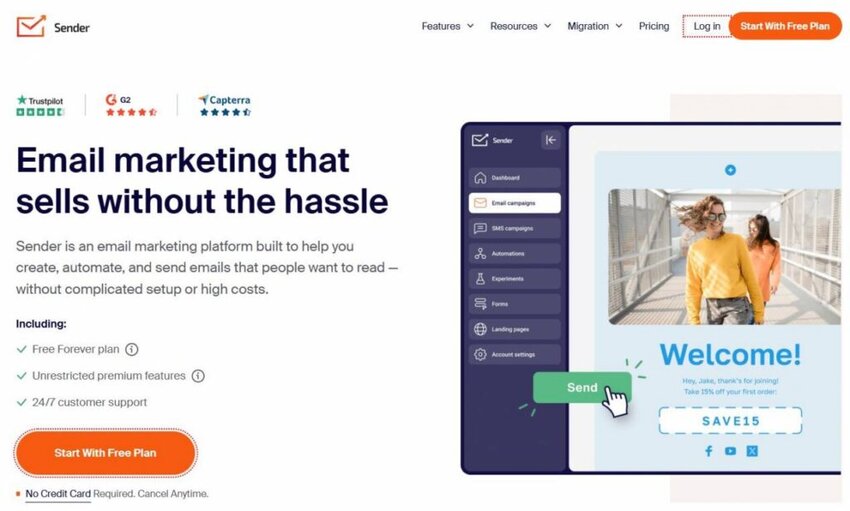
Image via Sender
Sender is among the best email analytics platforms for small and growing businesses. It combines newsletter tools, bulk emailing, and transactional emails in one easy-to-use dashboard. So, client teams can track campaign performance without juggling multiple tools.
Its real-time analytics report covers opens, clicks, bounces, and unsubscribes. Heatmaps show exactly where subscribers click within emails. Custom events let you track specific user actions on your website or app.
Add in strong deliverability rates and a generous free plan, and Sender becomes a solid choice.
Key features
Pros
Cons
Pricing

Image via Sender
Tool level
Usability
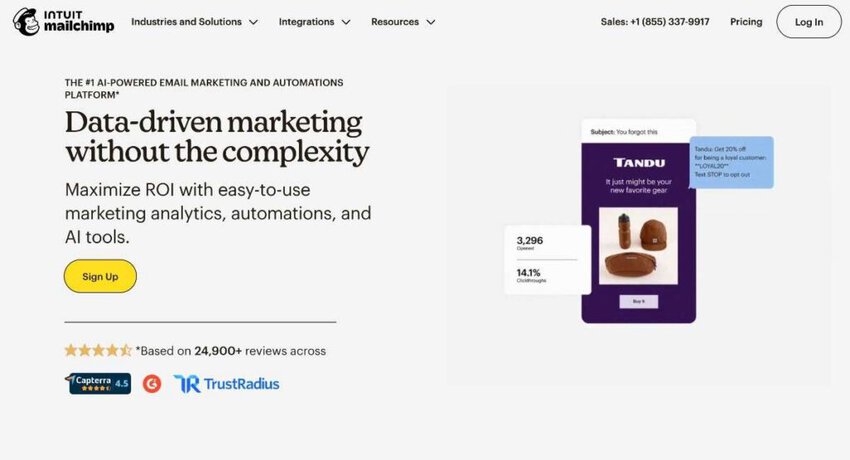
Image via Mailchimp
Mailchimp ranks among the best email analytics platforms because it delivers deep insights into email and SMS campaigns.
From its marketing dashboard, you can track clicks, conversions, and revenue, showing you which emails drive actual purchases. You can then pinpoint where subscribers abandon emails from its unique conversion funnel tracking, so you can tweak subject lines or CTAs for better engagement.
You can efficiently share these insights with stakeholders, thanks to custom reports and CSV exports.
Let’s check out its key features, so you can fairly compare it with the best email analytics platforms.
Key features
Pros
Cons
Pricing
All these paid plans come with a 14-day free trial.
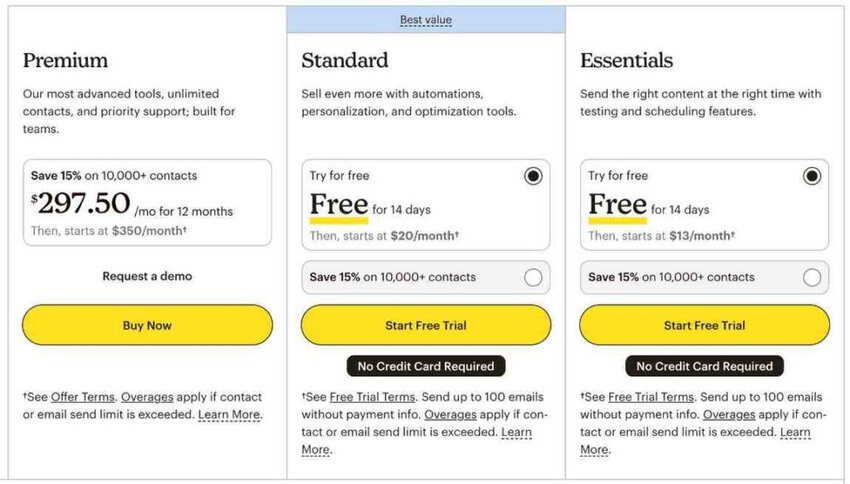
Image via Mailchimp
Tool level
Usability
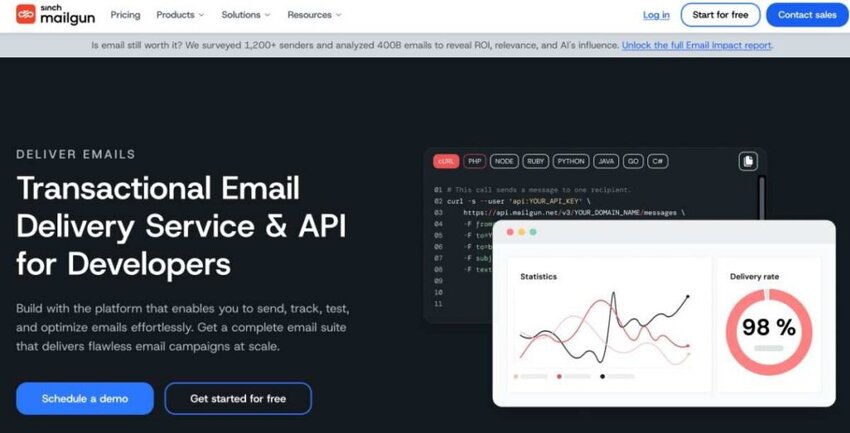
Image via Mailgun
Mailgun is a powerful email API service that helps your team send, receive, and track emails at scale. Its machine-learning-powered send time optimization lets you deliver emails when your recipients are most likely to engage, boosting open rates.
Thanks to OLAP tech, Mailgun tops the best email analytics platforms for its quick, deep analytics with 40+ data points. Plus, with hourly reporting and custom filtering, you get only the data you need.
Key features
Pros
Cons
Pricing
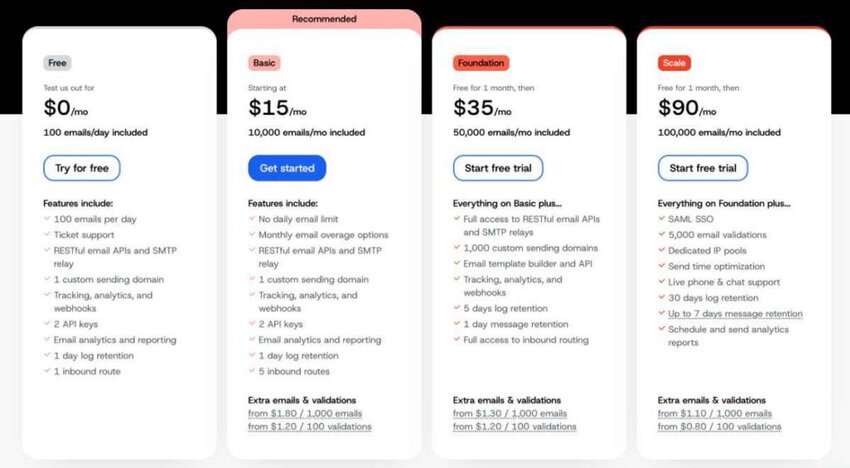
Image via Mailgun
Tool level
Usability
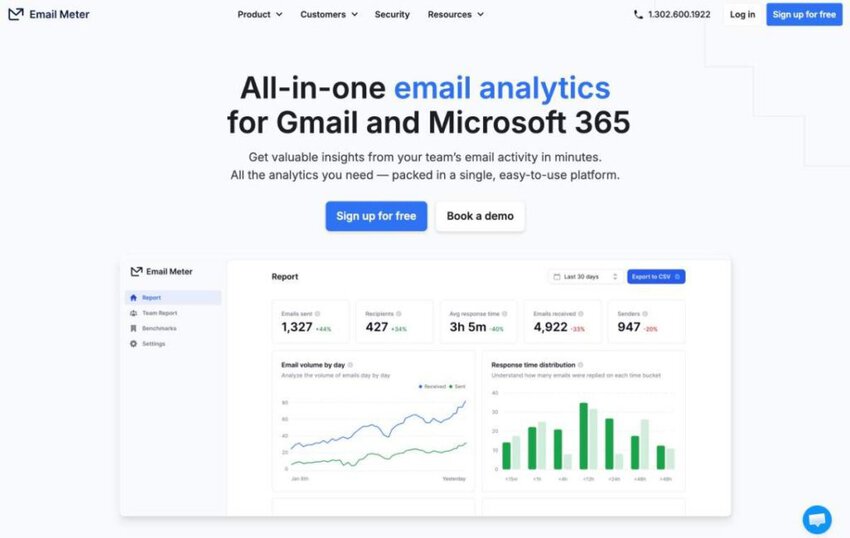
Image via Email Meter
Email Meter is one of 2026’s best email analytics platforms for Gmail and Microsoft 365 users.
It tracks email volumes, response times, and more with easy-to-read dashboards. Its standout benchmarking shows how your team performs against industry standards, helping you make smart decisions.
You can customize reports, export them as CSVs, and share them with client teams. Plus, real-time KPI alerts keep you on top of big shifts, making accountability easy.
Key features
Pros
Cons
Pricing
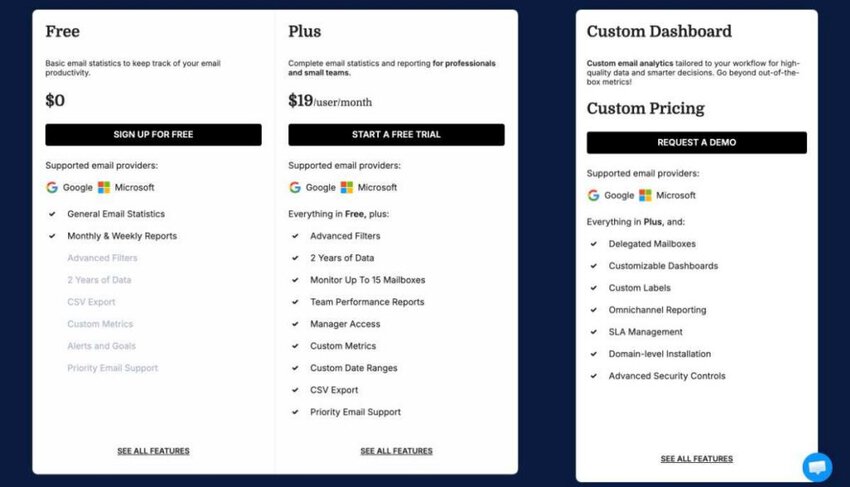
Image via Email Meter
Tool level
Usability
Also Read:
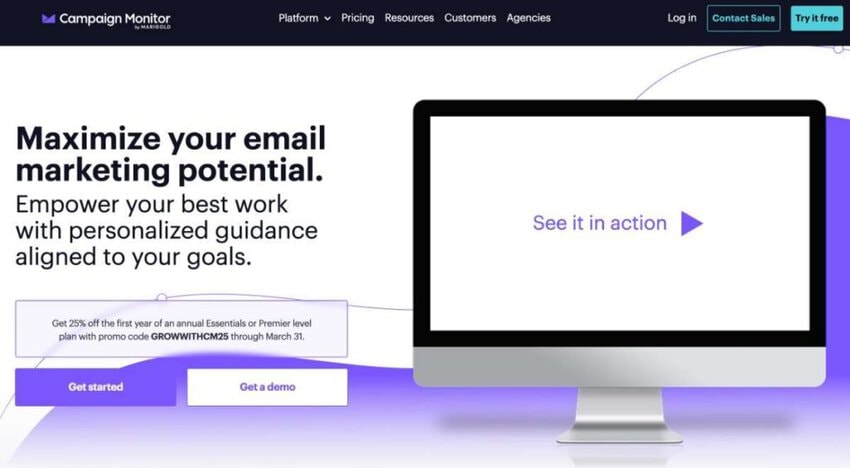
Image via Campaign Monitor
Campaign Monitor is among the best email analytics platforms, thanks to its journey analytics that track every step of automated email flows. This lets you spot exactly where subscribers lose interest and tweak emails to spark better engagement.
Moreover, its link performance tracker digs into CTRs for each CTA, showing which links grab attention.
And when you integrate it with third-party platforms like ecommerce platforms and Google Analytics, you can track conversions from click to purchase.
One standout feature is time zone optimization to help send emails when recipients are most likely to open, empowering data-driven campaign refinements.
Here are the features that make Campaign Monitor one of the best email analytics platforms.
Key features
Pros
Cons
Pricing
The platform offers a 30-day free trial, then depending on the number of your contacts, plans start from:
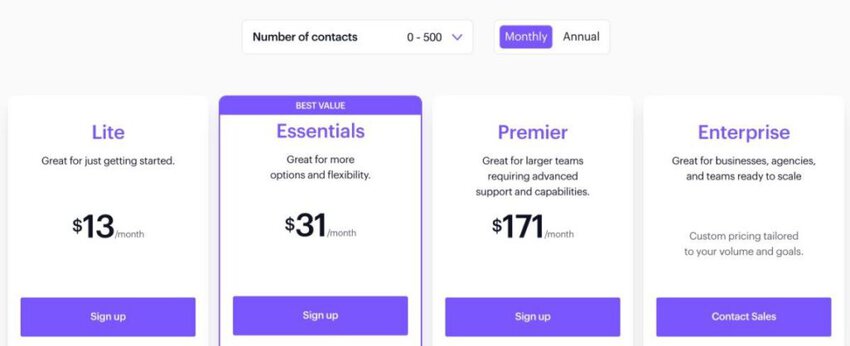
Image via Campaign Monitor
Tool level
Usability
Also Read:
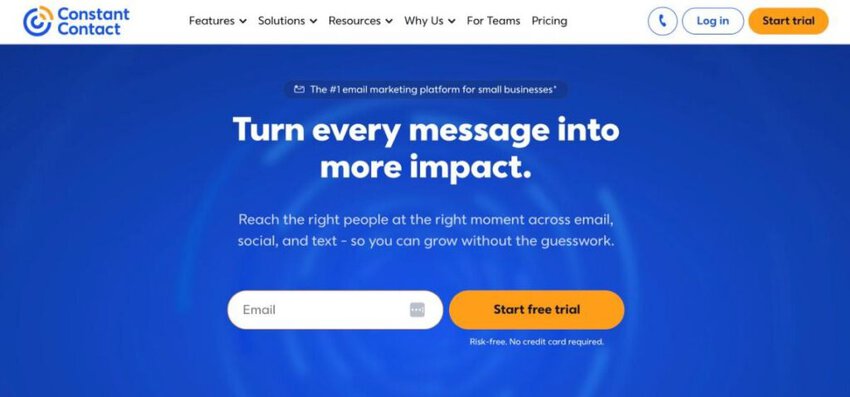
Image via Constant Contact
Constant Contact ranks among the best email analytics platforms, thanks to its click-tracking heat map. It uses larger circles to highlight the most-clicked links so you can refine CTAs for maximum engagement. For deeper analysis, campaign comparison stacks up to five emails to reveal which ones drive the most opens and clicks.
Meanwhile, mobile open rate tracking shows how audiences engage on phones versus desktops, to know the best send times. Additionally, engagement reports tie opens, clicks, and bounces to specific campaigns, allowing you to easily identify trends and adjust content.
Let’s check out its standout features to see what makes it one of the best email analytics platforms.
Key features
Pros
Cons
Pricing
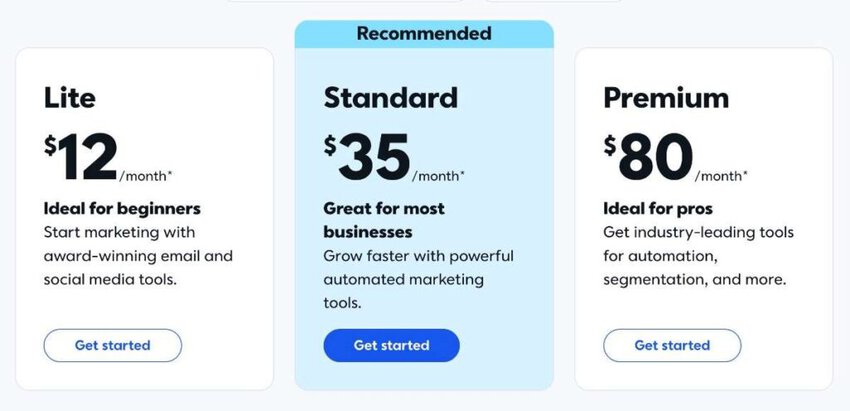
Image via Constant Contact
Tool level
Usability
Also Read:
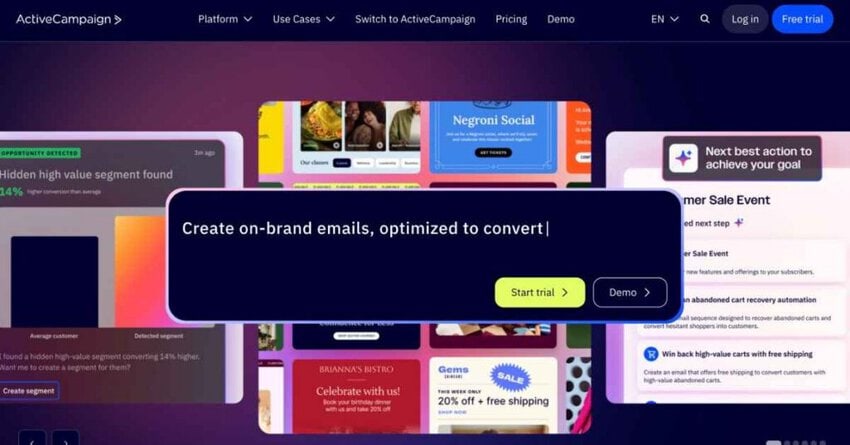
Image via ActiveCampaign
ActiveCampaign’s click-to-open rate (CTOR) shows you exactly how engaging your emails are for subscribers who open them.
Next up, its hourly open trend analysis pinpoints the perfect send times based on when your audience is most active. For example, click-tracking shows which links in your emails get the most action, helping you focus on what works.
Meanwhile, advanced segmentation sorts contacts by behaviors like website visits or email opens, so you can send personalized email campaigns. Better yet, Google Analytics integration ties email clicks to website conversions, giving you a clear picture of your email marketing campaigns’ ROI.
Does this make it one of the best email analytics platforms?
Let’s find out by checking out its features, pros, cons, and pricing.
Key features
Pros
Cons
Pricing
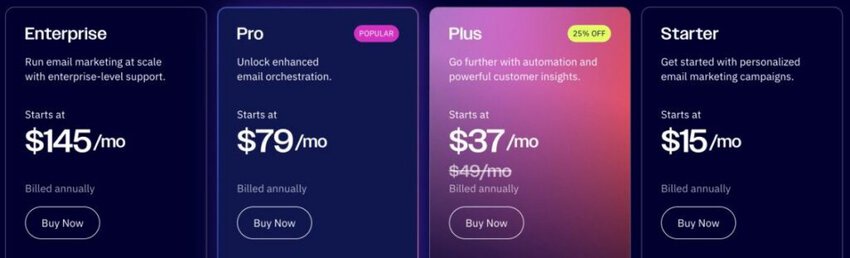
Image via ActiveCampaign
Tool level
Usability
Also Read:

Image via Klaviyo
Klaviyo’s real-time data tracking dives into email KPIs like opens, clicks, and revenue. It lets you see exactly how your email campaigns perform across e-commerce platforms. For instance, its AI-powered predictive analytics forecast customer behavior, helping you craft personalized email campaigns.
Meanwhile, customizable reporting with flexible scheduling and industry benchmarking ranks Klaviyo among the best email analytics platforms. It makes it easy to measure progress and spot gaps.
Plus, seamless Shopify and WooCommerce integrations tie email marketing efforts to store revenue.
Key features
Pros
Cons
Pricing
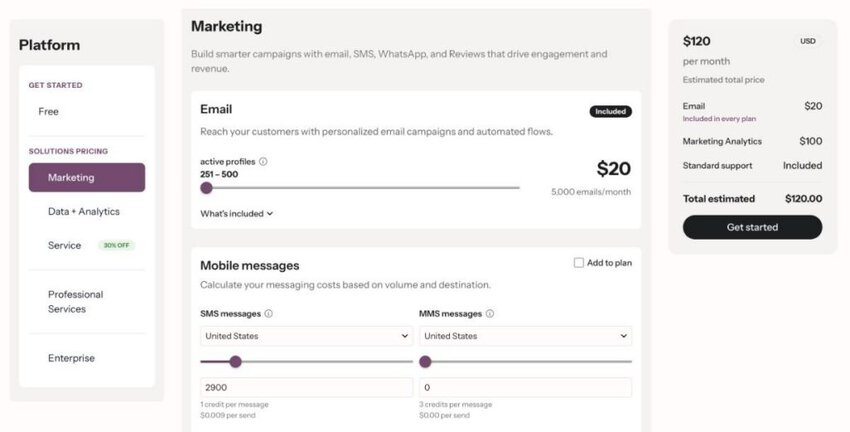
Image via Klaviyo
Tool level
Usability
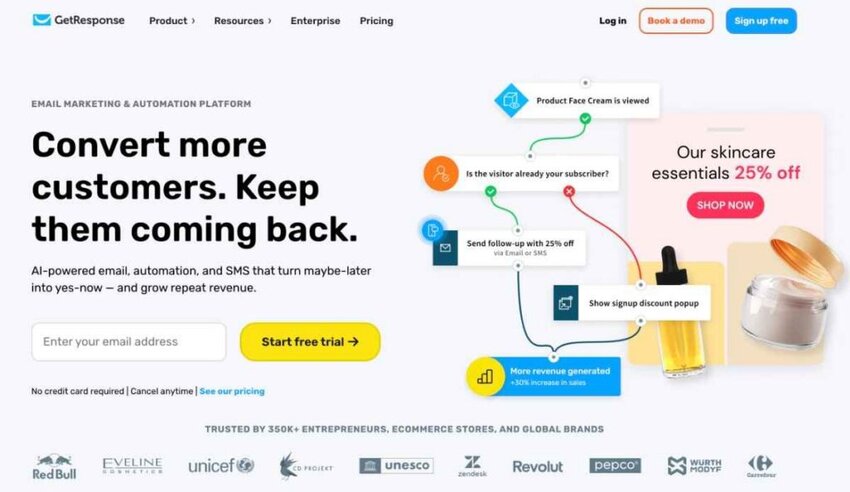
Image via GetResponse
GetResponse’s click map tracks every subscriber click within your emails, revealing what grabs attention. This ties into its conversion funnel tracking, which follows the customer journey from email opens to website conversions.
Real-time reporting, for instance, delivers instant insights into key email KPIs like opens, clicks, and bounces, letting you manage email campaigns on the fly. Plus, A/B testing lets you experiment with subject lines or video content to boost click-through rates.
Check out more of the features that make it one of the best email analytics platforms.
Key features
Pros
Cons
Pricing
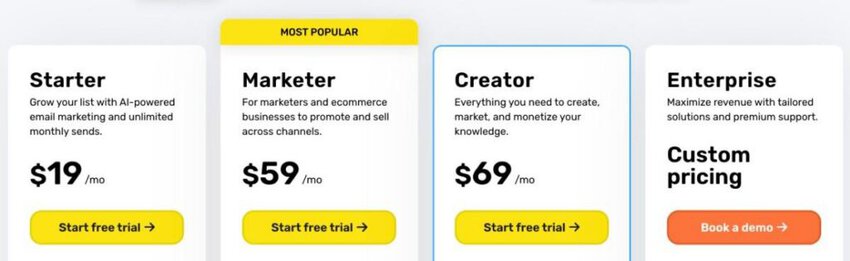
Image via GetResponse
Tool level
Usability
Also Read:
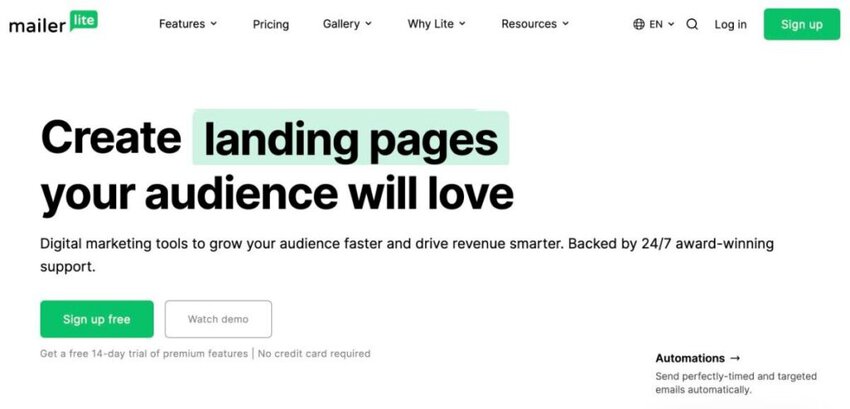
Image via MailerLite
As one of the best email analytics platforms, MailerLite can track every purchase your email campaign drives. It also provides comparative reporting, which tracks email performance across custom date ranges, revealing what sparks opens and clicks.
For deeper insights, it offers click map analytics to highlight which email links get the most action. Plus, landing page analytics track views, signups, and conversions, tying email marketing efforts to subscriber growth.
MailerLite’s Google Analytics integration and heat maps for landing pages offer a clear view of customer behavior.
Key features
Pros
Cons
Pricing

Image via MailerLite
Tool level
Usability
Also Read:
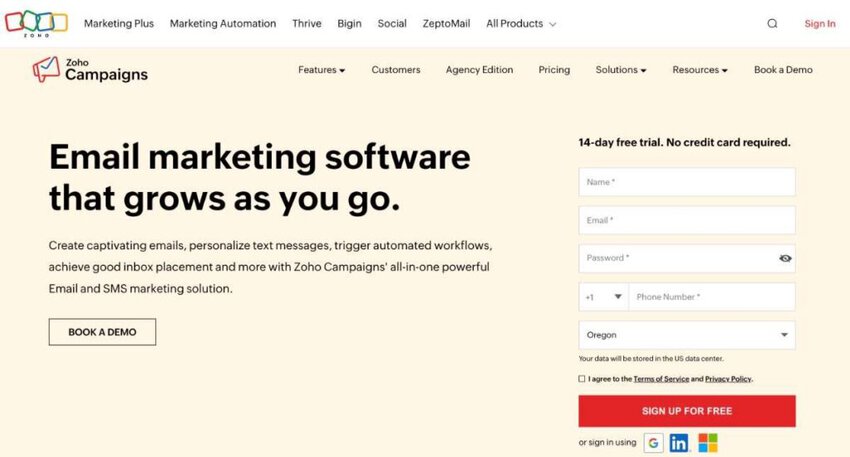
Image via Zoho Campaigns
Zoho Campaigns syncs seamlessly with Google Analytics and Zoho Analytics, showing how your email marketing efforts boost website traffic and sales.
With its drag-and-drop builder, you can craft custom dashboards and reports. Plus, it offers data blending, which merges email campaign data with Zoho CRM to track conversions from clicks to purchases.
It offers 75+ pre-made visualizations that simplify tracking performance trends and help you understand what drives customer engagement.
Its AI assistant, Zia, answers questions with quick reports, making analytics feel less like a chore. All these rank Zoho Campaigns among the best email analytics platforms in 2026.
Now, let’s look at some of the key features that make it stand out among the best email analytics platforms.
Key features
Pros
Cons
Pricing
Unlike most email analytics platforms, Zoho Campaigns offers both tiered pricing plans and a pay-as-you-go pricing model. Here are the plans:

Image via Zoho Campaigns
Tool level
Usability
Also Read:

Image via Omnisend
Next on our list of the best email analytics platforms is Omnisend. Its sales data tracking pulls together revenue from email, SMS, and web push notifications into one clear dashboard. It lets you see exactly which channels drive conversions without wading through spreadsheets.
It also offers cross-channel performance reports that compare email, SMS, and push metrics side by side, revealing what’s working across your marketing strategy.
Audience growth insights track how signup forms boost your email and SMS lists, while flexible attribution lets you set custom windows to accurately measure sales from email campaigns.
Key features
Pros
Cons
Pricing

Image via Omnisend
Tool level
Usability
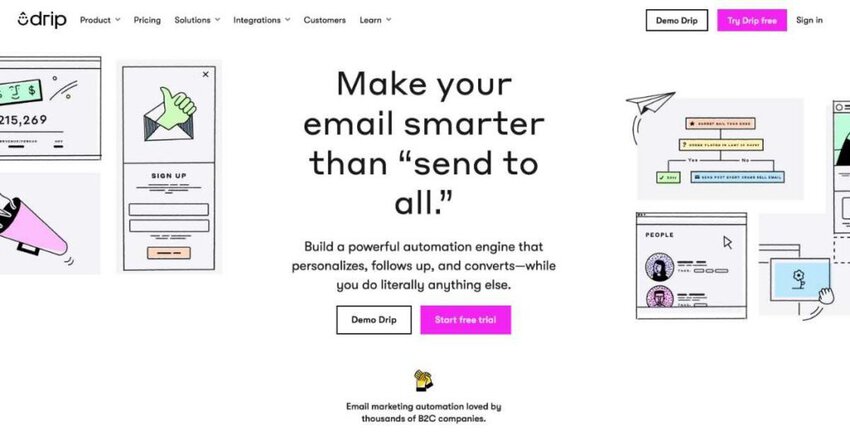
Image via Drip
Drip makes it among the best email analytics platforms thanks to its email-attributed revenue tracking. It syncs with your online store to reveal precise sales from email campaigns for client teams. This ties into CTOR analytics, showing how engaging your content is, so you can boost customer engagement with sharper CTAs.
It also offers event tracking logs like product views and custom store actions to power advanced segmentation for super-targeted campaigns. Meanwhile, monthly snapshot emails deliver orders and revenue per person, keeping your email marketing strategy on point.
Key features
Pros
Cons
Pricing
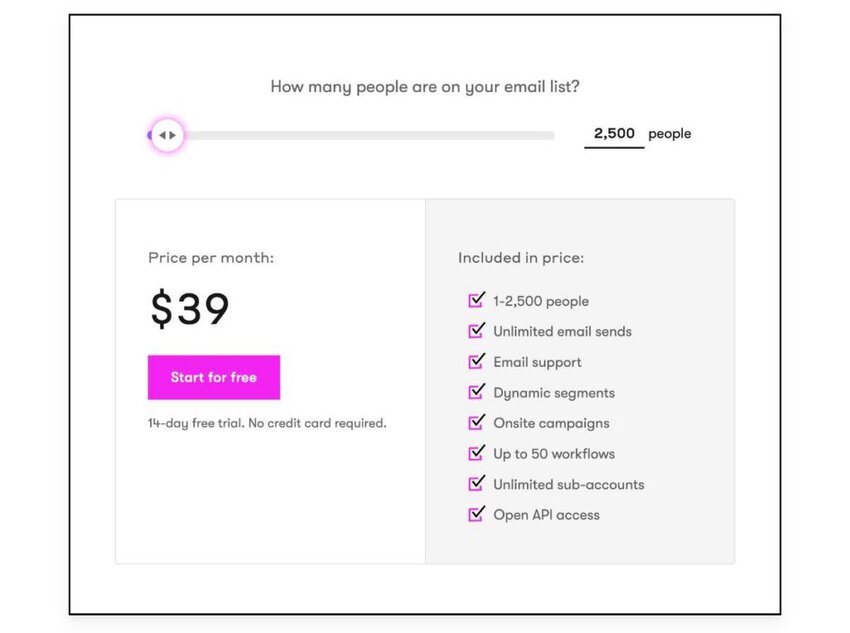
Image via Drip
Tool level
Usability
Also Read:
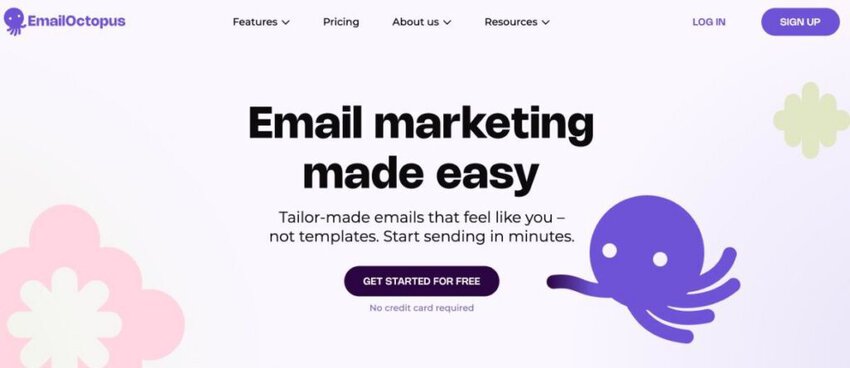
Image via EmailOctopus
With subscriber activity tracking, EmailOctopus shows you exactly how individuals engage with your emails. This allows for smarter audience segmentation.
One thing that makes EmailOctopus a bit different from the other best email analytics platforms on this list is its clean graph view. It lays out opens, clicks, and bounces, making campaign performance crystal clear for user teams, boosting customer engagement.
It also lets you scale email campaigns without breaking the bank with Amazon SES integration, slashing email sending costs. Even better, the landing page builder’s analytics track views and signups, linking your email campaigns to lead capture.
Key features
Pros
Cons
Pricing
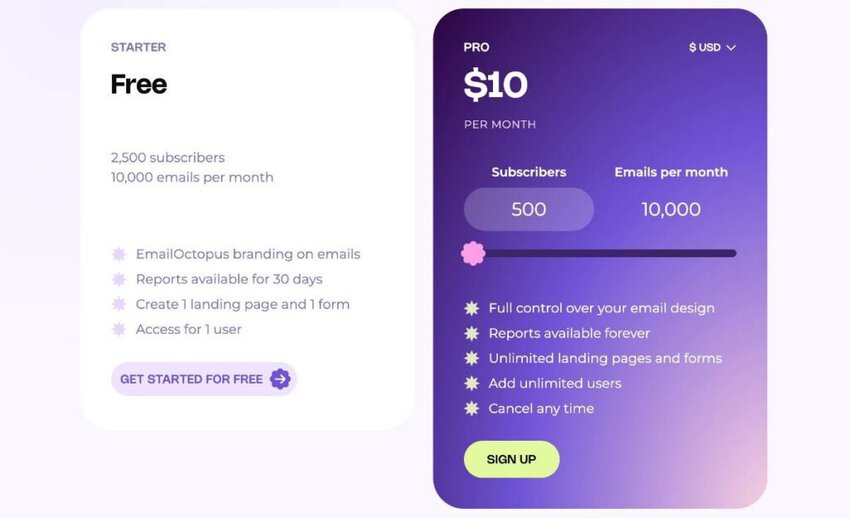
Image via EmailOctopus
Tool level
Usability
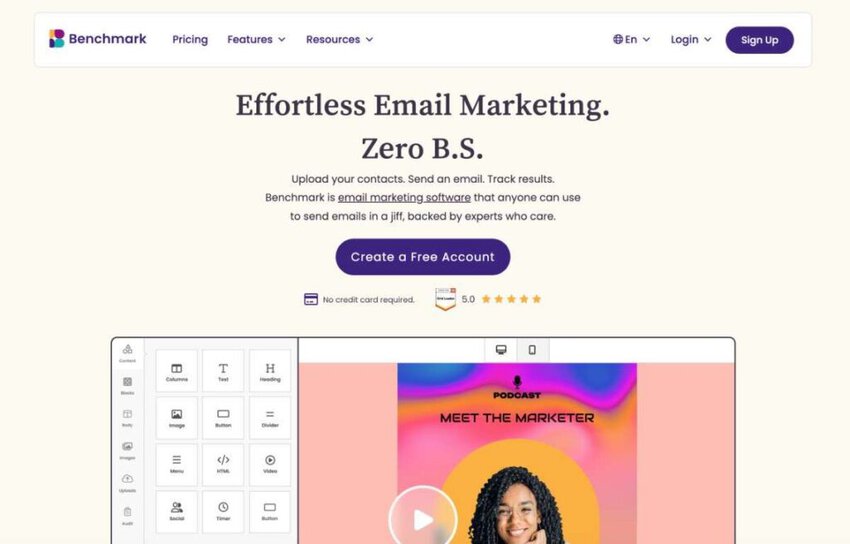
Image via Benchmark Email
Benchmark Email uses geolocation tracking to show where subscribers open emails, letting your team schedule sends by time zone.
One thing that sets Benchmark Email apart from other best email analytics platforms is its social media reports. These track who shares or likes your email campaigns, helping you create targeted social media marketing campaigns.
Real-time reporting monitors opens, clicks, and bounces instantly, so you can adjust email campaigns quickly. And the Inbox Checker previews emails across web, mobile, and desktop clients so you can deliver consistently. It also integrates with Google Analytics to track CTR to landing pages for detailed analytics.
Key features
Pros
Cons
Pricing
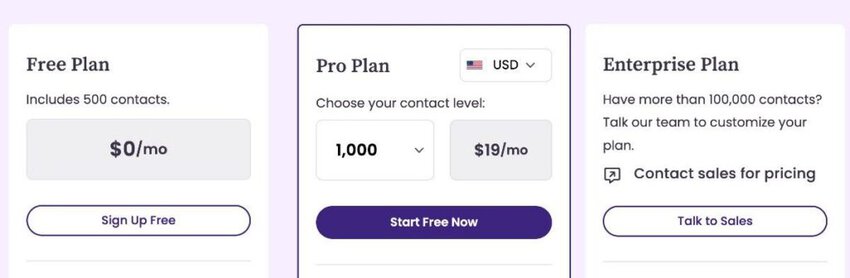
Image via Benchmark Email
Tool level
Usability
Also Read:
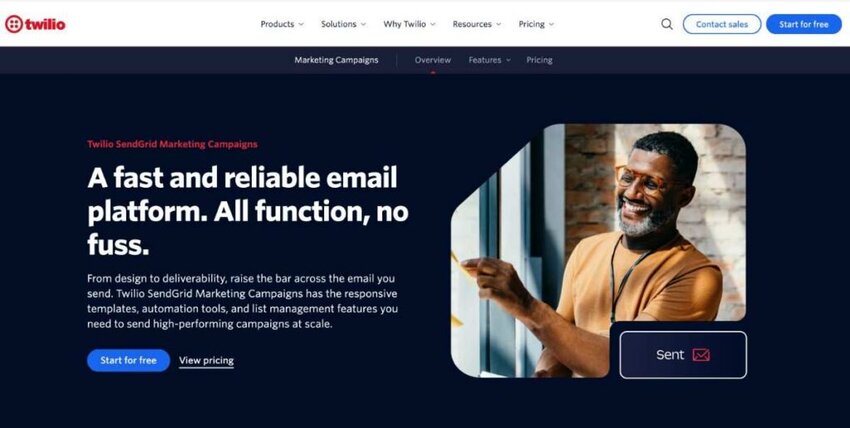
Image via Twilio
Twilio SendGrid Marketing Campaigns stands out as one of the best email analytics platforms for its Deliverability Insights dashboard. It tracks bounces and spam reports to help you clean lists and boost email campaign delivery rates.
Its bounce classifications simplify millions of error codes into seven clear categories, so your team can quickly fix issues and improve customer engagement.
Go deeper with engagement insights that reveal how subscribers interact with your emails over time. Meanwhile, real-time analytics monitor opens, clicks, and failures instantly, letting you adjust email marketing efforts on the spot.
Plus, A/B testing and dynamic email advice based on real-time metrics sharpen your email marketing strategy.
Key features
Pros
Cons
Pricing
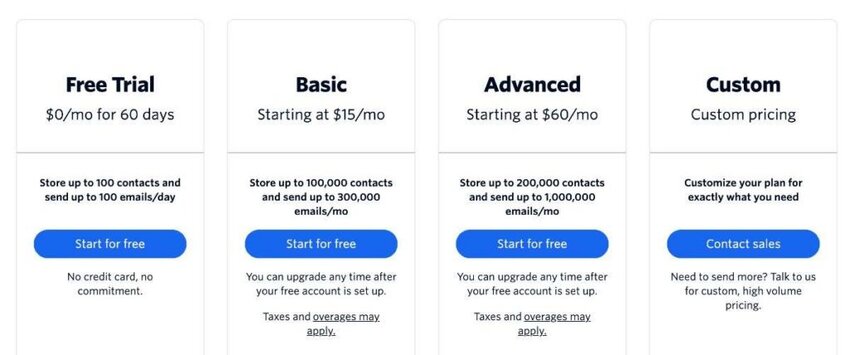
Image via Twilio
Tool level
Usability
Also Read:
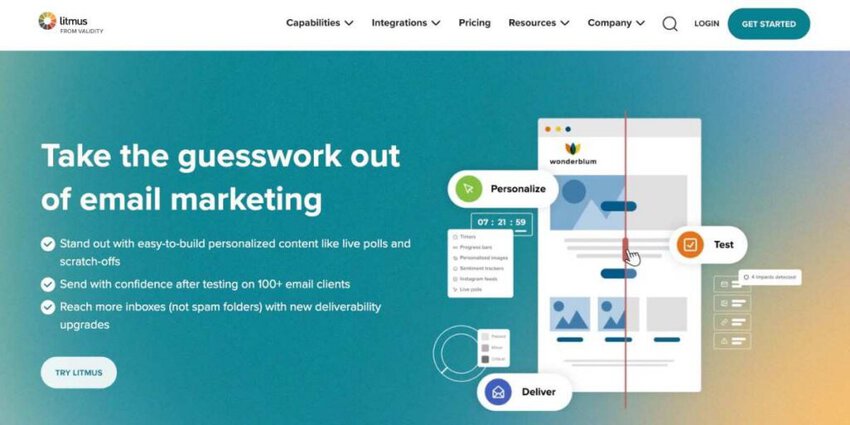
Image via Litmus
Litmus’ engagement time tracking shows how long subscribers read your emails, helping you craft emails that engage your subscribers and resonate with them. Its Apple Mail Privacy Protection filter removes skewed opens for accurate open rates
You can even use Litmus Insights to supplement insights from your email service provider (ESP). An Integrated Insights report shows key combined insights when you integrate with Salesforce Marketing Cloud and Marketo.
Plus, Dark Mode usage stats reveal how subscribers view emails, guiding you to tweak your designs.
You can then share all these insights with your team via custom reports, a vital step among the best email analytics platforms.
Key features
Pros
Cons
Pricing
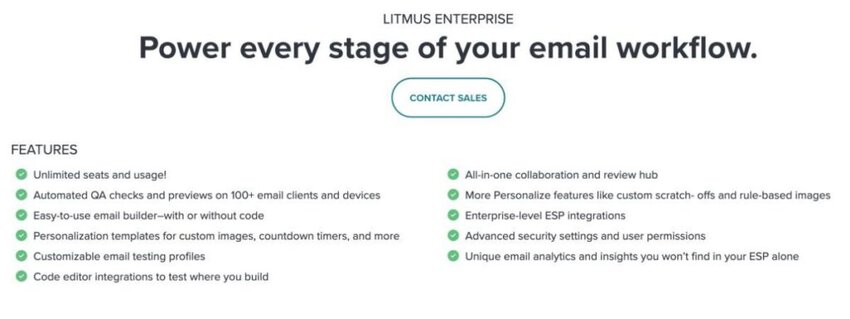
Image via Litmus
Tool level
Usability
Also Read:
There is no single winner, because the strongest tool depends on what you measure and your budget. If reply speed and team performance matter most, timetoreply is a strong pick, while Mailchimp and Klaviyo lead for campaign analytics.
Let’s dive into the distinctive features that make the best email analytics platforms stand out from the crowd.
The best email analytics platforms should offer a range of features to provide comprehensive insights into email campaign performance.
Here’s a detailed analysis of must-have features in email analytics platforms:
The best email analytics platforms offer these features to equip businesses with the tools needed to analyze, optimize, and enhance their email campaigns.
Prioritize open, click, conversion, and bounce tracking, as well as response time and team performance metrics. Real-time alerts, customizable dashboards, automation, and clean integrations turn raw data into decisions you can act on.
Also Read:
Knowing about the best email analytics platforms is not enough. You also need to understand how to use email analytics to improve customer service, and that’s exactly what we’ll discuss here.
Email analytics is a game-changer in bolstering customer service quality by leveraging insightful data and refining communication strategies. Using the best email analytics platforms, such as timetoreply, businesses can meticulously track and optimize response times, ensuring a swift and efficient customer support experience.
According to Zendesk, people expect quick responses to their queries, and delayed responses may affect their future purchases.
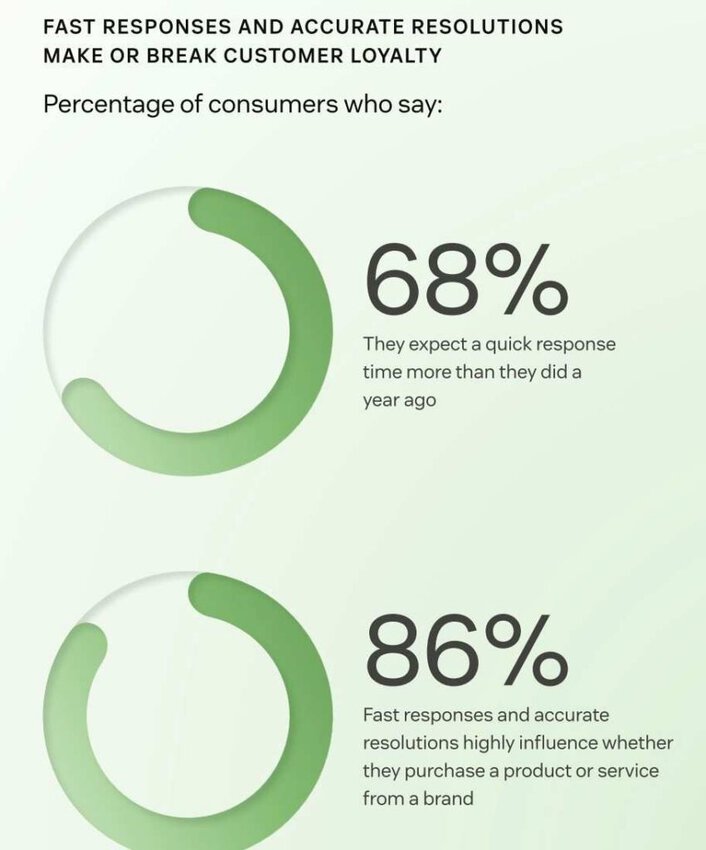
Image via Zendesk
Tools like timetoreply are critical in tracking and improving response times to meet customer expectations.
Email analytics also helps track performance, letting organizations see what’s going well and where they can improve in customer interactions. As 3 in 4 consumers tend to spend more on a brand after a positive experience, these tools are crucial for keeping them happy and boosting satisfaction.
Email analytics simplifies looking at how customers engage, using metrics like open rates and click-through rates. It helps businesses adjust communication strategies, knowing that many consumers care more about the overall customer experience than the actual products or services.
Automated alerts provided by email analytics tools ensure that urgent customer inquiries receive prompt attention, addressing critical issues swiftly. This is particularly impactful as many consumers are inclined to do business with a company again after a mistake if the customer service is excellent.
Rock-solid customer service, backed by analytics (basically the secret sauce), builds trust – and 87% of customers agree!
Basically, the best email analytics platforms set businesses up to shine in the competitive scene by giving customers personalized, efficient, and trust-building interactions.
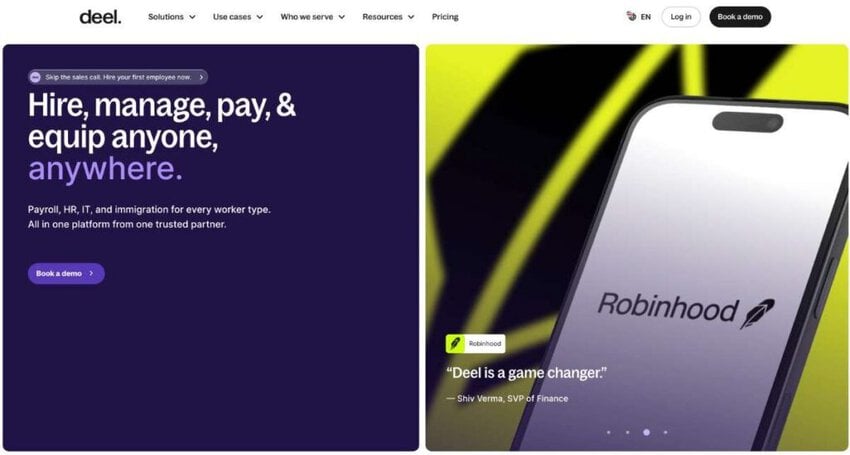
Image via Deel
Deel, the go-to HR platform for global teams, simplifies international workforce management from onboarding to payroll in 150+ countries. With a growing global footprint, delivering responsive customer support 24/7 is critical. COO Dan Westgarth shares how timetoreply’s seamless software transformed Deel’s customer success.
“As a fast-growing company, responding promptly to customer queries is crucial. timetoreply became our go-to solution, enabling our team to respond swiftly and seamlessly straight from their inboxes. No workflow changes, no ticketing systems – just efficient, ‘white glove’ service. Since implementation, our reply time metrics have halved,” explains Dan Westgarth.
The implementation of timetoreply’s Success software provided Deel with a comprehensive overview of their teams’ response times. Achieving full visibility at both team and individual levels, they successfully established a baseline for reply times.
Deel’s customer success teams have enjoyed a boost in productivity by seamlessly working from their inboxes. The enhanced data visibility has empowered each team member to monitor their performance and pinpoint areas for improvement.
Several trends are shaping the landscape and providing insights into future directions.
These trends strongly indicate what to expect in the future. Fortunately, despite the future sophisticated analytics tools, these best email analytics platforms will help businesses remain current and empower them to make data-driven decisions.
It shows how fast your team replies and where messages stall, so you can fix delays before they cost you customers. Automated alerts flag urgent queries, helping the team respond quickly and build lasting trust.
Also Read:
1. What are email analytics platforms?
Mastering email marketing is vital to winning over subscribers. But let’s face it, some of your emails underperform, you miss timing, and recipients ignore your messages.
Email analytics platforms are data-driven solutions designed to help marketers, small businesses, and ecommerce experts track how their emails perform and convert these insights into action.
These email analytics platforms track email clicks, opens, bounces, and other metrics. They provide clear reports to optimize marketing strategies and boost customer engagement fast.
2. What are the best email analytics platforms?
Some of the best email analytics platforms are:
These are just some of the many email analytics platforms you can use. The ultimate choice depends on your requirements.
3. What makes the best email analytics platforms effective and a must-have?
Email marketing can be chaotic, and cutting through the noise isn’t always easy. Here’s how email analytics platforms help.
4. How do I choose the best email analytics platforms?
The best email analytics platforms should fit your team and business goals smoothly. Here’s what to look for:
5. I run a small business. Can the best email analytics platforms help me?
They most certainly can! For starters, some of the best email analytics platforms are quite wallet-friendly and offer free email plans to start. They also provide detailed yet simple reports that are easy to translate and fit any business size.
Moreover, they’re compatible with most tools you’re already using, so you won’t drown in tech overwhelm. Overall, email analytics platforms are great for improving the ROI of your email campaigns, so you should invest in one that fits your budget.
Also Read:
The best email analytics platform depends on your use case.
If you need campaign insights, marketing analytics tools like Mailchimp or Klaviyo work well.
If your focus is on improving team performance and response times, tools like timetoreply provide deeper operational insights.
Choosing the right platform ensures better visibility, faster responses, and improved customer experience.
If you are looking for the best email analytics platforms for improving customer experience, then timetoreply is a great option. Simply book a demo to see all that it offers.
Get live inbox alerts and reply quickly to customer emails with timetoreply

Head of Customer Success @ timetoreply
Barry Blassoples is the Head of Customer Success at timetoreply, where he helps customer-facing teams boost revenue and protect brand reputation by providing actionable insights to improve their business email response times. He has over 15 years of leadership experience across customer success, sales, and marketing roles in high-growth tech companies.



Trusted by high-performing inbound sales teams and customer-facing teams globally.
Close more deals and delight more customers with the faster, smarter, deeper email analytics and performance optimization software that works straight from your team’s inbox.