
Most SLA monitoring software solutions tell you about a breach after it’s already happened. By then, the client’s frustrated, and the damage is done. Customer trust is hard to rebuild once you miss a deadline.
According to a HubSpot report, 90% of customers expect an immediate response to their support questions. Yet most teams are still missing that mark without realizing it.
Gmail and Outlook show you emails, not how long they’ve been sitting unanswered. The right SLA monitoring software solution fixes that. It tracks your team’s email response time against your committed targets and alerts agents before they miss a deadline, not after.
We’ve curated a list of 9 SLA monitoring software solutions. You’ll also learn what each one does well and who it’s built for.
This breakdown matches each SLA monitoring software to the most common use cases so you can find the right fit faster:
Here are some factors we considered before making this list of the best SLA monitoring software.
Before diving into the full reviews, here’s a side-by-side look at all 9 SLA monitoring software across the key metrics that matter most. Use this as a reference point as you read through each review.
| SLA monitoring tool | SLA feature depth | Pricing from | Best for |
| timetoreply | Purpose-built | $38/mailbox/month | Email SLA tracking for CX, Key Account Management, and sales teams using Google Workspace or Outlook |
| Zendesk | Deep, multi-tier | $25/agent/month | Large enterprise support teams |
| Freshdesk | Solid, Growth+ | €20/agent/month | SMB to mid-market support teams |
| Hiver | Good, Pro plan only | $35/agent/month | Gmail-based teams |
| Front | Moderate | $35/seat/month | Multi-channel collaborative teams |
| LiveAgent | All platforms | $19/agent/month | SMB teams needing omnichannel SLA at low cost |
| Zoho Desk | Solid, Standard+ | $9/user/month | Zoho ecosystem teams |
| Gorgias | Basic, response time focus | $10/month for 50 tickets | Ecommerce support teams |
| Intercom | Moderate, conversation-based | $39/seat/month | SaaS and product-led teams |
Now, let’s discuss the features, pros, and cons of the best SLA monitoring software on our list.
This list starts with timetoreply and covers 8 other SLA monitoring tools with extensive monitoring capabilities. Each review covers key features, pros, cons, pricing, and who the tool works best for.

Image via timetoreply
Of all the SLA monitoring software on this list, timetoreply is the only one purpose-built for email response tracking. It works right inside Gmail and Outlook with no ticketing system, no platform switch, and no change in how your team already works.
Service level agreements are fully customizable per customer domain, account tier, or shared mailbox. A key account may have a 1-hour response time, while standard inbound queries may have 4 hours.
Managers get compliance reports for individual agents, shared mailboxes, and team mailboxes.. These performance metrics give managers the data they need to spot patterns and drive continuous improvement in response times across the board.
Overall, it can help you respond to customer queries faster and deliver better customer experiences.
Key features
Pros
Cons
Pricing
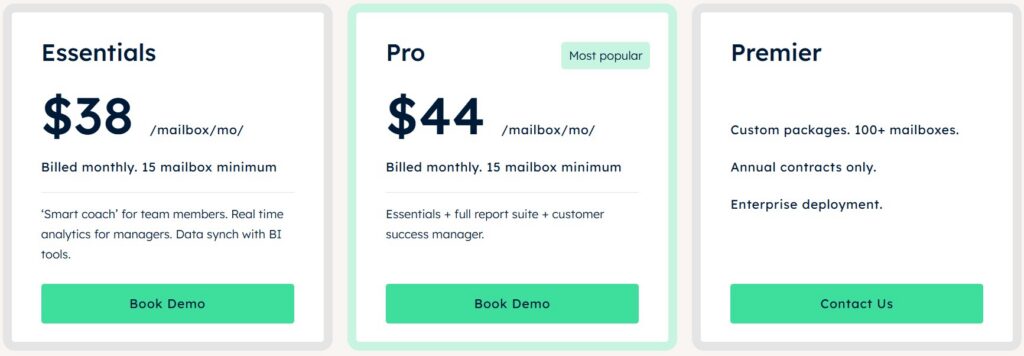
Image via timetoreply
Tool level
Usability
Best for
Image via Zendesk
Zendesk is one of the most used SLA monitoring software platforms for enterprise support teams. It serves 160,000+ businesses.
It covers email, chat, phone, and social from one workspace. It also has service level agreements definable by ticket priority, service delivery channel, and customer segment.
SLA features are only available on higher plans, so smaller teams on the base tier will need to upgrade to access them.
Zendesk converts emails into tickets, which changes how agents work. That’s a strength for high-volume service management, but adds friction for teams that want to work via their email client.
For IT operations teams or large service desk environments managing high ticket volumes, that trade-off is usually worth it.
Key features
Pros
Cons
Pricing
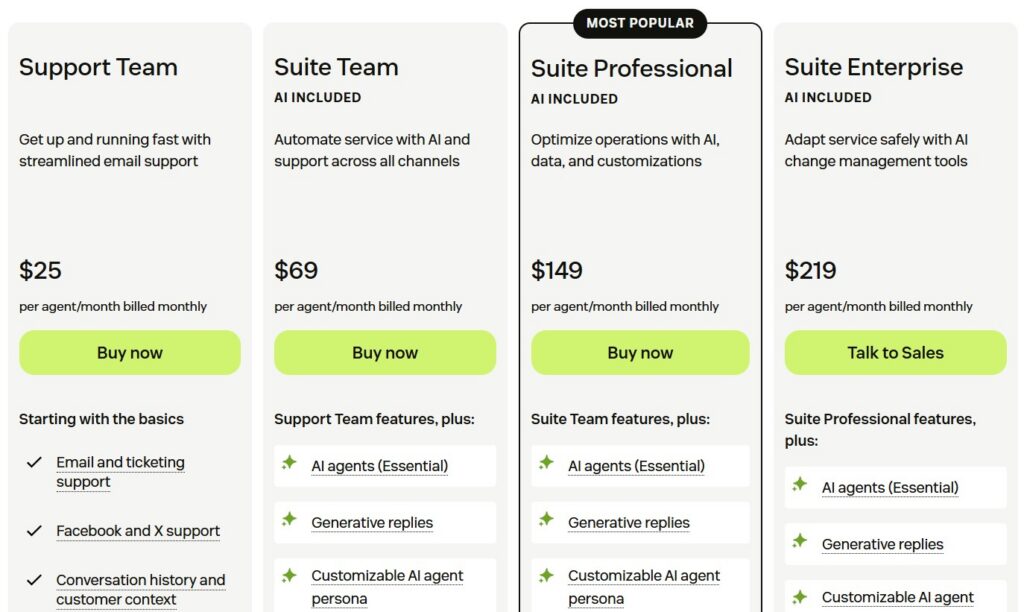
Image via Zendesk
Tool level
Usability
Best for
Image via Freshdesk
Freshdesk is an SLA monitoring software option for SMB and mid-market teams that want a structured service management tool.
Teams can set response time and resolution time targets by ticket priority. They can do this with automated escalations, which are triggered when SLA breaches are at risk.
Policies can vary by product, department, or customer group, giving teams decent flexibility to manage SLAs across different business needs.
Freshdesk’s AI layer, Freddy, carries out ticket handling and auto-categorization. This helps tickets reach the right service level tier faster without manual sorting.
Key features
Pros
Cons
Pricing
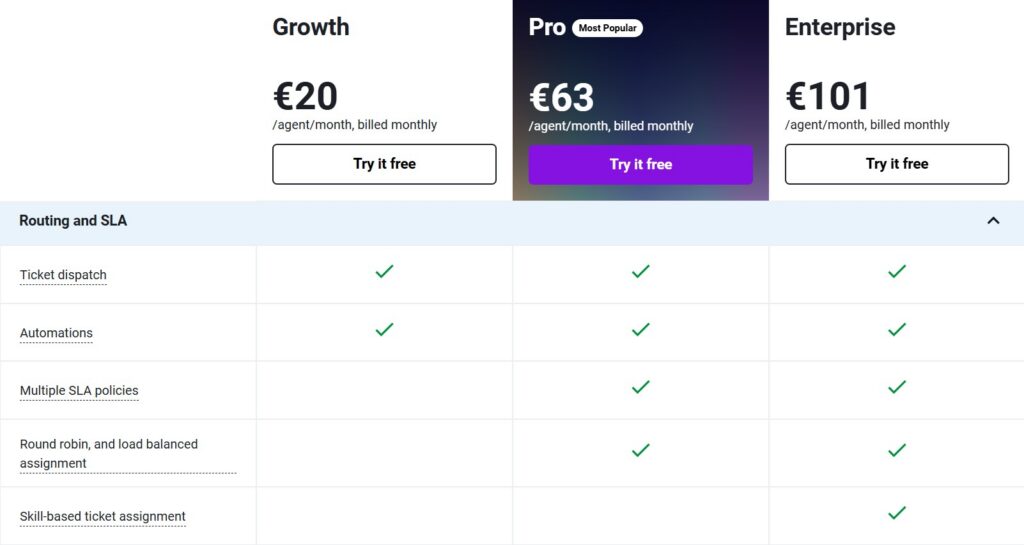
Image via Freshdesk
Tool level
Usability
Best for
Also Read:
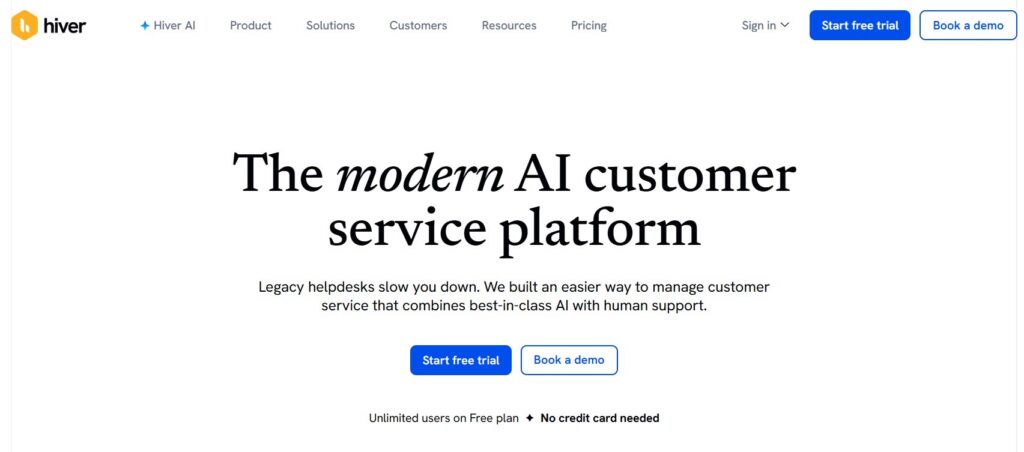
Image via Hiver
Hiver is a Gmail-native SLA monitoring software solution. It allows teams to manage SLAs, assign emails, and track response time targets without leaving their inbox. For teams already working in Google Workspace, the setup is fast with a minimal learning curve.
Its SLA and “Business Hours” setting tracks compliance during working hours only. This gives teams with defined shift patterns more accurate breach data. This is especially useful for IT service provider teams operating across different time zones.
SLA performance reports cover first response time and resolution time, broken down by agent, tag, or shared inbox.
Key features
Pros
Cons
Pricing
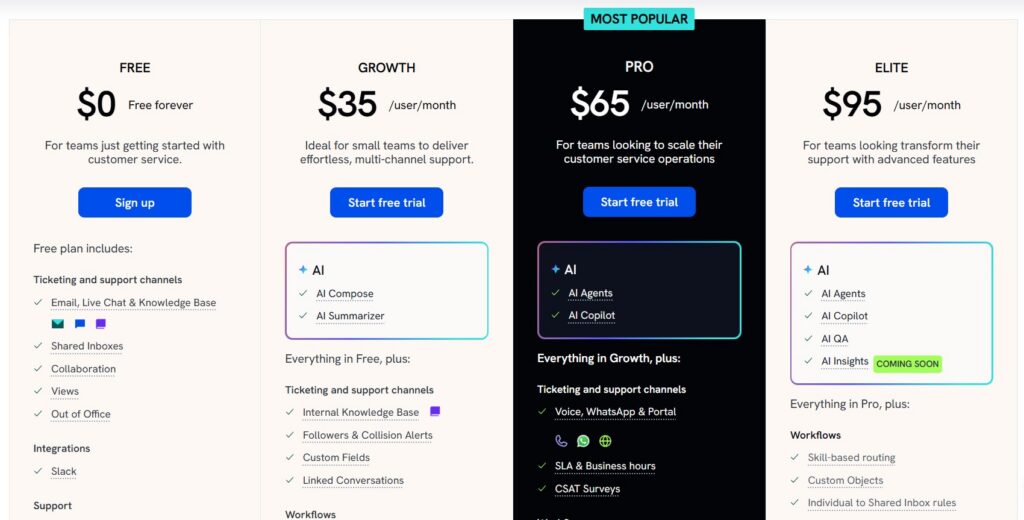
Image via Hiver
Tool level
Usability
Best for
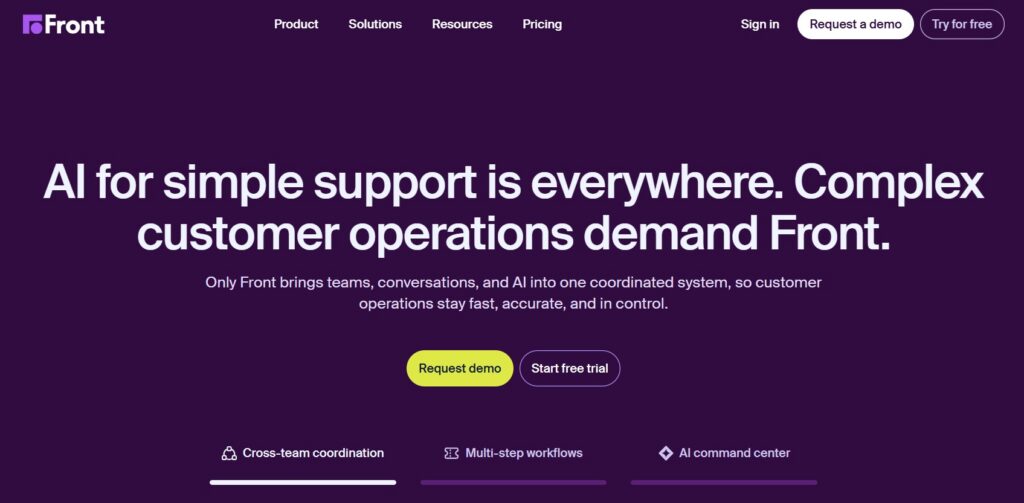
Image via Front
Front is a collaborative inbox platform that brings email, SMS, chat, and social into one shared workspace. Teams can apply SLA timers to conversations to flag urgent messages, with automated workflows that escalate threads almost at the breach.
Front’s unique strength is collaboration. It offers shared drafts, internal comments, and real-time conversation views. This makes it easy for teams to work together on complex threads and ensure compliance.
AI features like Copilot and Smart CSAT are available but sold as paid add-ons. As such, the actual cost of this SLA monitoring software can run much higher than the base plan price.
Key features
Pros
Cons
Pricing
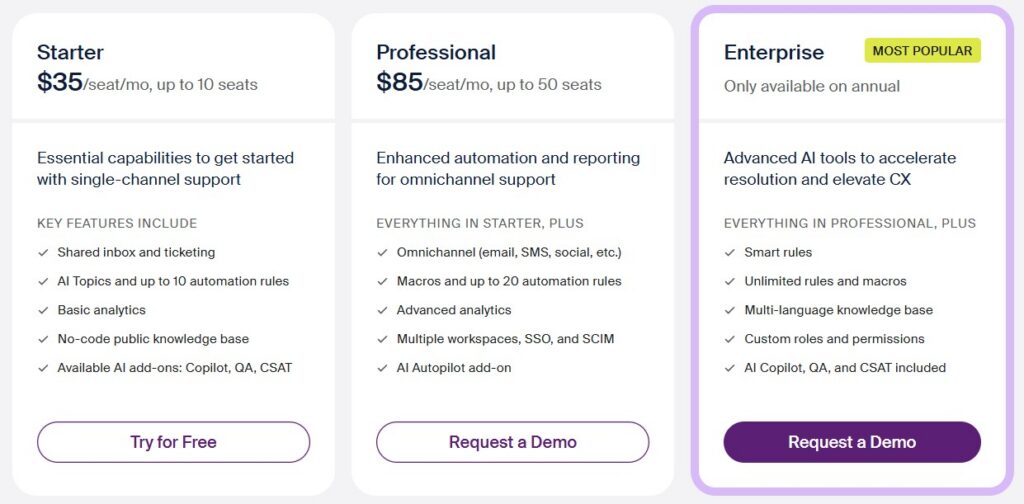
Image via Front
Tool level
Usability
Best for
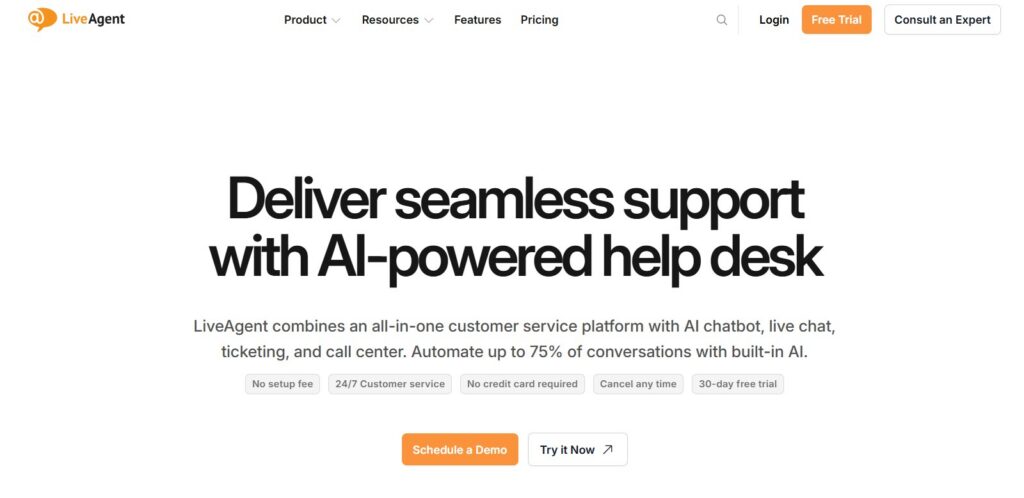
Image via LiveAgent
LiveAgent is a robust SLA monitoring tool for SMB teams that need omnichannel coverage at a low price.
With this SLA monitoring software solution, all conversations, including email, live chat, phone, and social, land in one universal inbox. Also, service level agreements are tracked through its Service Levels feature.
LiveAgent also uses Time Rules, which are automated actions that trigger when performance deviates or a ticket breaches its SLA deadline. This helps teams stay proactive about service delivery rather than reactive when response times are at risk.
Key features
Pros
Cons
Pricing
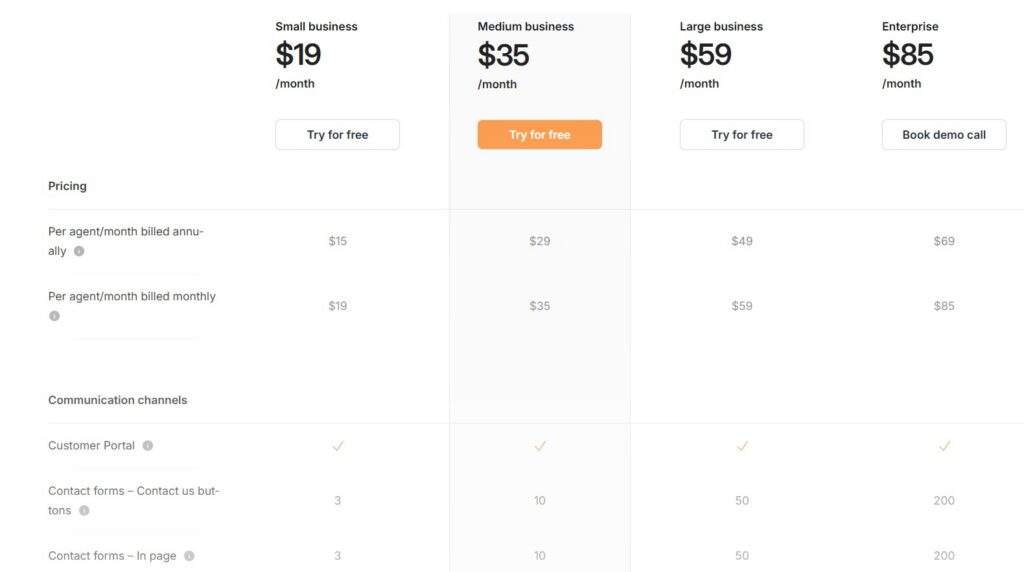
Image via LiveAgent
Tool level
Usability
Best for
Also Read:
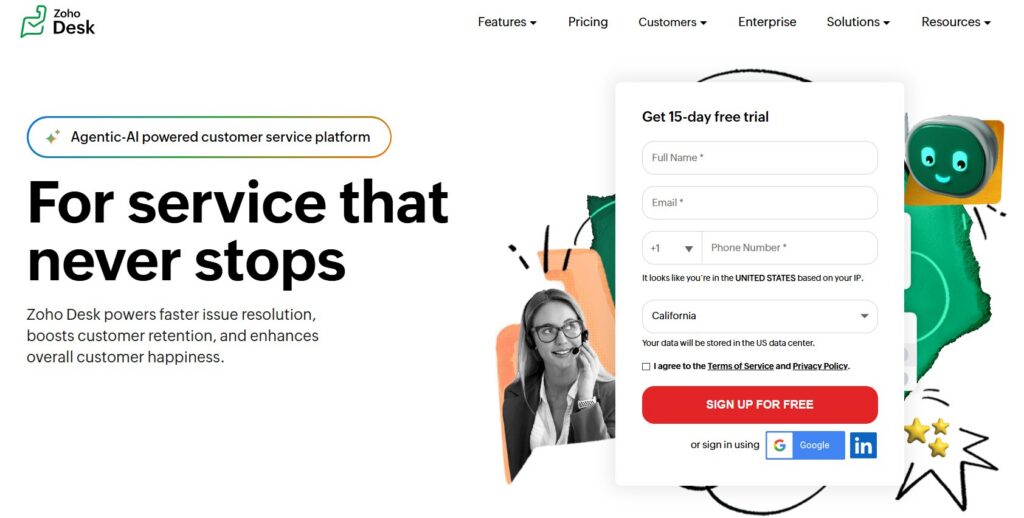
Image via Zoho Desk
Zoho Desk is one of the more affordable SLA monitoring software options on this list. It covers multi-tier service level agreements with escalations and breach alerts. Also, an SLA management tool is available from the Express plan, making it accessible to teams on a tight budget.
For teams already using Zoho CRM, the integration is a real advantage. Contact and deal data syncs straight into Zoho Desk, giving agents account context when responding.
This makes it easier to focus on SLA-sensitive accounts without manually cross-referencing systems. This improves operational efficiency and helps you provide more reliable services for high-value clients.
Key features
Pros
Cons
Pricing
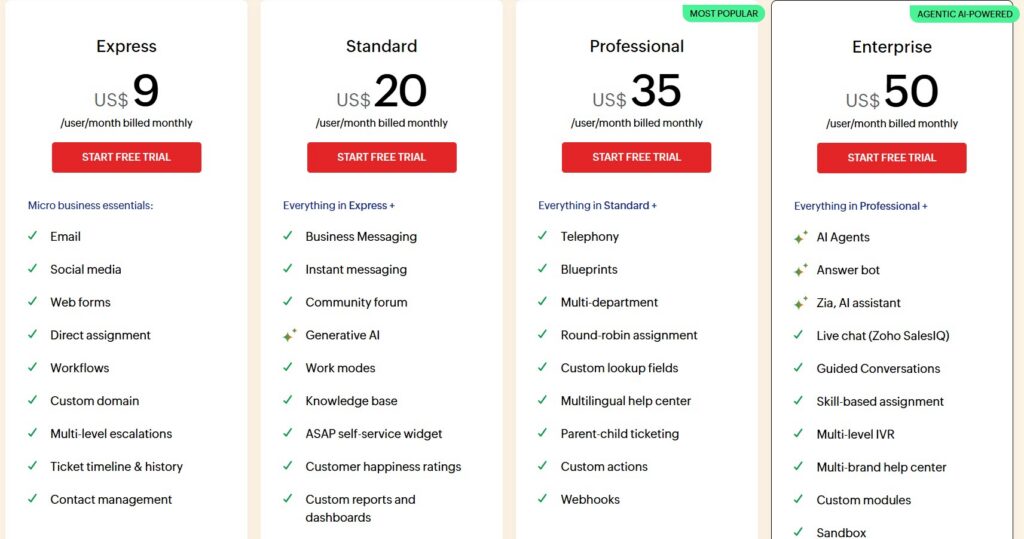
Image via Zoho Desk
Tool level
Usability
Best for
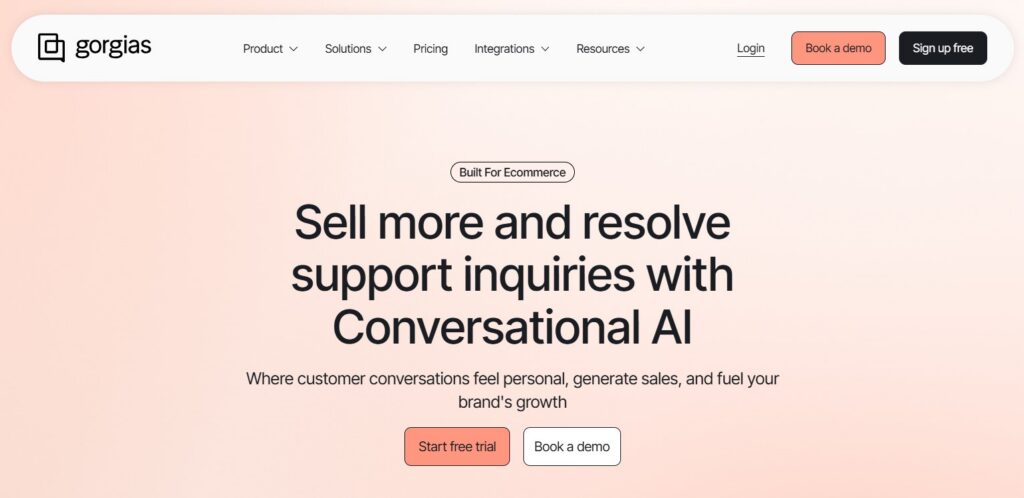
Image via Gorgias
Gorgias is purpose-built for ecommerce support teams on Shopify, WooCommerce, or BigCommerce. It pulls order data, shipping status, and customer history directly into the support view. This way, agents have full context without switching tabs.
Response time rules and escalation triggers serve as its SLA-adjacent feature set. They flag conversations that haven’t received a reply within a set timeframe. This helps teams meet customers’ expectations around fast and reliable responses.
Gorgias doesn’t position itself as a formal service level management tool. But for ecommerce teams, its response time controls and automation rules cover much of the same ground in a practical, day-to-day sense.
The platform also helps boost customer satisfaction by helping agents resolve queries faster with full order context in view.
Key features
Pros
Cons
Pricing
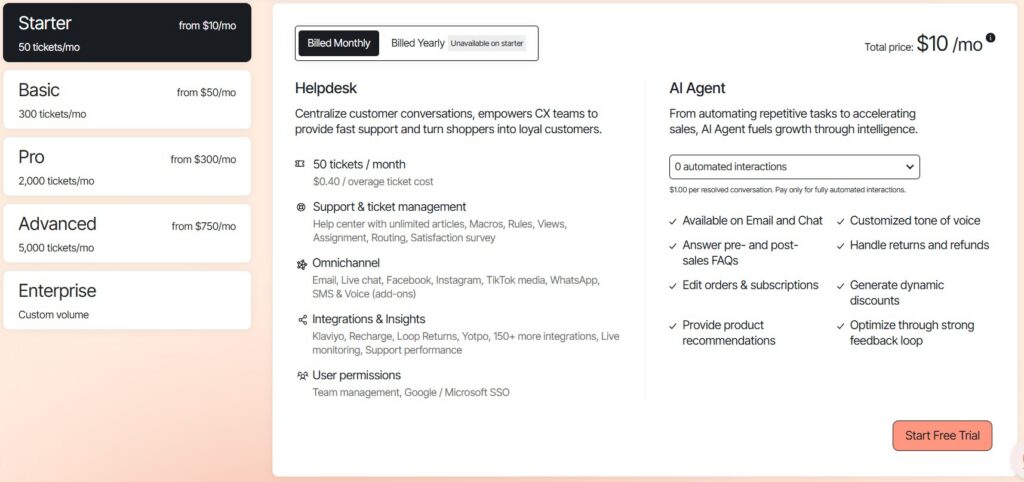
Image via Gorgias
Tool level
Usability
Best for
Also Read:
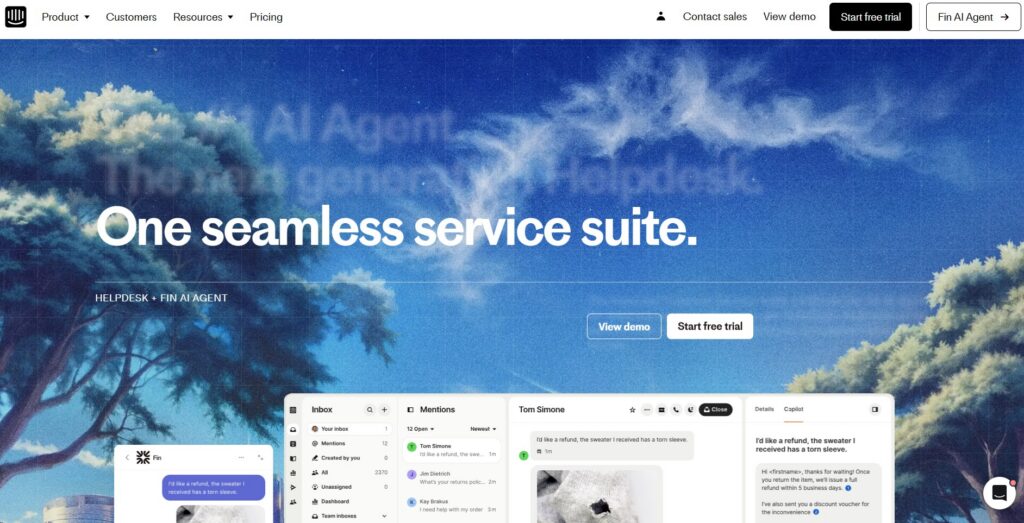
Image via Intercom
Intercom is a messaging-first customer support platform built around a shared inbox, AI automation, and in-app communication. It’s widely used by SaaS and product-led teams providing multichannel support.
Its compliance feature is only available on the “Expert” plan, so teams on lower tiers won’t have access to formal service level management. For teams with strict service expectations, this is a meaningful limitation to factor in before committing.
Fin, Intercom’s AI agent, handles routine queries automatically at $0.99 per resolved conversation. This reduces queue pressure but adds a layer of usage-based cost that can be hard to predict as volume grows.
Key features
Pros
Cons
Pricing
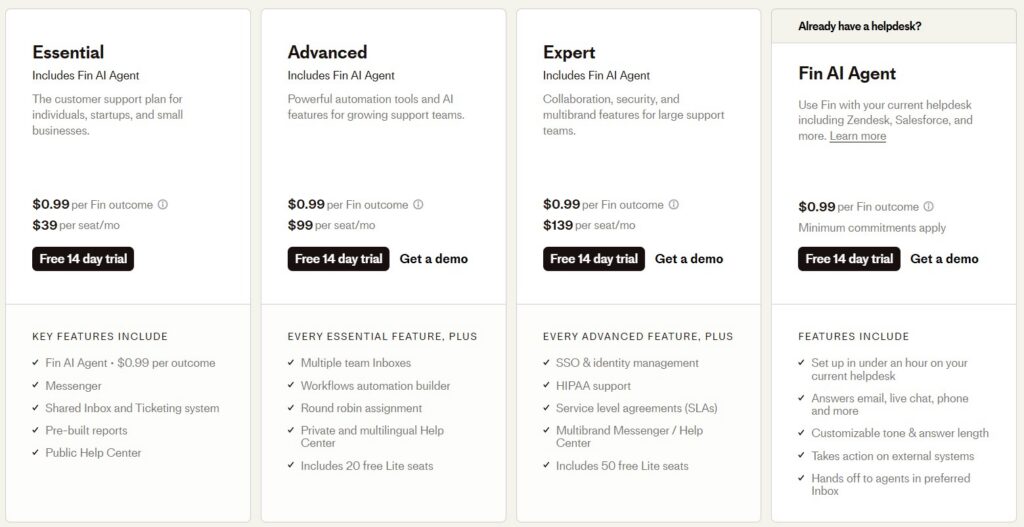
Image via Intercom
Tool level
Usability
Best for
1. What is an SLA?
A service level agreement is a formal contract between a business and its customers that defines what level of service can be expected. It typically mentions how long a business will take to respond to a customer query or resolve a ticket. It also lists various other service standards and responsibilities.
2. What is SLA monitoring software?
SLA monitoring software solutions track whether your team responds to customer emails within committed timeframes. They alert agents before a deadline gets missed and give managers visibility into compliance rates. The goal is to catch at-risk conversations early, not just log breaches after they happen.
3. How is SLA monitoring software different from a help desk?
A help desk manages ticket routing and resolution workflows. An SLA monitoring software solution focuses on whether response times hit your targets, with real-time insights when they’re at risk. Some help desks include basic SLA features, but dedicated SLA monitoring software gives agents live visibility from inside their inbox.
4. What SLA compliance rate should a team aim for?
Most teams target 95% or higher. Below 90% usually signals a structural problem. This could be staffing gaps, uneven workload distribution, or a lack of real-time monitoring for agents. Tracking compliance at the agent and mailbox level helps identify trends and pinpoint where the issues actually sit.
5. Can SLA monitoring software work with Gmail or Outlook?
Yes, timetoreply is purpose-built for both, with SLA performance timers visible right in the inbox. Hiver works inside Gmail only. Zendesk, Freshdesk, Front, LiveAgent, and Zoho Desk are platform-agnostic but convert emails into tickets.
6. How does timetoreply track SLA compliance?
The timetoreply tool tracks first reply time, response time, and time-to-close against custom SLA targets per customer domain, account tier, or shared mailbox. The timer indicator threshold appears in agents’ inboxes in real time. Managers get key performance indicators broken down by agent, team, or time — all inside Gmail or Outlook.
Also Read:
Choosing the right SLA monitoring software solution comes down to how your team works and your business needs.
If your team uses Gmail or Outlook and needs to ensure compliance without switching platforms, timetoreply is the strongest starting point. Teams with heavier ticketing needs across multiple channels will find more structure in Zendesk or Freshdesk.
Whatever you choose, be clear on your customer service performance metrics and the response targets you’re held to.
The right SLA monitoring software makes those targets visible before they’re missed. The timetoreply tool offers a free trial if you want to test it with your team.
Get live inbox alerts and reply quickly to customer emails with timetoreply

Head of Customer Success @ timetoreply
Barry Blassoples is the Head of Customer Success at timetoreply, where he helps customer-facing teams boost revenue and protect brand reputation by providing actionable insights to improve their business email response times. He has over 15 years of leadership experience across customer success, sales, and marketing roles in high-growth tech companies.



Trusted by high-performing inbound sales teams and customer-facing teams globally.
Close more deals and delight more customers with the faster, smarter, deeper email analytics and performance optimization software that works straight from your team’s inbox.