
The best customer service tools include timetoreply, Zendesk, Help Scout, and Hiver. Some are great for full support operations. Others, like timetoreply, help improve average response times.
Customer service tools help businesses manage customer conversations across different channels. They also help teams stay on top of tickets, handoffs, and service levels.
Many businesses move away from basic support tools when they need greater visibility or less manual work. They want something that fits how their team already works.
This article walks through the best customer service tools and the kinds of teams they suit best.
The best customer service tools vary by use case. For those who want to improve email productivity, timetorteply is the best. Anyone looking for a helpdesk tool would probably prefer Zendesk or Freshdesk.
Let’s see which customer service tools are best for different needs.
Most support teams start using customer service tools for one reason: their inbox gets too busy to manage well. These tools help organize conversations, assign work, and keep replies moving.
Think about it:
Your customers have more choices than ever before. They can switch to a competitor with a few clicks, and a poor customer service experience can drive them away faster than you might think.
According to an Emplifi survey, 70% of consumers will leave a brand after just 1-2 bad experiences.
Image via Emplifi
Customer service teams using modern platforms experience faster response times, higher customer satisfaction scores, and better agent productivity.
Speed and fast resolutions are no longer a bonus — it’s expected. Customer service tools that track and improve response times help teams meet these expectations while identifying bottlenecks before they become bigger problems.
We evaluated various customer service tools based on features that are valuable to customer support teams. These include multichannel capabilities, analytics, integrations, and more. Let’s discuss these briefly.
The best customer service tools vary by use case and budget. If you want to improve your support team’s productivity, timetoreply should be your go-to tool. If you’re looking for helpdesk tools, then you have many options to choose from, such as Zendesk and Freshdesk.
Let’s compare the top customer service tools at a glance.
| Tool | Best for | Unique strengths | Pricing |
| timetoreply | Email response tracking and SLA management | Tracks reply times directly inside Gmail and Outlook workflows | Starts at $38/month |
| Zendesk | Omnichannel customer support | Large app marketplace with advanced ticketing and AI tools | Starts at $25/agent/month |
| HubSpot Ticketing Software | Teams needing a highly scalable solution | Automated workflows builder that helps with ticket routing and CRM data entry | Free plan; Paid starts at $20/seat/month |
| Freshdesk | Growing support teams | Freddy AI for automation and sentiment analysis | Starts at $23/agent/month |
| Help Scout | Email-first support teams | Shared inbox with a simple, email-style interface | Starts at $30/user/month |
| Zoho Desk | Businesses already using Zoho | Deep integration with the Zoho ecosystem and Zia AI | Starts at $9/user/month |
| Gorgias | Ecommerce customer support | Connects support conversations with order and revenue data | Starts at $10/month |
| Gladly | Personalized omnichannel support | Organizes conversations around people instead of tickets | Custom pricing |
| LiveAgent | Teams needing voice and chat support | Built-in call center with IVR and call routing | Starts at $19/month |
| Front | Team collaboration across inboxes | Shared inboxes with internal comments and assignments | Starts at $35/seat/month |
| Salesforce Service Cloud | Service Cloud Enterprise customer support | Einstein AI and deep Salesforce CRM integration | Starts at $25/user/month |
| Groove | Small businesses and startups | Gmail-style shared inbox with simple setup | Starts at $29/user/month |
| Re:amaze | Multi-brand support teams | Manages multiple brands from one support platform | Starts at $29/member/month |
| Kayako | Customer journey-based support | Tracks the full customer journey across touchpoints | $1 per resolved ticket |
| Richpanel | Ecommerce self-service support | Self-service portal with AI-powered order support | Starts at $89/agent/month |
| Tidio | Live chat and chatbot support | No-code chatbot builder for small businesses | Starts at $29/month |
| Kustomer | CRM-focused customer support | Timeline view of all customer interactions and history | Customer pricing |
| Hiver | Gmail-based support teams | Turns Gmail into a shared support workspace | |
| Dixa | Voice and omnichannel customer support | Combines phone, email, chat, and social messaging with intelligent call routing | Starts at €109/agent/month |
The right customer service software can make the difference between losing customers and creating loyal advocates. To help you find the perfect fit, we’ve curated a list of the 18 best customer service tools.

Image via timetoreply
The first on our list of customer service tools is timetoreply. It specializes in email analytics and response-time optimization, designed specifically for customer-facing teams that need to track and improve their email performance.
Rather than replacing existing customer service tools, timetoreply works as a performance enhancement layer on top of current email systems.
The platform addresses a critical gap in most customer service tools: the ability to measure and optimize email response times with precision.
The timetoreply tool offers real-time coaching, KPI tracking, and detailed analytics that help teams understand how, when, and why response times vary across different scenarios.
Key features
Pros
Cons
Pricing
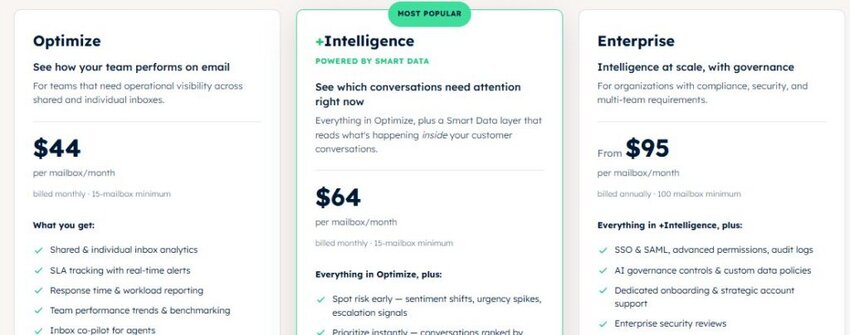
Image via timetoreply
Tool level
Usability
Pro tip: Use leaderboards and trend reporting to motivate distributed teams across different time zones.

Image via Zendesk
Zendesk is a widely used platform for omnichannel customer support. Currently serving over 10,000 companies worldwide, this customer support tool has a comprehensive platform that unifies customer conversations across all channels.
It’s one of the customer service tools that excel at creating seamless experiences. Customers can start conversations via email, continue through live chat, and finish over the phone without losing context.
The platform’s strength lies in its ability to scale from small startups to enterprise customer service operations without losing functionality.
Teams can begin with basic ticket management and gradually add AI agents, advanced workflows, and custom integrations as their needs evolve.
Key features
Pros
Cons
Pricing

Image via Zendesk
Tool level
Usability
Pro tip: Start with the Suite Team plan and enable AI agents to handle routine customer inquiries like password resets and order status checks. This frees up human agents for complex problem-solving while you learn the platform’s advanced features.
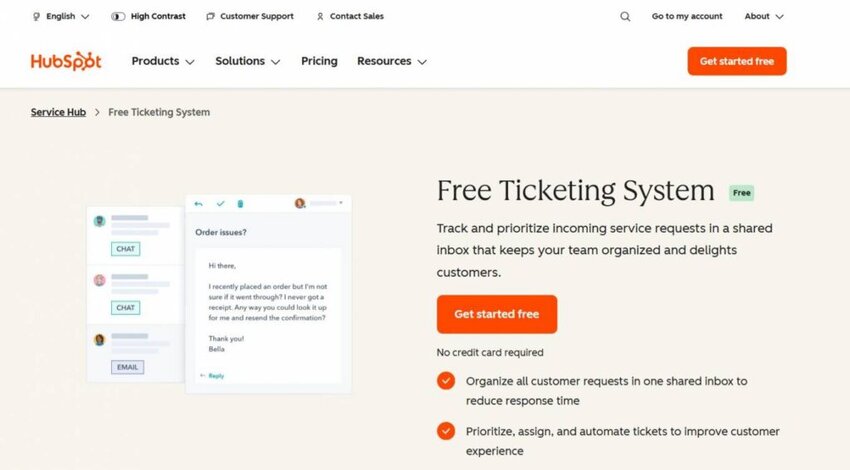
Image via HubSpot
HubSpot’s ticketing system is a solid option for small teams seeking a highly scalable solution.
It’s available with Service Hub’s free and paid plans. The free plan lets you log and manage tickets through priority labels, notes, and ticket categories, and engage with customers via email, Meta Messenger, and live chat.
As such, upgrading to paid plans gives you access to numerous extra features. These include skill-based routing, feedback management, knowledge bases, and customer success management software.
Key features
Pros
Cons
Pricing
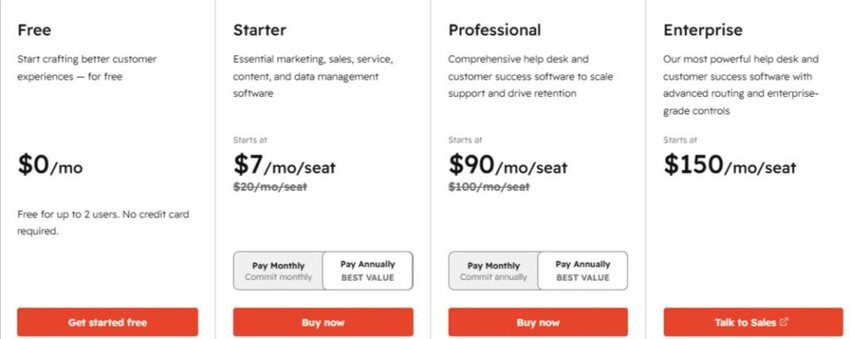
Image via HubSpot
Tool level
Usability
Pro tip: Use the ticketing system alongside other free tools within HubSpot’s product offering, like Marketing and Sales Hubs. This lets you unify and measure end-to-end customer journeys.
Also Read:
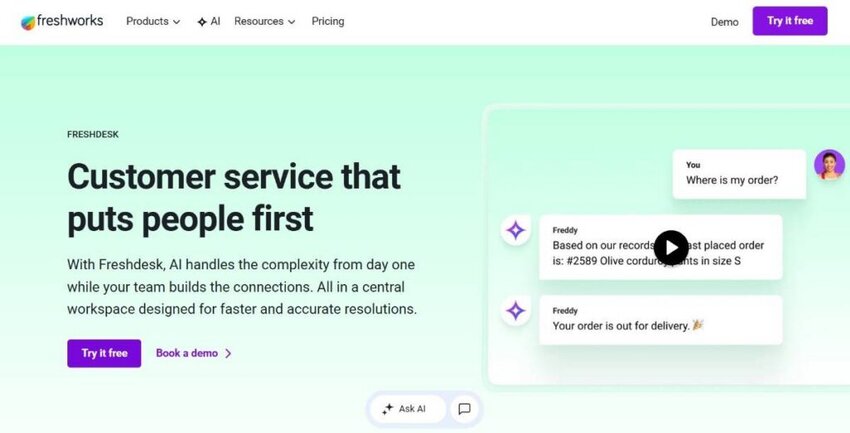
Image via Freshdesk
Freshdesk positions itself as the user-friendly alternative to more complex customer service tools. It focuses on intuitive design and smart automation features that help teams deliver better customer support without extensive training.
This customer service tool makes it remarkably easy for new users to get started while providing sophisticated features that scale with growing customer support needs.
What sets Freshdesk apart is its commitment to reducing the complexity that often overwhelms customer success and support teams when adopting new customer service tools. The interface feels natural and logical, with features that match how customer support teams actually work.
Key features
Pros
Cons
Pricing

Image via Freshdesk
Tool level
Usability
Pro tip: Leverage Freddy AI’s sentiment analysis to automatically prioritize support tickets from frustrated customers.
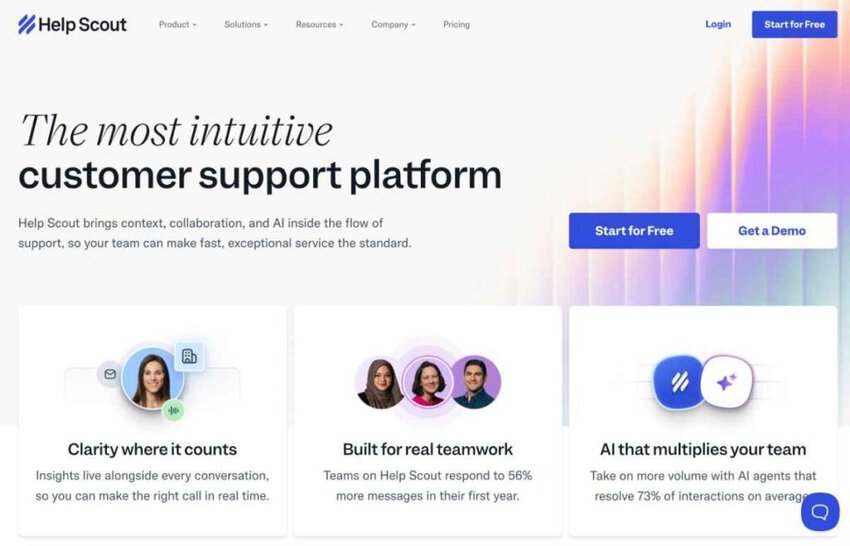
Image via Help Scout
Help Scout emphasizes the human side of customer service. It’s one of the customer service tools designed specifically for customer service teams that need both personal connections and efficient ticket processing capabilities.
Customer service tools like Help Scout feel more like an enhanced email system than traditional help desk software. This makes it immediately familiar to teams already comfortable with inbox management workflows.
The philosophy behind Help Scout centers on treating customers as individuals rather than ticket numbers. Every feature supports this goal, from customer profiles that surface relevant context to conversation threading that maintains relationship continuity.
Key features
Pros
Cons
Pricing
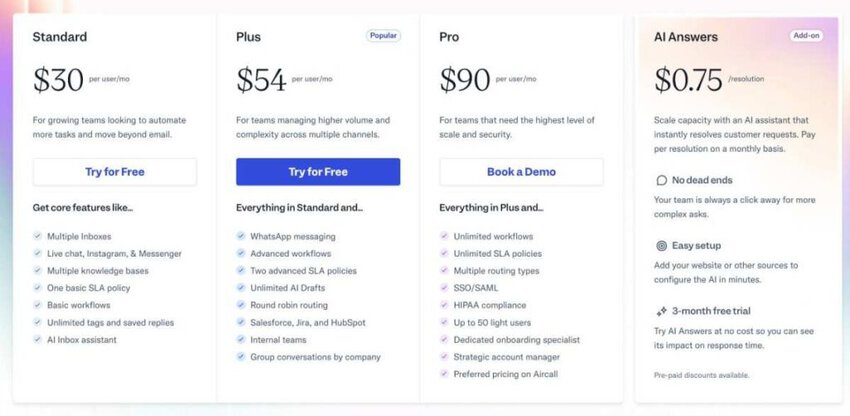
Image via Help Scout
Tool level
Usability
Pro tip: Use customer profiles to personalize every response with relevant context about previous purchases, customer support history, and preferences.
Also Read:

Image via Zoho Desk
Zoho Desk brings AI-powered insights to customer service while integrating deeply with the broader Zoho business ecosystem. This customer service tool stands out for its predictive capabilities and comprehensive analytics.
The platform’s integration with other Zoho applications creates unique opportunities for businesses that already use Zoho CRM, Projects, or other tools within the suite.
This is one of the customer service tools that allows support teams to access customer data and business context that would typically require switching between multiple systems.
Key features
Pros
Cons
Pricing
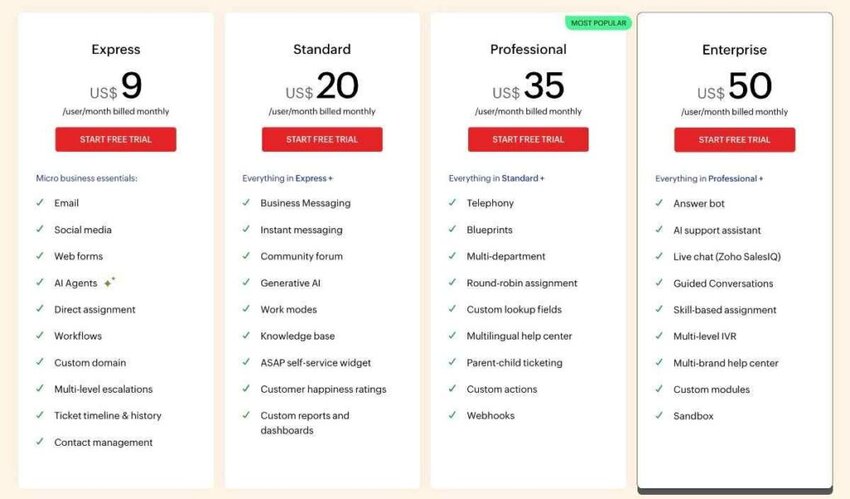
Image via Zoho Desk
Tool level
Usability
Pro tip: Use Zia AI to predict which customers are likely to become dissatisfied based on their interaction patterns and communication tone.

Image via Gorgias
Gorgias is one of the ecommerce-focused customer service tools on this list. It’s built specifically for online retailers who need to connect customer support conversations directly to revenue impact.
While most customer service tools treat customer support as a cost center, Gorgias positions customer service as a profit center. It provides features that help support teams drive sales while resolving issues.
The platform’s focus on ecommerce means every feature is designed with online retail workflows in mind. Support agents can see order history, shipping status, and customer lifetime value directly in conversation views, which adds more context.
Key features
Pros
Cons
Pricing
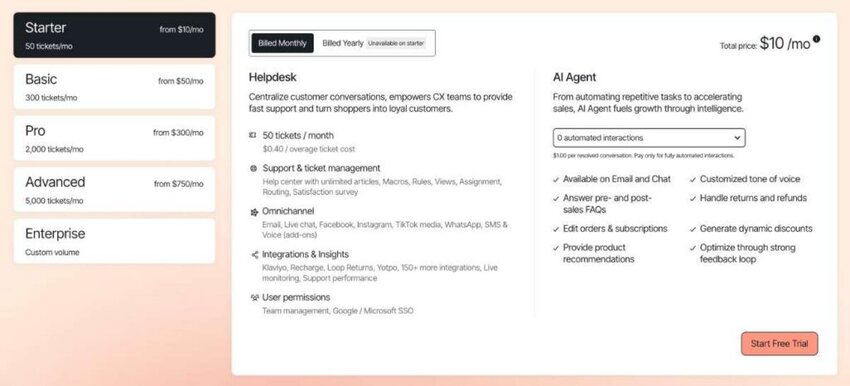
Image via Gorgias
Tool level
Usability
Pro tip: Set up automation rules to instantly handle order status inquiries, return support requests, and shipping questions.
Also Read:

Image via Gladly
Gladly brings a new spin to customer service by organizing conversations around people rather than tickets. This creates a more natural and personal experience for both customers and agents. That’s what makes it stand out among the best customer service tools.
This approach sets Gladly apart from traditional customer service tools that fragment customer interactions across multiple tickets, losing valuable context in the process.
This person-centric approach changes how support teams work. Agents can view complete customer relationships at a glance, understand customer preferences and history, and provide personalized customer service.
Key features
Pros
Cons
Pricing
Unlike most other customer service tools, Gladly only offers custom pricing. However, it provides a demo and a product tour to test-run their services.
Tool level
Usability
Pro tip: Train agents to review the complete customer timeline before responding to any inquiry to allow for a more personalized service.
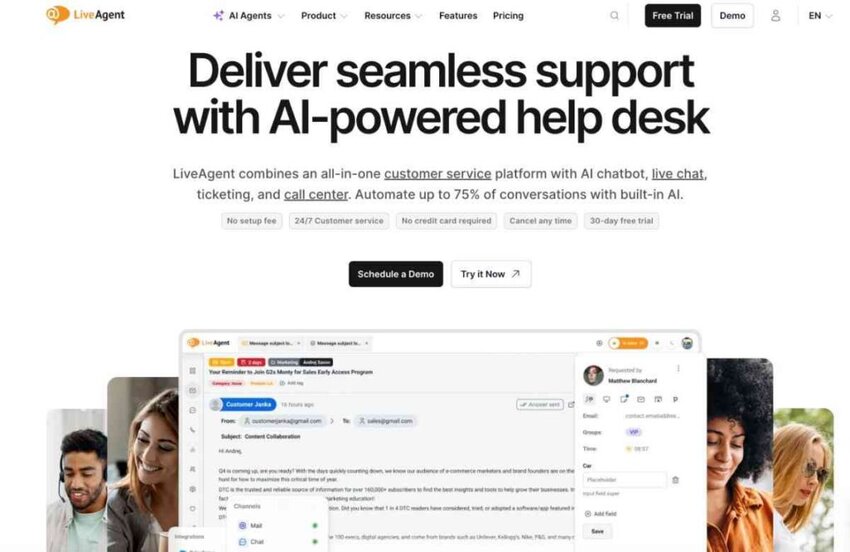
Image via LiveAgent
Next, on our list of the best customer service tools is LiveAgent. It combines comprehensive customer service capabilities with full call center software functionality. This allows it to offer one of the most complete feature sets available in a single customer service tool.
What makes it one of the best customer service tools is that it offers a comprehensive solution. This includes everything from basic email ticket management to advanced phone system integration, all in one unified platform.
Support teams can handle phone calls, live chats, emails, and social media messages from a single interface while maintaining context across all channels.
Key features
Pros
Cons
Pricing

Image via LiveAgent
Tool level
Usability
Pro tip: Use the gamification features to create friendly competition among agents with leaderboards for response times, customer satisfaction scores, and resolution rates.
Also Read:
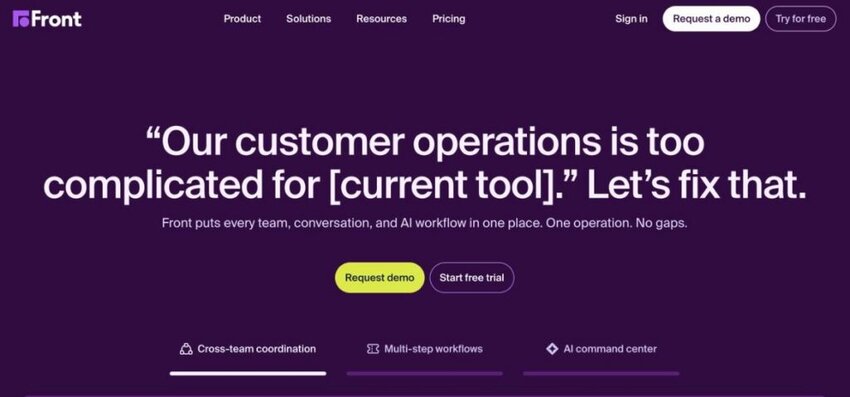
Image via Front
Front is among the popular customer service tools on our list. It reconstructs team email into a collaborative workspace where customer conversations become shared responsibilities rather than individual silos.
As one of the most collaboration-focused customer service tools available, Front excels at breaking down barriers between your customer support, sales team, and other customer-facing teams.
Front turns every conversation into a shared team asset. It also has assignment and workflow features to ensure accountability and prevent anything from slipping through the cracks.
Key features
Pros
Cons
Pricing

Image via Front
Tool level
Usability
Pro tip: Use internal comments and @mentions to collaborate on complex customer issues without exposing internal discussions to customers.
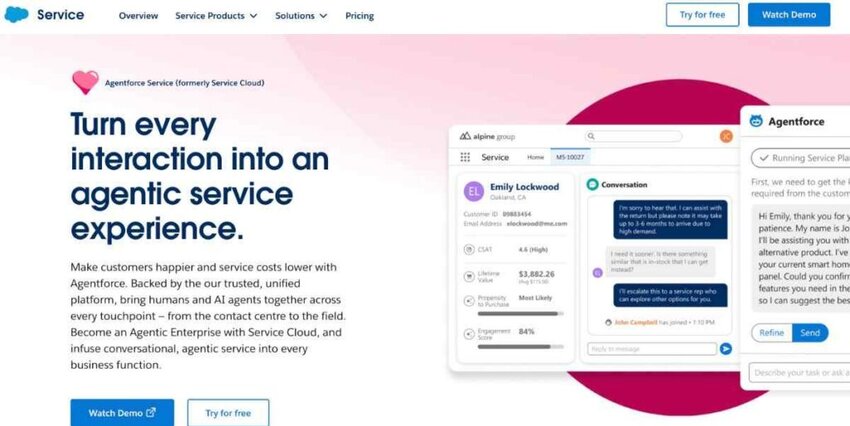
Image via Salesforce Service Cloud
Salesforce Service Cloud is one of the most advanced customer service tools. It offers enterprise-level customer service with robust CRM integration. Its advanced AI features, powered by Einstein and Agentforce, help streamline and personalize support.
Service Cloud provides the flexibility and power needed for organizations with complex customer service needs. It also maintains enterprise-grade security and compliance standards.
For organizations already using Salesforce or those requiring enterprise-level customization and security, Service Cloud provides unmatched flexibility and power.
Key features
Pros
Cons
Pricing
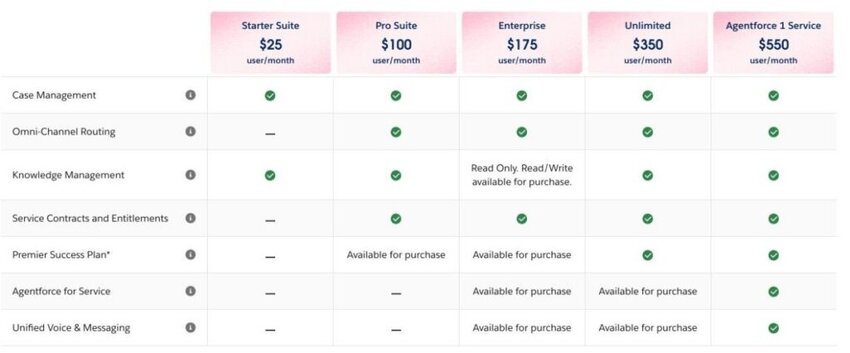
Image via Salesforce Service Cloud
Tool level
Usability
Pro tip: Start with Einstein Case Classification to automatically route incoming cases to agents with the right skills and experience to improve first-contact resolution rates.

Image via Groove
Groove simplifies customer service by providing a Gmail-style interface that feels immediately familiar to most users. It’s one of the most straightforward customer service tools without complex features.
The beauty of Groove lies in its simplicity and focus on core functionality. Rather than trying to be everything to everyone, the platform excels at email-based customer service.
Key features
Pros
Cons
Pricing

Image via Groove
Tool level
Usability
Pro tip: Use the shared drafts feature to maintain consistency in team responses by creating templates for common scenarios.
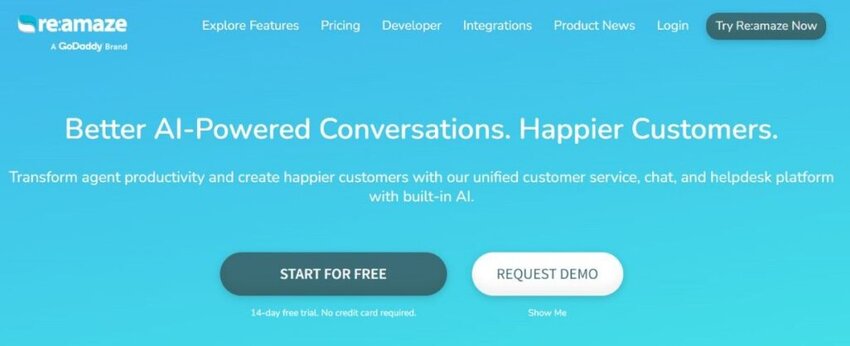
Image via Re:amaze
Re:amaze is one of the customer service tools fit for agencies and businesses that support multiple brands or clients from a single platform.
Few customer service tools handle multi-brand scenarios as elegantly as Re:amaze. The platform maintains separate brand identities while streamlining customer service operations.
Managing multiple brands often requires separate customer service tools or complex workarounds that compromise efficiency. Re:amaze solves this problem by providing native multi-brand support, keeping everything organized.
Key features
Pros
Cons
Pricing
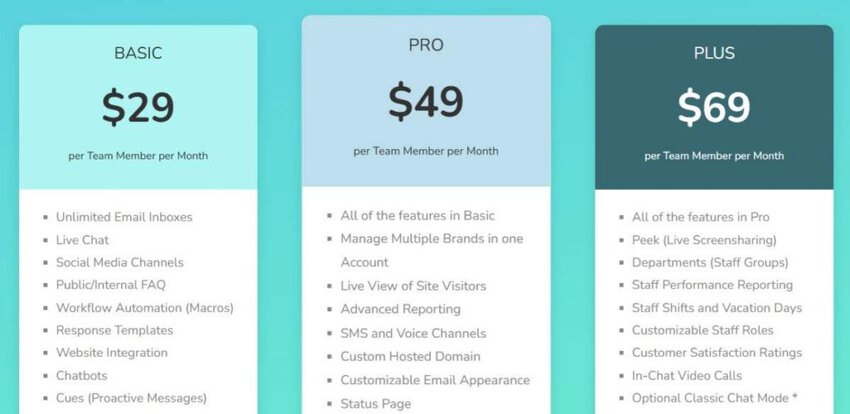
Image via Re:amaze
Tool level
Usability
Pro tip: Use proactive messaging rules to engage website visitors before they encounter problems.
Also Read:

Image via Kayako
Kayako is another option to consider among the best customer service tools. It takes a customer journey-focused approach to support, organizing customer interactions around the complete service experience rather than individual tickets or issues.
This journey-centric philosophy differentiates Kayako from typical customer service tools that focus solely on resolving individual problems without considering the broader customer experience.
By tracking and analyzing complete customer journeys, teams can identify patterns, prevent recurring issues, and create more satisfying interactions that build long-term loyalty.
Key features
Pros
Cons
Pricing
It charges $1 per resolved ticket

Image via Kayako
Tool level
Usability
Pro tip: Use journey insights to identify common points where customers struggle or abandon their goals.
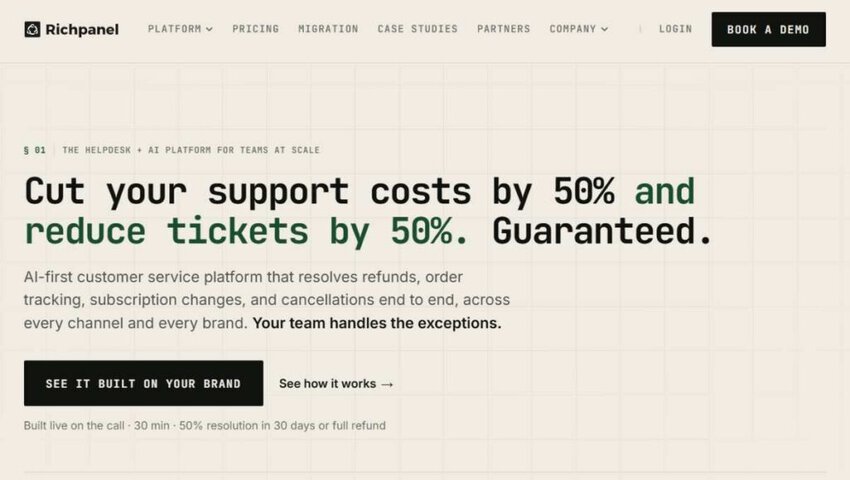
Image via Richpanel
Richpanel focuses specifically on ecommerce customer service, combining AI automation with comprehensive self-service features. It’s one of the customer service tools that reduce support costs while improving customer satisfaction.
Built exclusively for online retailers, Richpanel addresses ecommerce needs that general-purpose customer service tools simply cannot handle effectively.
Richpanel understands that ecommerce customer service has unique requirements around order management, returns, shipping, and product support. And so, every feature is designed with these workflows in mind.
Key features
Pros
Cons
Pricing
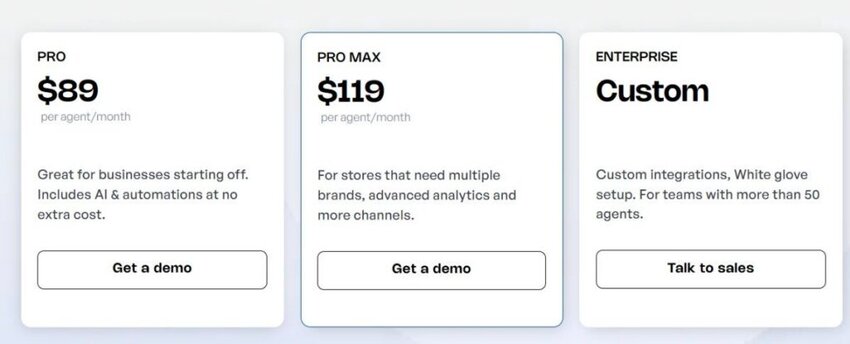
Image via Richpanel
Tool level
Usability
Pro tip: Implement the self-service portal to handle common ecommerce customer queries like order tracking, return support requests, and shipping updates automatically.
Also Read:

Image via Tidio
Tidio is next on our list of customer service tools. It combines live chat, chatbots, and basic customer service features into an affordable package designed for small businesses and ecommerce stores.
Rather than competing directly with comprehensive customer service tools, Tidio excels at website engagement and lead generation while providing fundamental support capabilities.
Key features
Pros
Cons
Pricing
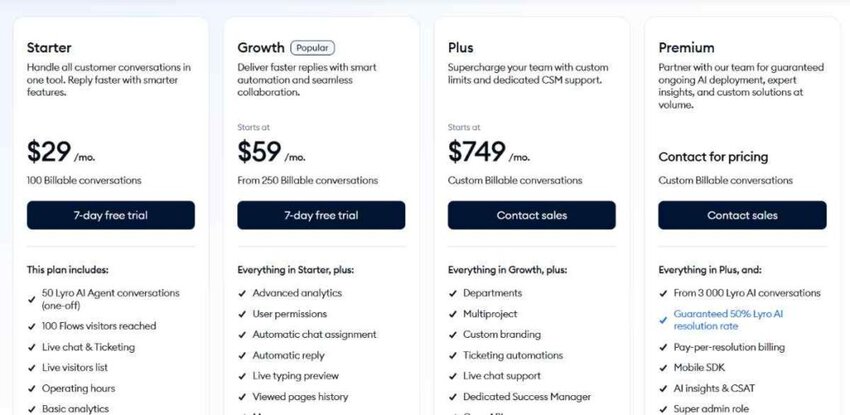
Image via Tidio
Tool level
Usability
Pro tip: Use chatbots to qualify leads and handle basic inquiries during off-hours, then transfer qualified prospects to human agents during business hours.
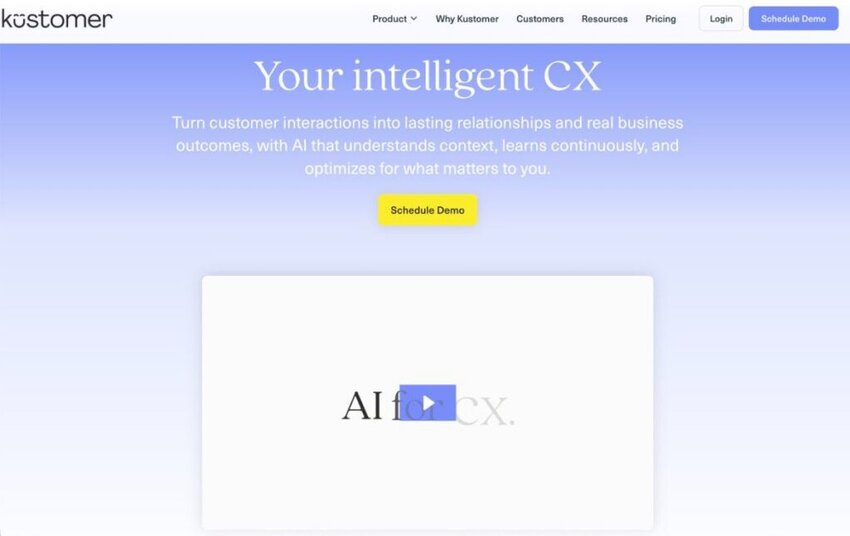
Image via Kustomer
Kustomer integrates CRM functionality with customer service capabilities. It’s one of the customer service tools that creates a comprehensive view of each customer relationship beyond individual support interactions.
This integrated approach makes Kustomer particularly valuable compared to standalone customer service tools that lack deep customer relationship management connectivity.
It’s also ideal for businesses with long sales cycles, where support interactions significantly impact renewals, upselling, and customer lifetime value. The platform helps teams understand immediate support needs and broader business relationships.
Key features
Pros
Cons
Pricing

Image via Kustomer
Tool level
Usability
Pro tip: Use the customer timeline to understand the complete relationship history before responding to any inquiry.
Also Read:

Image via Hiver
Hiver upgrades Gmail into a collaborative customer service platform without requiring teams to learn new software or change existing workflows. That makes it one of the most beginner-friendly customer service tools.
This Gmail-first approach eliminates the adoption barriers that often prevent teams from successfully implementing traditional customer service tools.
Since agents continue working in Gmail, they can become productive immediately while gaining powerful collaboration and tracking capabilities that foster quality service and team coordination.
Key features
Pros
Cons
Pricing

Image via Hiver
Tool level
Usability
Pro tip: Use collision detection and internal notes to coordinate team responses discreetly, ensuring customers do not see internal discussions.
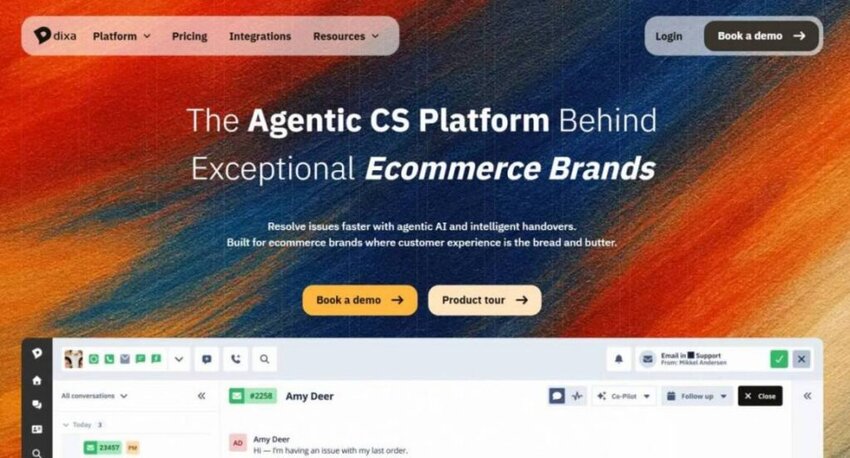
Image via Dixa
Dixa is an omnichannel customer service platform that brings phone, email, chat, and social messaging into one workspace. It helps support teams manage customer conversations without switching between different tools.
It’s one of the customer service tools that stands out for its focus on voice and conversation routing. Teams can route customers to the right agent based on skills, availability, customer history, and priority.
The platform also gives agents a unified view of customer conversations. This makes it easier to keep context when customers move between channels.
Dixa works well for growing support teams that need phone support alongside digital channels.
Key features
Pros
Cons
Pricing
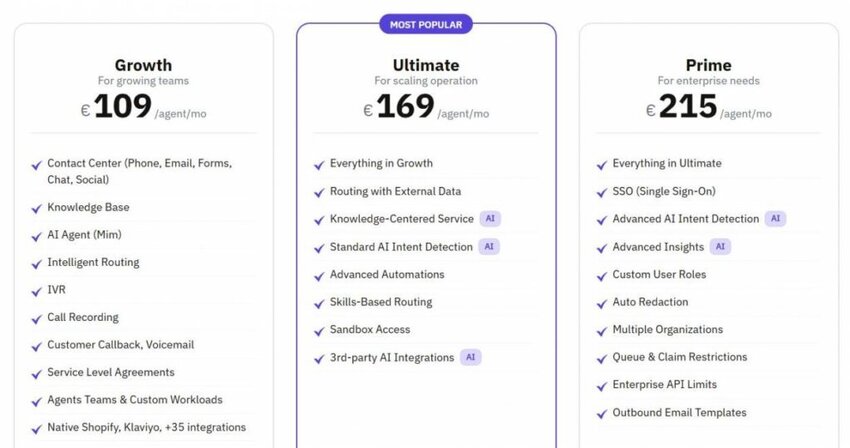
Image via Dixa
Tool level
Usability
Pro tip: Use Dixa’s intelligent routing to send calls and conversations to the right agents based on skills and customer priority.
Also Read:
1. What are customer service tools?
Customer service tools are software platforms and applications that help businesses manage, track, and improve their customer support operations. These customer service tools typically include features like ticketing systems, live chat, knowledge bases, and analytics to streamline communication between customers and support teams.
2. What is the best customer service tool?
The best customer service software depends on your specific needs, team size, and budget. Zendesk excels in comprehensive omnichannel support, while Help Scout is ideal for email-focused teams that prioritize personal connections.
For teams focused on email response time optimization, timetoreply offers specialized analytics and performance-tracking capabilities.
3. Which tool is most useful in helping customer service?
For most teams, the most effective customer service tools integrate multiple communication channels with robust analytics and automation. Platforms like Zendesk, Freshdesk, and Salesforce Service Cloud offer comprehensive feature sets that cater to a wide range of support scenarios.
However, specialized customer service tools like timetoreply for email analytics or Gorgias for ecommerce can be more valuable than general platforms if they match your primary support channel and business model perfectly.
4. What features should I look for in customer service tools?
Essential features to look for in customer service tools include:
Advanced features to consider are:
5. What are four examples of customer service?
Four common examples of customer service include:
6. Which are the best customer service tools for improving email productivity?
The best customer service tools for email productivity are usually the ones that remove friction from daily work. Front helps with collaboration, and Help Scout keeps inboxes simple. The timetoreply tool helps managers track reply times and workload trends without changing the team’s workflow.
7. Which customer service tools are the easiest to set up for small teams?
Small support teams often want something simple, affordable, and fast to launch. Groove and Help Scout are both strong options for that reason. The timetoreply tool is extremely easy to set up if your team mainly needs better visibility into response times.
8. Which customer service tools support SLA tracking?
SLA tracking is built into many customer service tools now, but the experience can feel very different depending on the platform. Zendesk and Freshdesk handle more complex support workflows, while timetoreply focuses more directly on email response targets and reply-time visibility.
Also Read:
The best customer service tools help teams reply faster and stay organized. Some are built for large support teams with a lot of channels to manage. Others, like timetoreply, are better for teams that want sharper email tracking without changing the way they already work.
The main question is simple. Do you need a full support hub, or do you just need better control over email and response times? That answer usually points you to the right tool pretty quickly.
If you want to track response times, then timetoreply is a great option. Just book a demo to see if it meets your needs.
Get live inbox alerts and reply quickly to customer emails with timetoreply

Head of Customer Success @ timetoreply
Barry Blassoples is the Head of Customer Success at timetoreply, where he helps customer-facing teams boost revenue and protect brand reputation by providing actionable insights to improve their business email response times. He has over 15 years of leadership experience across customer success, sales, and marketing roles in high-growth tech companies.



Trusted by high-performing inbound sales teams and customer-facing teams globally.
Close more deals and delight more customers with the faster, smarter, deeper email analytics and performance optimization software that works straight from your team’s inbox.