Businesses that use data to improve email response times respond faster, hit SLA targets more consistently, and retain more customers. You need to track response rates, first-reply times, and other key metrics to get the best results.
Without the right email performance metrics, even skilled teams fall short. The result? Missed SLAs, overwhelmed agents, and frustrated customers who quietly take their business elsewhere.
From identifying bottlenecks to tracking team output, using data to improve email response times gives you the clarity needed to respond more quickly and keep more customers.
To use data to improve email response times, track these key metrics:
Email response time is the time between receiving a customer email and sending a reply. The faster and more consistently a team responds, the greater the positive impact on customer satisfaction, loyalty, and revenue.
While various benchmarks exist for the ideal email response time in each industry, one thing is universal. The quicker you provide an adequate response to a customer email, the better for your business – and for your bottom line.
Using data to improve email response times ensures that businesses remain efficient and meet what customers expect without delays.
Industry benchmarks for email response time vary across different industries, but in general, the expectation is for businesses to respond within 24 hours.
According to a recent study, best-in-class teams maintain first response times under 20 seconds on messaging channels and resolve most queries in under 2 minutes.

Image via Freshworks
For example, customer-facing teams in ecommerce or SaaS businesses may be pressured to respond even faster to maintain a competitive edge and boost customer loyalty.
Delayed responses can lead to negative impressions: Seven in ten customers in one study said they believe companies don’t care if their customers receive delayed responses.
The result?
Reduced customer loyalty, increased churn, and damage to the company’s brand and reputation. By using data to improve email response times, companies can reduce these negative effects and ensure customer satisfaction is consistently high.
Failure to meet customer expectations regarding response times can significantly harm your business.
According to Zendesk, 63% of consumers are willing to switch to a competitor after just one bad experience, a trend that has grown by 9% year-on-year.
This emphasizes why businesses should leverage data to improve email response times.
Also Read:
The most common bottlenecks in email communication are unclear ownership, lack of performance visibility, inadequate SLA tools, and poorly defined workflows.
Identifying these barriers is the first step, and using data to improve email response times is key to fixing them.
Here are the most common bottlenecks and how they impact performance.
Many teams rely on shared inboxes to manage incoming queries. But when no one is directly assigned to specific messages, emails often go unanswered.
Team members may assume someone else is handling the query, resulting in long delays. Using data to improve email response times can reveal how long emails sit in shared inboxes and who responds the slowest, helping assign clear ownership.
Without insight into how individual team members are performing, it’s nearly impossible to spot delays. Data to improve email response times gives managers a live view of reply rates, response gaps, and unresolved tickets. This allows for better oversight and faster intervention.
Most teams still rely on outdated systems that don’t alert you when SLAs are about to be breached. As a result, teams miss critical deadlines, hurting customer satisfaction and retention.

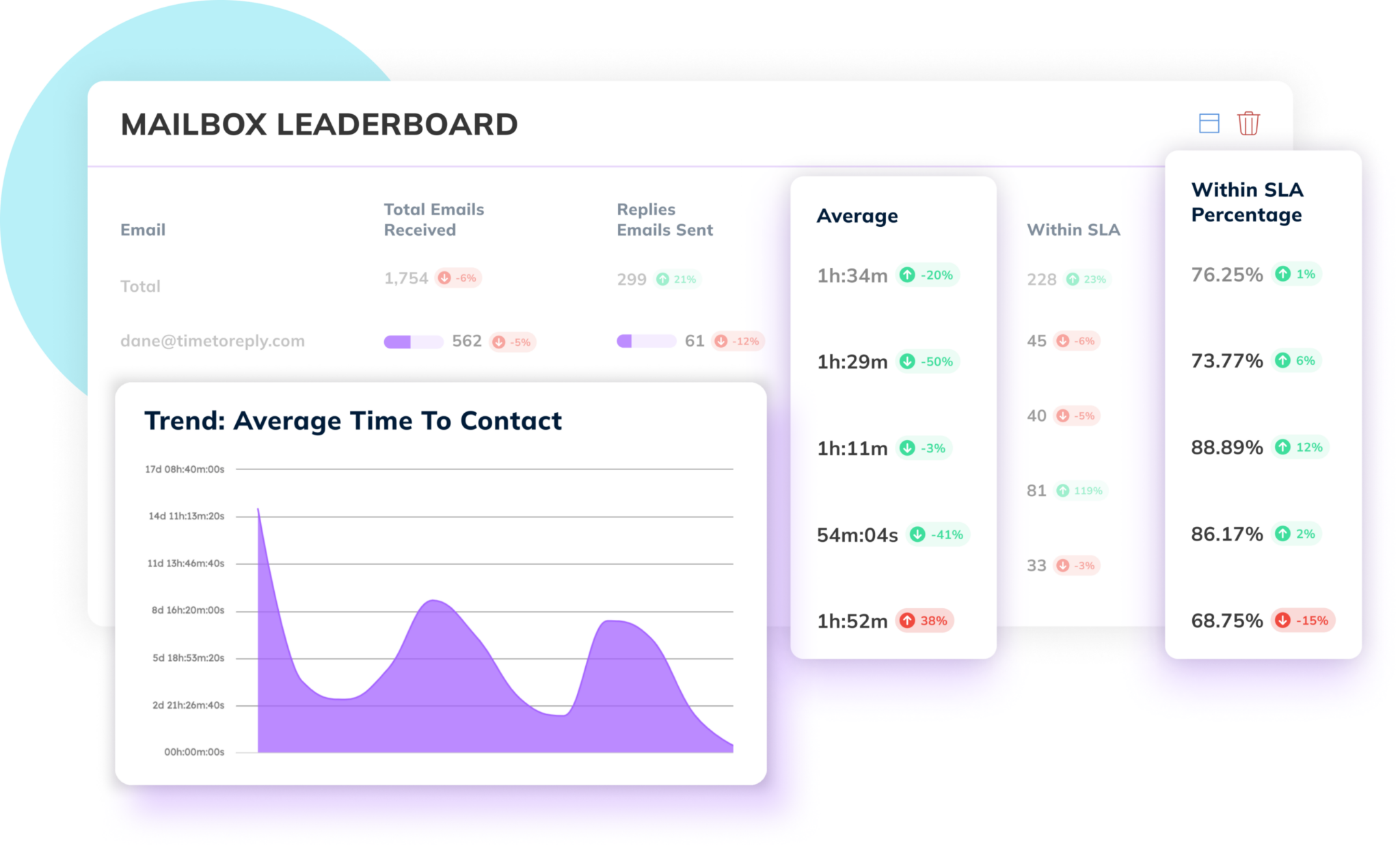
Image via timetoreply
Email tracking tools that use data to improve email response rates can monitor SLA compliance in real-time, making it easier to act before a breach occurs.
Inbox clutter from CCs, internal threads, or non-urgent customer emails can push urgent requests further down the queue. Leveraging data to improve email response times helps teams categorize and prioritize emails, ensuring the most critical issues are resolved first.
If teams manually read and assign every email, they waste time that could instead be spent on resolution. Automation powered by data to improve email response times can tag and route emails based on urgency, subject, or sender—freeing agents from repetitive tasks.
Some teams lack documented processes for how to handle incoming emails—who should respond, when to escalate, or how to categorize queries.
By analyzing workflow patterns using data to improve email response times, companies can standardize responses and reduce confusion.
Also Read:
Data transforms reactive email management into a proactive, measurable system.
Without data-backed insights, businesses operate blindly, unable to pinpoint the causes of delays or inefficiencies in their customer communication workflows.
The best customer-facing teams use data to improve email response times and consistently meet evolving customer expectations.
Without data-backed insights, businesses may operate blindly, unaware of what’s truly causing delays or inefficiencies in their customer communication workflows.
With data to improve email response times, individual team members can see their performance. This ensures that the accountability shifts from top-down enforcement to self-directed improvement.
Leveraging data to improve email response times not only increases team productivity. It also directly enhances the customer experience by ensuring faster, more accurate responses.
Using accurate data about a range of email response analytics also enables customer-facing teams to identify trends and patterns in customer interactions. This improves their ability to solve problems, reduce bottlenecks, and deliver more personalized customer experiences.
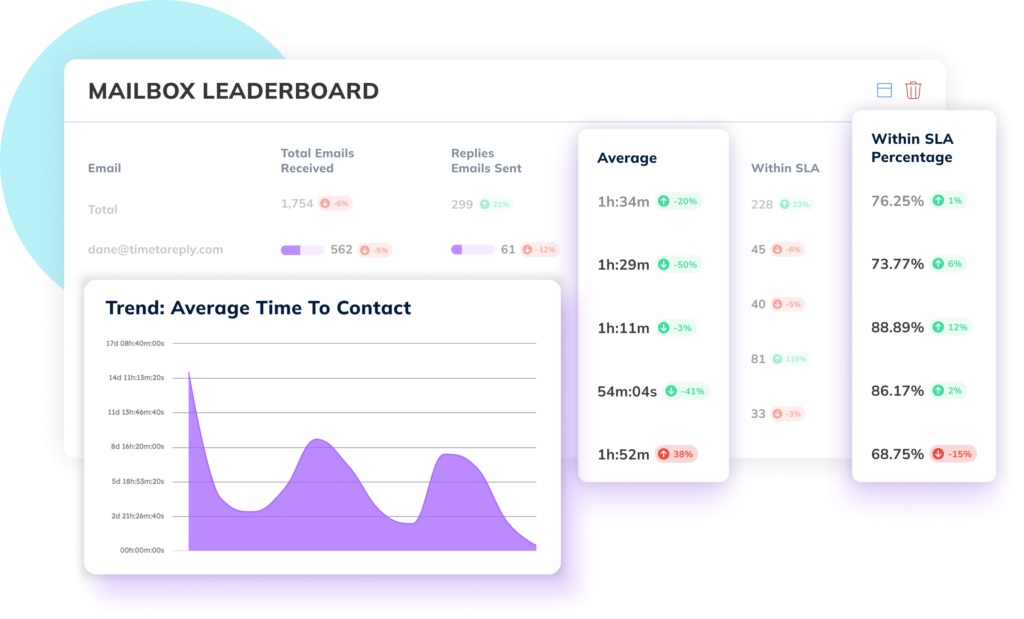
Image via timetoreply
Real-time analytics provide the key benefit of enabling immediate action to optimize performance, ensuring quick interventions and continuous improvements.
The most successful customer-facing teams use an email analytics optimization platform to track a range of email metrics and produce data-rich reports about the team’s email performance.
Here are some of the benefits:
By regularly using both types of analytics and applying this data to improve email response times, businesses gain a significant edge. This advantage enhances both customer satisfaction and operational efficiency.
Also Read:
To successfully use data to improve email response times, you must go beyond tracking a few basic numbers—it’s about understanding the complete picture.
By analyzing the right metrics in context, customer-facing teams can set realistic benchmarks. This helps them spot underperformance early and enhance the overall customer experience.
While earlier sections covered foundational metrics like average time to first reply and ticket resolution time, this section explores how to go deeper with your email analytics strategy.
So, let’s dive in.
Your first reply time is the average time it takes for your team to send the first response to a customer’s email. Meanwhile, your all replies time is the average time between responses within a thread.
The first contact a customer has after submitting a query sets the tone for the entire conversation.
How is it helpful?
Use this data to improve email response times by identifying threads where customers are waiting too long between replies, even after the initial message. A fast first contact reply is important, but sustaining that responsiveness throughout the conversation is what builds trust.
Analyzing response patterns by hour reveals when your team is fastest and when they’re lagging.
Data to improve email response times in this area can help teams schedule more staff during peak hours or assign queries differently to maintain SLA compliance.
For example, if response rates dip after 3 pm, that’s a red flag for resource reallocation.
This metric breaks down how individual team members or sub-teams contribute to the overall response workload. This doesn’t just show volume; it also depicts how efficiently and quickly agents handle emails.
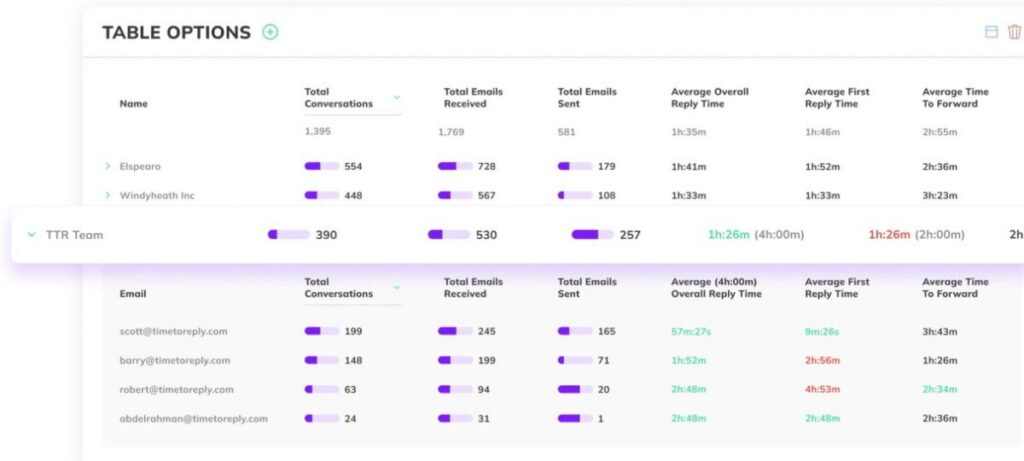
Image via timetoreply
If an agent has a significantly higher volume but consistently delayed replies, data to improve email response times will show this as a potential bottleneck.
Use this as an opportunity to coach underperforming agents, balance workloads, or reward top performers.
The average response time is how long it takes for your team to reply to an email. This metric gives you a clear view of your overall efficiency and response speed. By continuously analyzing data to improve email response times, teams can identify trends and adjust their workflows.
This measures how quickly your team responds to the first inquiry. A prompt first reply helps build trust and positively impacts customer satisfaction. You can use this data to improve email response times by ensuring your team addresses customer concerns quickly.
Analyzing response times by individual agents or teams provides insights into performance differences. Tracking this data can help identify best practices and bottlenecks that, when addressed, can further improve email response times.
Monitoring the number of emails that go unanswered is essential for identifying potential issues in email management. You can use email response management software to make sure that no customer is left waiting for a response.
Monitoring missed emails using data to improve email response times also ensures your email platform captures every unanswered query before it becomes a churn risk.
Knowing when your team receives the most emails can help optimize staffing and email management. By analyzing peak email volumes, you can adjust workflows to enhance productivity and email response times.
Once you’ve gathered these insights, the next step is turning them into performance benchmarks. Use past data to improve email response times. They act as your baseline. Then, you can adjust goals based on current team capabilities and industry standards.
Setting individual team members and team-level targets helps align the team around measurable, time-bound objectives. Also, benchmarks allow you to track incremental improvements and course-correct before issues escalate.
By regularly reviewing these essential metrics and combining them with real-time insights, your team will gain the clarity they need to improve service quality and enhance customer satisfaction—one email at a time.
Also Read:
To improve email response times and optimize customer service operations, use tools like timetoreply, Zendesk, and Front. They help teams with tracking email response metrics, such as reply rates, response times, and SLA adherence.
These email response tools provide actionable data that allows businesses to streamline workflows, monitor performance, and identify areas for improvement in real time.

Image via timetoreply
The timetoreply tool is a powerful email analytics platform designed to help businesses monitor individual and team email response times and performance in real time.
It tracks essential metrics, such as average response times, first reply time, reply rates, and SLA adherence.
By providing actionable insights, timetoreply allows managers to identify bottlenecks, uncover trends, and implement changes to improve response rates and team efficiency.
If your goal is to meet strict SLA targets, timetoreply makes it easier to use data to improve email response times across departments.

Image via Zendesk
Zendesk is a well-known customer service platform that offers powerful email ticketing features. It allows businesses to use data to improve email response times by organizing, assigning, and responding to incoming emails efficiently.
It includes automated workflows, SLA timers, and robust reporting tools. These features make it easy to track response times and ensure nothing slips through the cracks.
Zendesk’s analytics dashboards help teams measure email performance across agents, teams, and periods. It also supports multichannel customer engagement for a unified support experience.
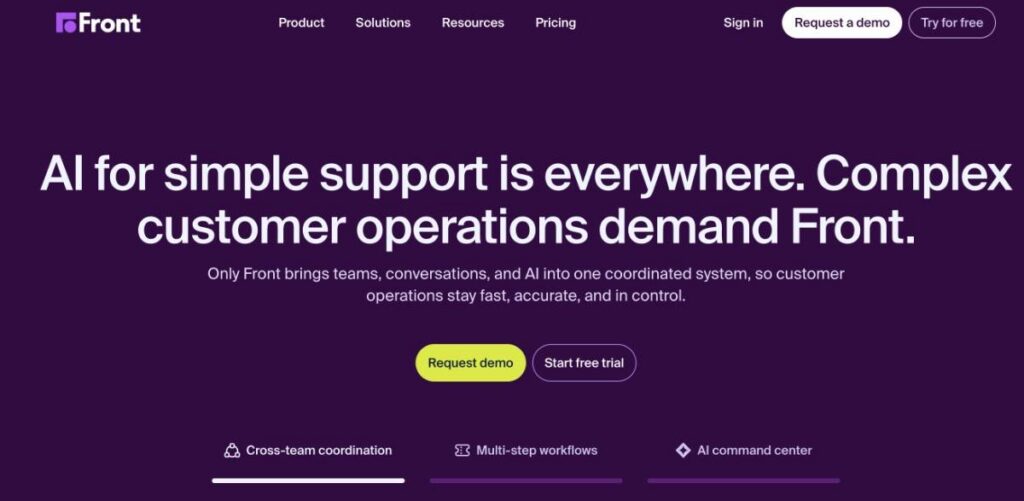
Image via Front
Front combines the familiarity of email with the efficiency of a help desk. It helps customer-facing teams efficiently use data to improve email response times. It provides detailed insights into response time, team workload, and resolution rates.
Teams can collaborate on emails, assign conversations, and measure performance, all from a shared inbox.
Front also integrates with CRMs and project tools. These integrations help teams manage the sales process, reduce back-and-forth, and stay accountable for response SLAs and customer communications.
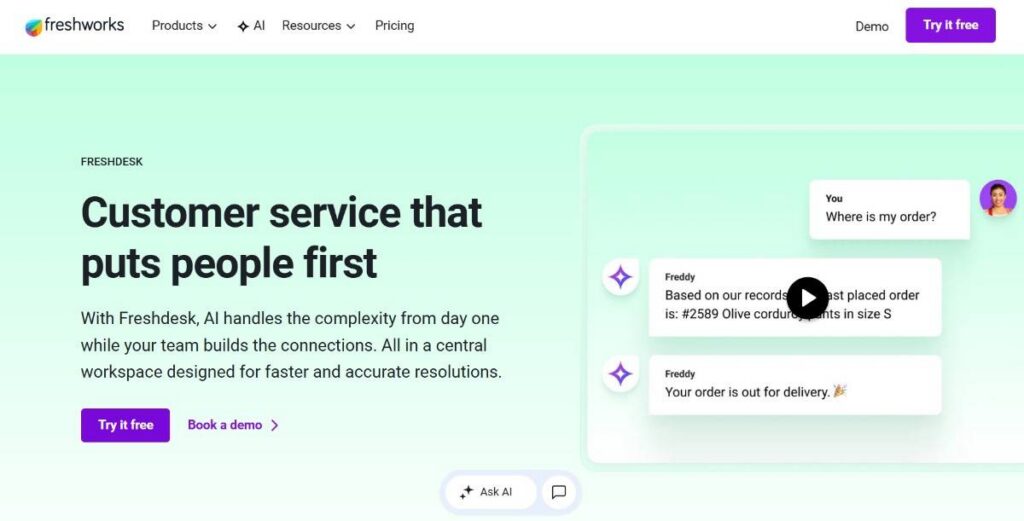
Image via Freshdesk
Freshdesk is another leading help desk solution that excels in email management. It converts support emails into tickets and automates responses. It also helps teams use data to improve email response times by tracking key metrics like first response time and resolution time.
With features like collision detection, canned responses, and SLA policy settings, Freshdesk helps teams respond faster and more effectively. Its analytics module also provides deep insights into agent performance and customer satisfaction.
Also Read:
The best ways to improve email response times are to set data-driven goals, use automation and smart routing, and provide continuous coaching.
Improving email response times is crucial for enhancing customer experience and operational efficiency. By leveraging data, businesses can pinpoint delays, track performance, and streamline workflows.
With the right strategies, teams can respond faster and more effectively to customer needs.
Here are some strategies to help you achieve this:
Service Level Agreements (SLAs) set clear expectations for response times, but they must be based on data.
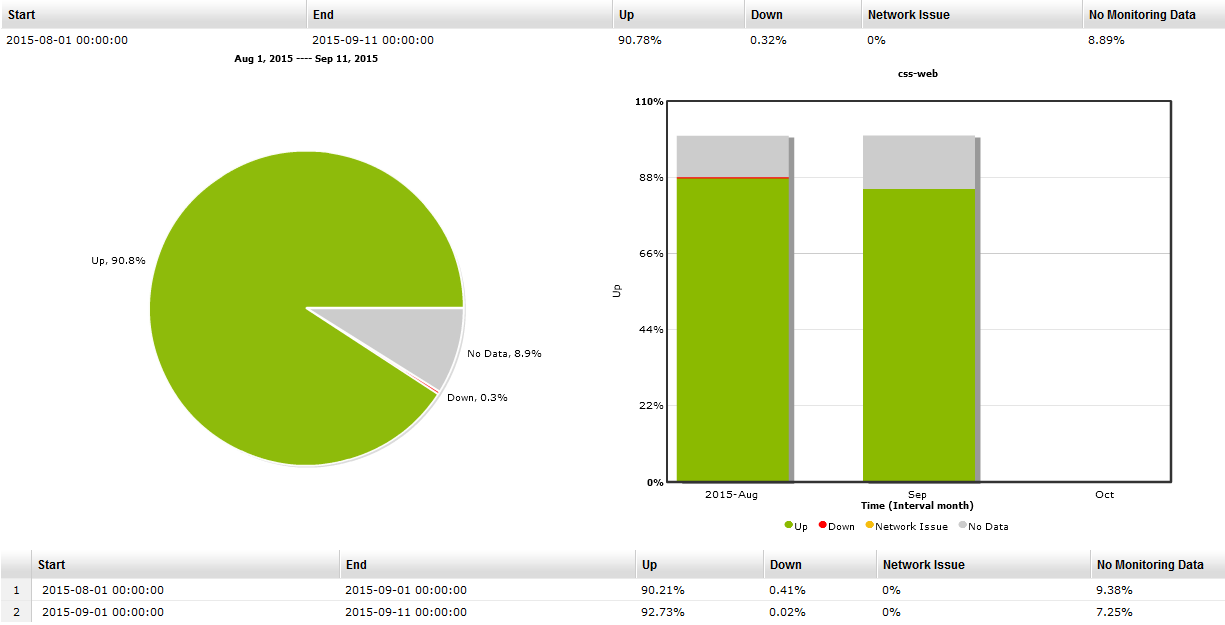
The SLA dashboard shown below helps visualize these goals in action, making it easier to track performance and identify breaches, if any.
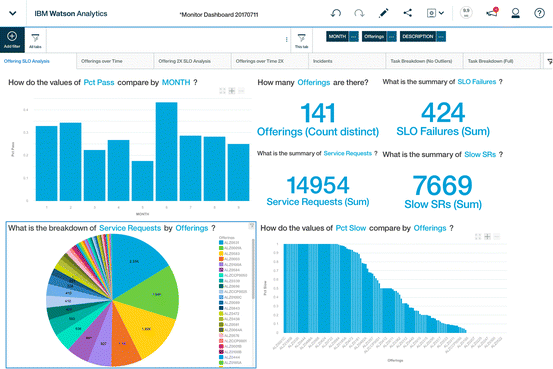
Image via Researchgate
Use data to improve email response times by first defining achievable response time goals. These goals should reflect your team’s capacity and the urgency of different issues. This is where data to improve email response times proves its value. It shows you where customers expect faster replies and where your team consistently falls short. This ensures that customer service SLAs are realistic, measurable, and align with customer expectations.
Effective routing of emails can significantly speed up response times. Using data to improve email response times, you can ensure emails are directed to the most qualified agent immediately. This minimizes delays caused by incorrect routing.
By analyzing the types of inquiries each agent handles best, you can route emails more efficiently, further speeding up the process and improving customer satisfaction.
Automated alerts are useful for monitoring email activity and ensuring no messages slip through the cracks. While they don’t directly optimize performance, they’re important for flagging delays early.
By setting up alerts based on response time thresholds, teams can respond to issues in real time and take corrective action before they escalate.
Tracking individual and team performance can help motivate your agents. Use data to improve email response times by creating performance leaderboards that reward fast responses.
Gamifying performance like this fosters healthy competition. This encourages agents to meet response time targets and continuously improve their performance.
Continuous training is key to maintaining high email response standards. By analyzing data to improve email response times, you can identify areas where response times are lagging and tailor training to address those gaps.
Whether it’s product knowledge, technical skills, or communication practices, targeted training can make a measurable impact. These programs help team members respond faster and more accurately, directly improving email response times.
By combining training with data-driven strategies, teams can work more efficiently, enhance customer satisfaction, and achieve stronger overall performance.
The result? A case study that speaks for itself.
Companies that empower their customer-facing teams with data significantly improve their email response times and deliver superior customer experiences. Take Hit Promotional Products, a US-based promotional products supplier.
The company chose timetoreply to bring increased visibility to customer emails and provide helpful insights into various elements of its customer-facing operations. Since the vast majority of its customer interactions are over email, Hit Promo wanted to empower its 175-strong customer-facing team with data that could drive improvements in customer experiences and cut down reply times.
As Shannon Sylva, Chief Experience Officer at Hit Promo, says, “One thing is clear: the more we use timetoreply, the better our customer experience will become.”
Let’s talk about doing it the right way.
To improve email response times, make SLA metrics visible to every agent, build individual accountability, standardize responses with templates, and run monthly reviews.
Top-performing teams have real-time access to service level agreement (SLA) metrics. These metrics aren’t hidden in dashboards only managers can see—they’re visible to every agent, every day.
Data to improve email response times is displayed in team-wide performance boards, reminders, and even embedded in ticketing systems. This ensures that no email is left behind and that agents know when a reply is due before it breaches SLA.
Responsive teams create systems where every agent is accountable for their email performance. There’s clear ownership of who replies to what without confusion caused by shared inbox ambiguity.
Data to improve email response times is reviewed weekly at the agent level, so no one is surprised during performance reviews. It becomes a tool for personal growth, not just management.
High-performing customer service teams implement structured writing and tone guidelines to streamline communication.
Team members use pre-approved templates — often developed using historical email data — to ensure responses are concise, consistent, and easy to understand. This helps reduce unnecessary back-and-forth, minimize escalations, and improve overall email response times.
Every month, top teams review their performance using data to improve email response times. Then, they adjust their targets or processes accordingly.
Whether it’s adjusting shift coverage during peak hours or introducing auto-responses when there’s a backlog, these reviews help teams stay agile. They ensure continuous optimization for faster response and resolution.
Also Read:
Improving email response times is not a one-time fix; it’s an ongoing commitment. It requires consistent visibility, regular calibration, and alignment across teams to sustain gains over time.
Below are practical tips to help you keep those improvements going for the long term:
Stay aligned with evolving customer needs by gathering input regularly. This goes beyond just tracking metrics. You can also conduct short internal reviews and debriefing after key customer touchpoints.
Use tools with built-in reporting to spot trends early and adjust workflows before issues grow. When teams access data to improve email response times, they see patterns that would otherwise go unnoticed for months.
By leveraging data to improve email response times, teams can enhance productivity with email analytics and ensure consistent tracking of metrics like first reply time and missed emails.
Managers can analyze performance trends to identify gaps and adjust workflows. From there, they can implement automation to create a data-driven cycle of continuous improvement.
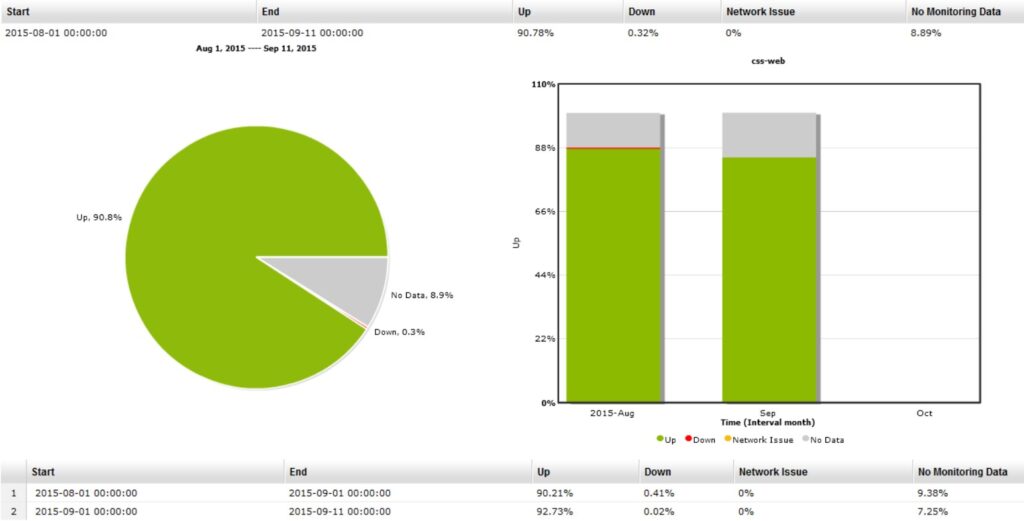
Image via target=”_blank” rel=”nofollow noopener”>EasyHA
Routine audits help ensure the metrics being tracked are leading to measurable improvements. This includes reviewing how effectively teams are using data to improve email response times and whether response SLAs are being met consistently.
Customer satisfaction surveys provide insight beyond raw numbers. These tools help identify friction points and clarify customer expectations. Additionally, they confirm whether data-driven changes are truly improving the user experience.
Set the tone for performance from the start by integrating email response time data into your onboarding process. Share benchmarks like average response time and first reply time. Explain how these metrics impact both individual performance and team-wide goals.
Use real examples and dashboards to show how high performers use data to improve email response times. This builds a data-driven mindset from day one.
Introducing data to improve email response times ensures new team members internalize performance expectations before bad habits form.
Now that you know all about using data for email response time, here’s what you should steer clear of.
The most common mistakes are focusing on volume over quality, ignoring external factors, and failing to integrate email data with CRM tools. These errors are avoidable when teams use data to improve email response times.
Let’s get into them in detail:
Also Read:
1. How do I measure email response time?
To measure email response time, track the time between when an email is received and when the first reply is sent. Use tools like timetoreply or CRM systems to collect and analyze this data to improve email response times and ensure timely customer interactions.
2. What is a good average email response time for support?
A good average email response time for support typically ranges between one to four hours. Faster response times are associated with higher customer satisfaction.
This is why you must use data to improve email response times and strive for quicker replies to meet what customers expect.
3. How can I improve my team’s email response times using data?
To improve your team’s email response times, analyze historical performance data and identify patterns. Use insights from tools like timetoreply to monitor reply times, measure resolution rates, and make data-driven adjustments that optimize team workflows and communication speed.
4. What tools help track email response time?
Tools like timetoreply, Zendesk, Front, and Freshdesk can help. These tools provide real-time data to improve email response times, offering insights into individual, team, and overall email performance.
5. What are some common email response time metrics to track?
Common email response time metrics to track include average response time, first reply time, response time by agent, and missed replies. Monitoring data to improve email response times through these metrics boosts team efficiency in handling customer inquiries.
Also Read:
Using data to improve email response times is key to achieving faster replies, a positive customer experience, and better business outcomes.
Most teams that track essential metrics, such as first reply time and SLA adherence, can optimize their performance and better serve customers.
Additionally, teams that build their workflows around data to improve email response times and give individual team members visibility into their own metrics consistently outperform those that don’t.
Email remains a critical channel, and without data to improve email response times, teams risk making blind decisions.
Combining real-time analytics with historical reports provides a complete view of performance.
Tools like timetoreply help teams improve response times and meet SLA promises, turning data into actionable improvements for better client engagement.
Get live inbox alerts and reply quickly to customer emails with timetoreply

Head of Customer Success @ timetoreply
Barry Blassoples is the Head of Customer Success at timetoreply, where he helps customer-facing teams boost revenue and protect brand reputation by providing actionable insights to improve their business email response times. He has over 15 years of leadership experience across customer success, sales, and marketing roles in high-growth tech companies.



Trusted by high-performing inbound sales teams and customer-facing teams globally.
Close more deals and delight more customers with the faster, smarter, deeper email analytics and performance optimization software that works straight from your team’s inbox.