
Most teams leave Gmelius for two key reasons: the price climbs as you add seats, and it only works inside Gmail.
Gmelius does shared inboxes, Kanban boards, and email sequences well. However, its useful features don’t kick in until the Growth plan. It also doesn’t work with Outlook, which is a deal-breaker for teams that work on both Gmail and Outlook.
That matters when fast replies drive revenue. Zendesk’s CX Trends 2026 report found that 86% of consumers say responsiveness shapes their buying decisions.
Below, we compare nine Gmelius alternatives and provide a simple framework to help you pick the right one.
Here are nine tools like Gmelius we’ll compare in this guide, each mapped to the job it does best.
There’s no single best Gmelius alternative. The right pick depends on your email platform and use case. It also depends on whether you need to track and improve your team’s email reply times.
We work with customer-facing teams every day, so we built this list around what actually matters. This includes automation, fit, in-depth analytics, and pricing. We last reviewed pricing and ratings in June 2026.
Here is what we weighed when shortlisting the top Gmelius alternatives.
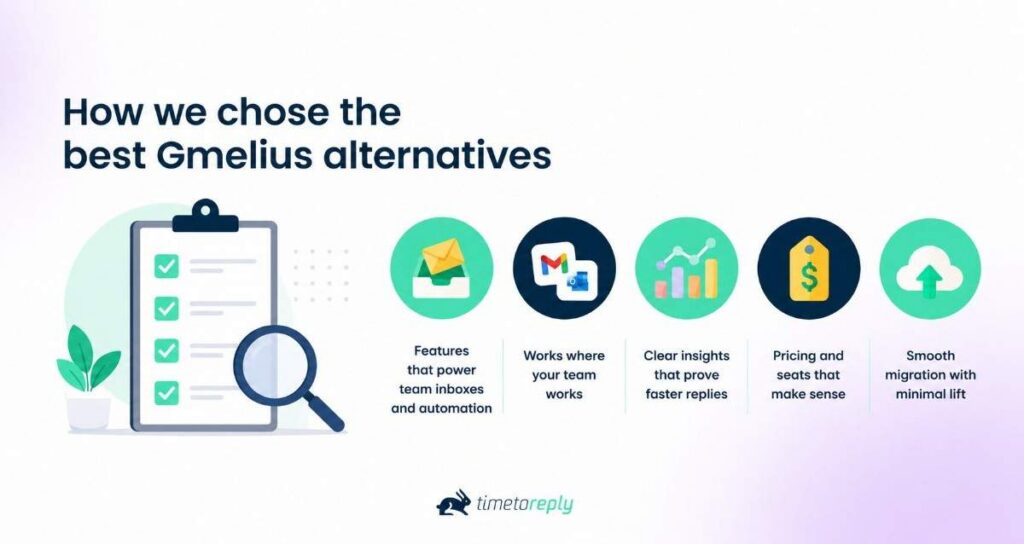
The best Gmelius alternative is the one that fits your platform and use case. The top Gmelius alternatives also show the result with clear reporting.
Gmelius works well for small teams that use Gmail, but it’s not the right fit for every team. It brings shared inboxes, email sequences, Kanban boards, and AI automation into Google Workspace. But pricing, platform limitations, and other usability concerns cause people to look for Gmelius alternatives.
Here are the reasons we hear most often from people looking for Gmelius alternatives:
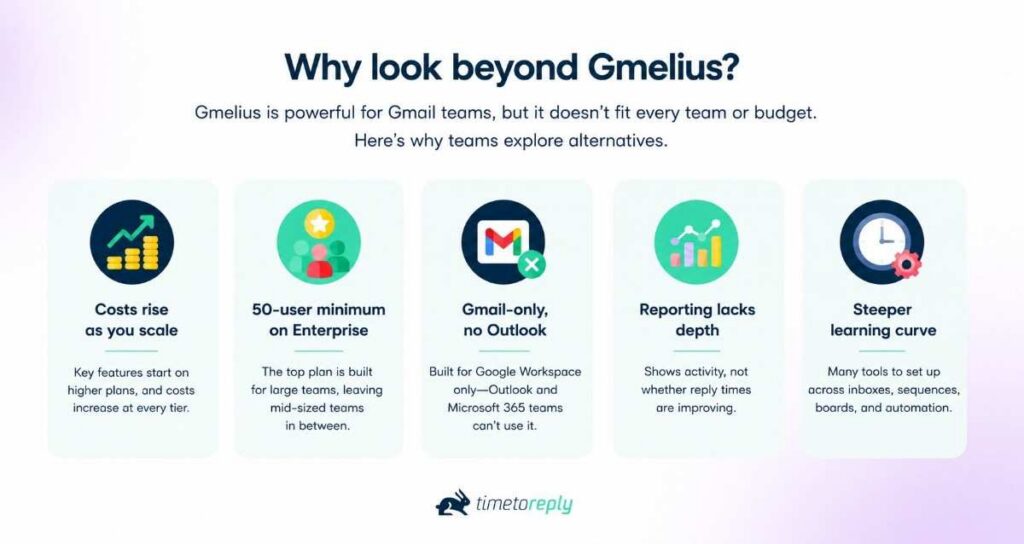
The reporting gap is the one that quietly costs the most, as most customers expect quick responses. Zendesk’s CX Trends 2026 report found 85% of CX leaders say slow resolution drives customers away.
A shared inbox helps you collaborate, but it rarely tells you whether you are hitting the average email response times your customers expect.
Because collaboration and measurement are different jobs. You can keep a shared inbox and still need a way to prove replies are getting faster.
The table below compares Gmelius with all nine alternatives. You can compare these Gmelius competitors by price, platform, and ratings. Gmelius sits in the first row as the baseline. Each tool name links to its full review further down.
| Tool | Best for | Works with | Starting price (monthly USD) | G2 rating |
| Gmelius (baseline) | Gmail-native shared inbox + automation | Gmail only | $21/user (shared inbox from $33) | 4.4 |
| timetoreply | Measuring & improving reply times | Gmail + Outlook | $38/mailbox (15-mailbox min) | 4.3 |
| Missive | Cross-platform collaboration | Gmail + Outlook + IMAP | $18/user | 4.7 |
| Drag | Budget Gmail shared inbox | Gmail only | $16/user | 4.5 |
| Hiver | Gmail/Outlook shared-inbox help desk | Gmail + Outlook | $35/user (free plan) | 4.6 |
| Front | Omnichannel team inbox | Standalone | $35/seat | 4.6 |
| Help Scout | Standalone help desk + knowledge base | Standalone | $30/user (free plan) | 4.4 |
| Streak | Gmail CRM + pipelines | Gmail only | $59/user (free tier) | 4.5 |
| Zendesk | Enterprise customer support | Standalone | $19/agent | 4.3 |
| Superhuman | Individual email speed | Gmail + Outlook | $25/user | 4.7 |
Prices are in USD, verified June 2026, and subject to change; check each vendor’s page before you buy.
The top five Gmelius alternatives are timetoreply, Missive, Drag, Hiver, and Front. We’ve also included Help Scout, Streak, Zendesk, and Superhuman, so there’s a tool for every need. Every tool is positioned against Gmelius, so you can see what changes if you switch.
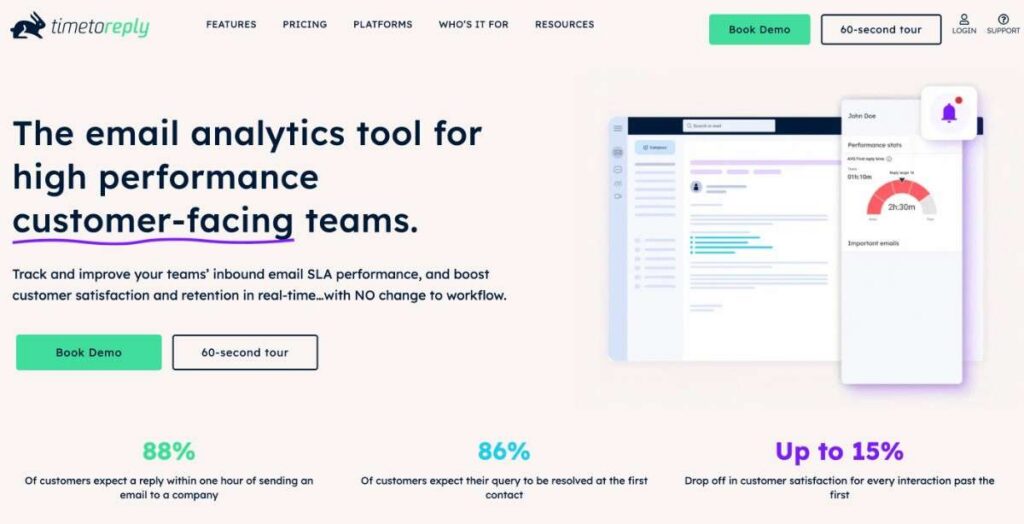
Image via timetoreply
Unlike most other Gmelius alternatives on this list, timetoreply does not replace your shared inbox. Instead, it works alongside it.
Where Gmelius helps your team collaborate inside Gmail, timetoreply does a different job. It tracks and improves how quickly your team replies across Gmail, Outlook, and Microsoft 365. It fills a gap that shared inbox tools often leave behind.
Many teams switching from Gmelius still ask the same question: Are we replying fast enough? The timetoreply tool answers it with reply-time and SLA reporting by team, customer, account, or tier. Record-retrieval firm Ontellus lifted responsiveness from 62% to 86% after switching to timetoreply.
Key features
Pros
Cons
Pricing
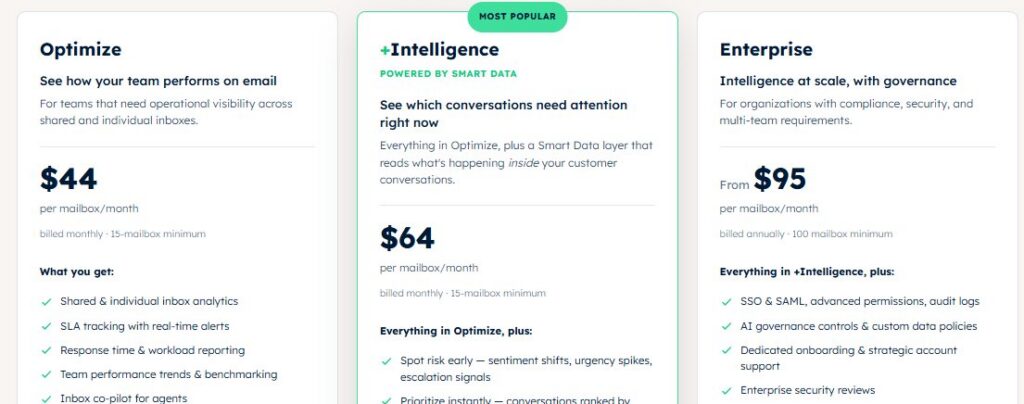
Image via timetoreply
Best for: Mid-market and enterprise customer-facing teams that want to improve reply times in Gmail and Outlook.
Usability: Most teams are up and running within an hour, with two weeks of historical data available immediately, and no workflow change for agents. That makes it one of the Gmelius alternatives that you can easily switch to.
Pro tip: Before you switch tools, set one reply-time goal, say a two-hour first response, and measure against it for two weeks. That baseline makes any tool’s real impact obvious.
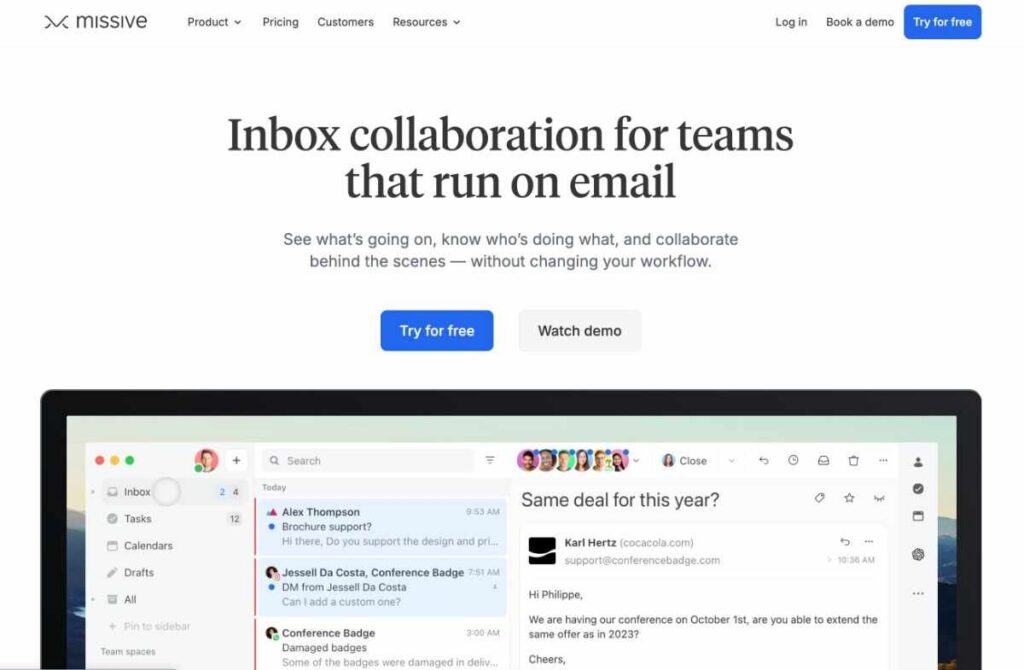
Image via Missive
Next on our list of Gmelius alternatives is Missive. It’s a great pick if your team does not rely only on Gmail.
Unlike Gmelius, which works only in Gmail, Missive is a standalone team inbox that supports multiple platforms. It connects Gmail, Outlook, Microsoft 365, and IMAP, plus SMS, WhatsApp, and social channels in one place.
It keeps the collaboration features that Gmelius users expect and adds true cross-platform reach.
Key features
Pros
Cons
Pricing
Missive offers a 30-day free trial and the following paid plans.
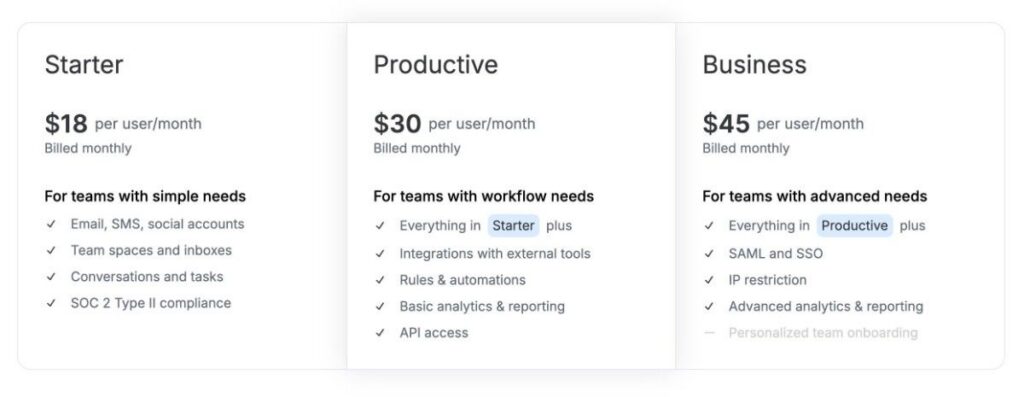
Image via Missive
Best for: Cross-platform teams that want one collaborative inbox for email and messaging channels.
Usability: Onboarding is straightforward, though moving the team off the native Gmail view requires some adjustment.
Pro tip: If your team is split between Gmail and Outlook, try Missive with one shared inbox first. Add channels once the team is comfortable using it.
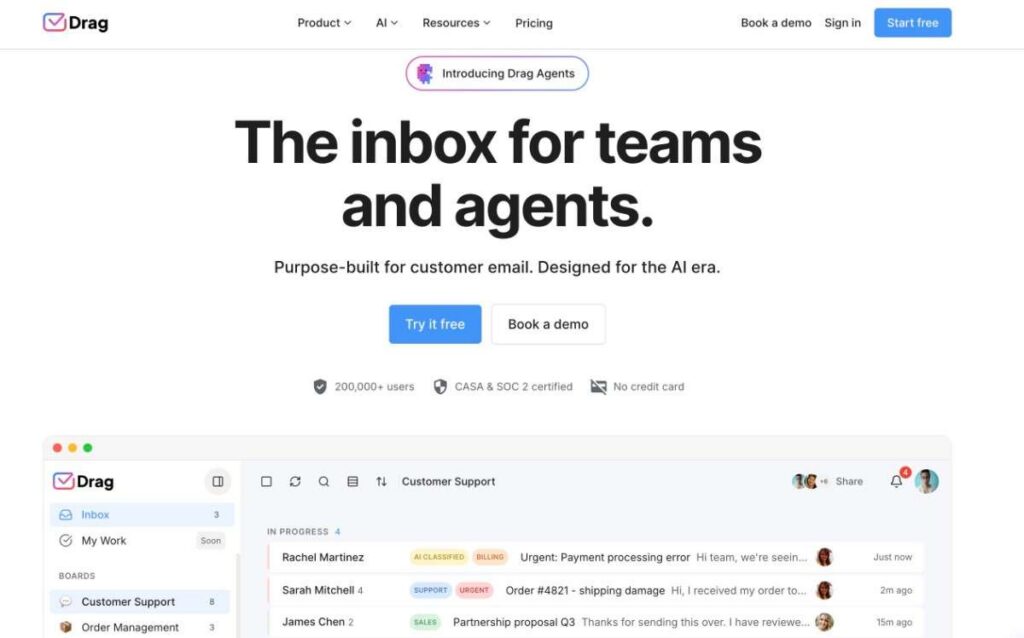
Image via Drag
Drag is the closest budget alternative to Gmelius for teams that use only Gmail. Like Gmelius, it turns Gmail into shared boards, so this Gmelius alternative will feel familiar from day one.
It offers Kanban-style boards and AI-assisted drafting to manage shared work without leaving the inbox.
Key features
Pros
Cons
Pricing
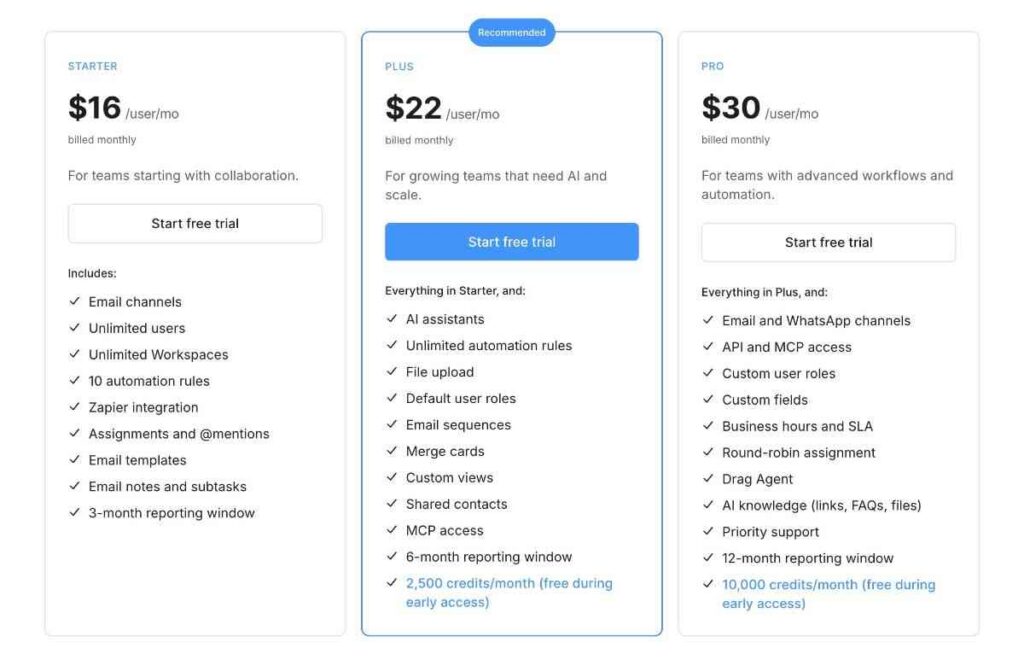
Image via Drag
Best for: Small, budget-conscious Gmail teams that want shared boards without a huge change to the workflow.
Usability: very easy to adopt for Gmail users, since it lives inside the inbox they already use.
Pro tip: If your team found Gmelius overwhelming, start Drag with one board per workflow. Add automation only when you need it.
Also Read:
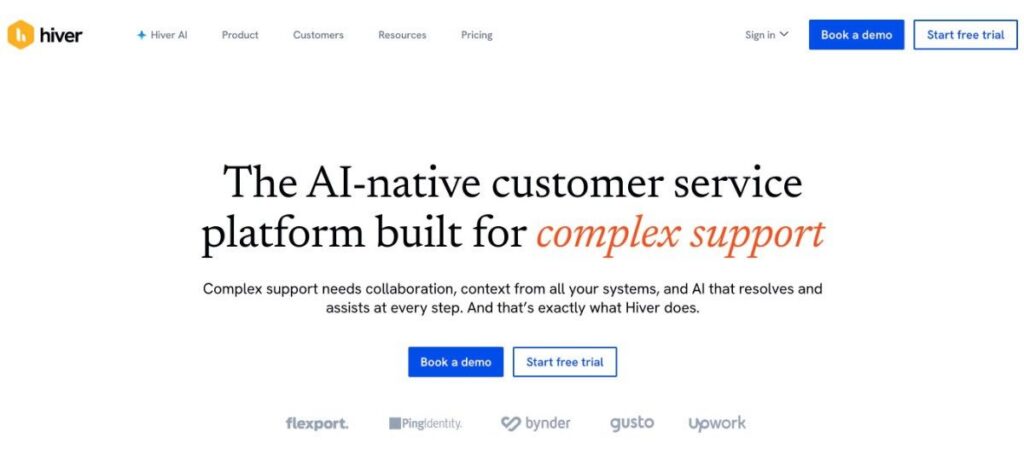
Image via Hiver
Hiver is one of the most popular Gmelius alternatives, and unlike Gmelius, it now works in both Gmail and Outlook. You can choose between an omnichannel tool and one that works inside Gmail. Pricing and plans are the same for both, so you can choose based on your needs.
It turns your inbox into a shared-inbox help desk with assignment, status tracking, SLAs, and analytics. It suits customer-facing teams that have outgrown manual forwarding.
Key features
Pros
Cons
Pricing:
Unlike most Gmelius alternatives, Hiver offers both a free trial (7 days) and a free plan. Paid plans include:
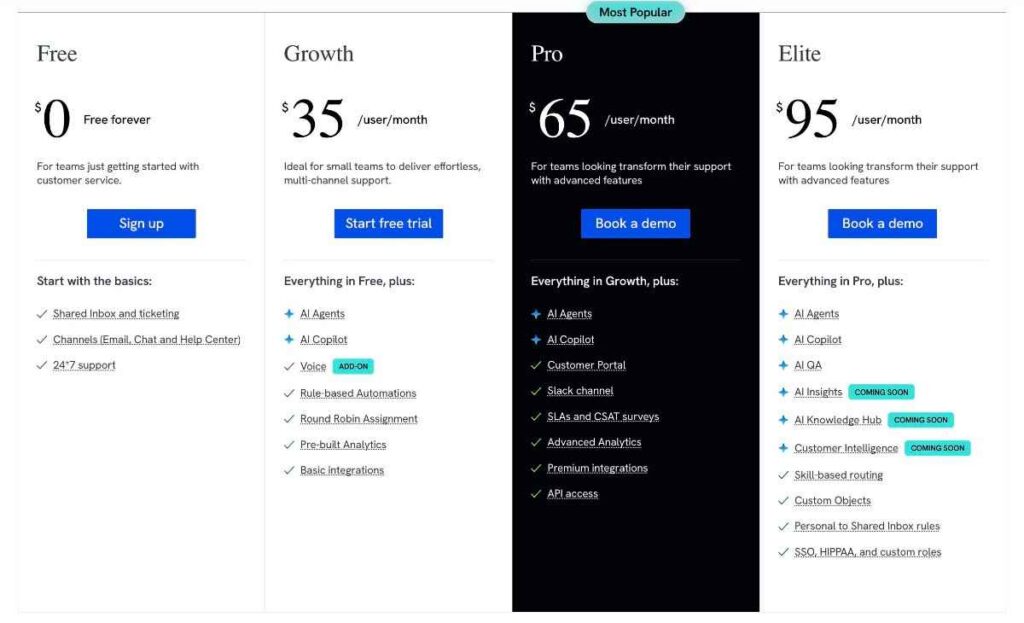
Image via Hiver
Best for: Gmail or Outlook teams that want a shared-inbox help desk with built-in SLAs.
Usability: It’s quick to deploy in either Gmail or Outlook, with a familiar inbox-based interface. That makes it one of the easy-to-use Gmelius alternatives.
Pro tip: Seat limits can push you to buy more licenses than you need. Map your agent count first, then pick the tier that fits your shared-inbox limits.
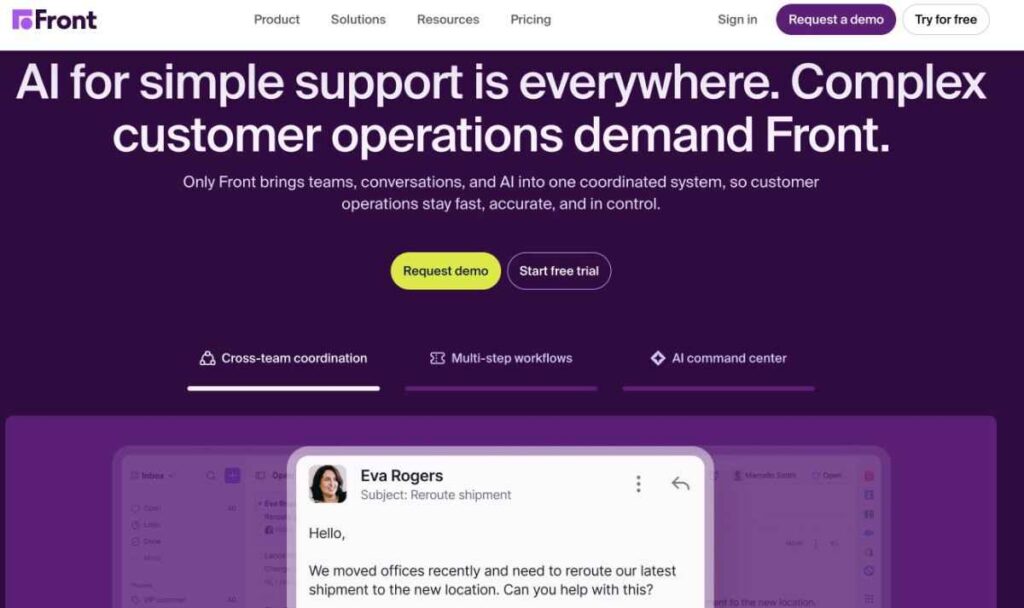
Image via Front
Front is a strong Gmelius alternative when email is only part of the story. It is a standalone omnichannel inbox that merges email, chat, SMS, and social into shared workflows.
Support and operations teams manage every channel in one place, not inside Gmail. It’s one of the Gmelius alternatives that are great for teams that offer multichannel support.
Key features
Pros
Cons
Pricing
Like many Gmelius alternatives, Front also offers a free trial (14 days). Paid plans include:
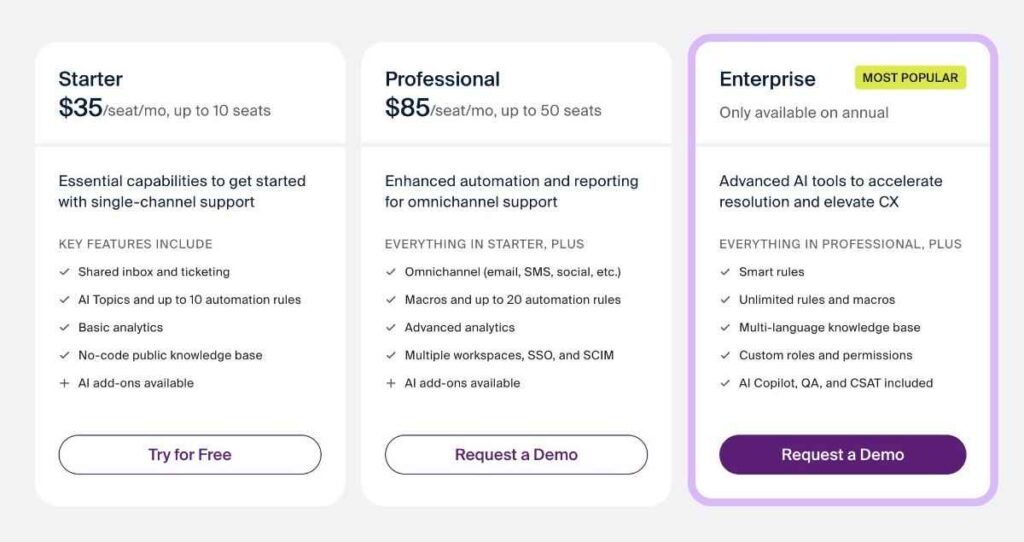
Image via Front
Best for: Teams that need one shared inbox across email and messaging channels.
Usability: It’s fairly easy to use, though multi-channel setup and rules take planning. So, it’s one of the Gmelius alternatives that have a slight learning curve.
Pro tip: Scope your channels before you try Front, since the value (and the price) scales with how many you switch on.
Also Read:
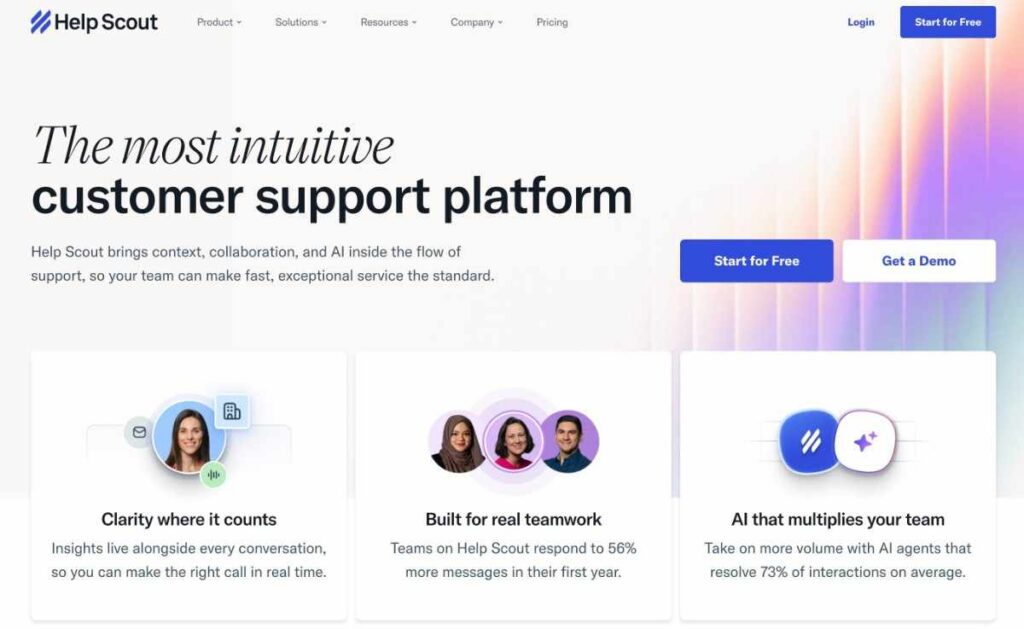
Image via Help Scout
Help Scout is one of the best Gmelius alternatives for teams ready to move from a shared inbox to a true help desk. Rather than working inside Gmail, it’s a standalone platform.
It offers a knowledge base, a chat widget, and in-depth reporting. That’s what makes it one of the top Gmelius alternatives for support teams.
Key features
Pros
Cons
Pricing
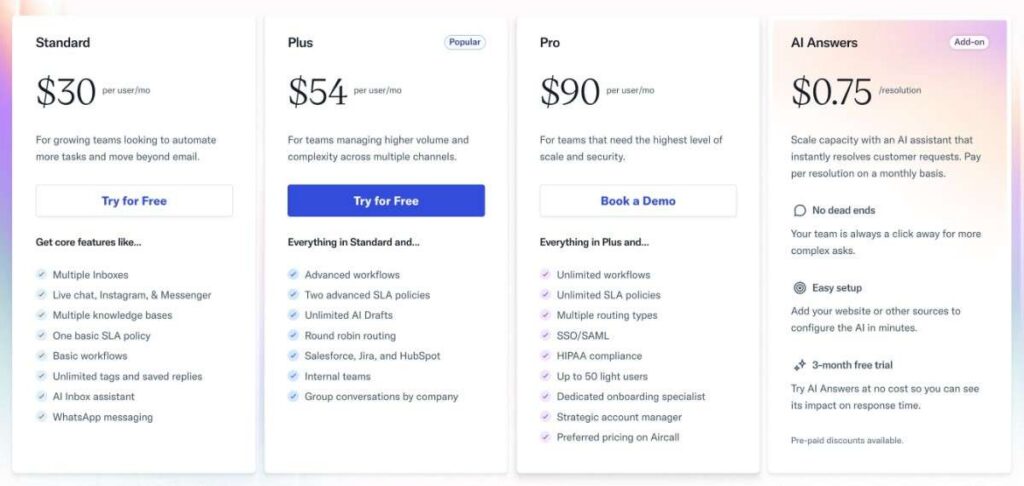
Image via Help Scout
Best for: Support teams that want a standalone help desk with a knowledge base.
Usability: It’s one of the easier Gmelius alternatives you can switch to. It has a clean inbox-like view and a use
Pro tip: Share your five most common help articles first, so the knowledge base starts deflecting tickets in week one.
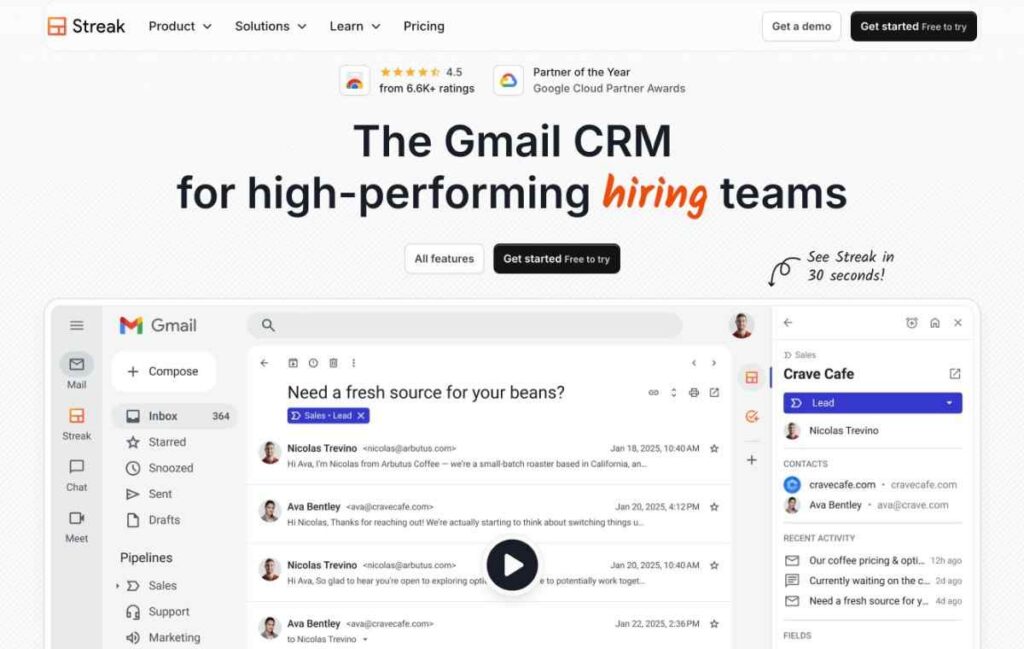
Image via Streak
Streak is one of the Gmelius alternatives for teams that use Gmelius mostly to run sales and pipelines.
Like Gmelius, Streak works inside Gmail, but it leans into CRM. It offers pipelines, mail merge, and email tracking, rather than support-style shared inboxes.
Key features
Pros
Cons
Pricing
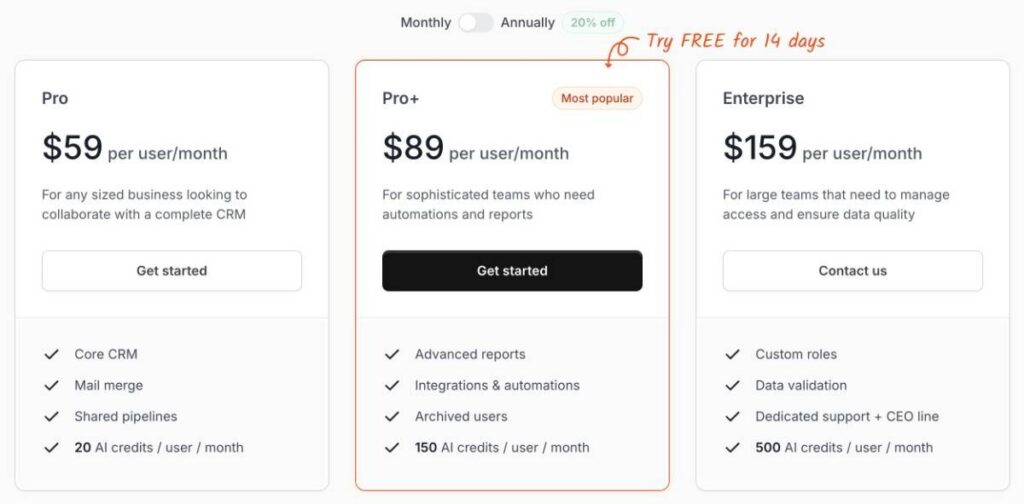
Image via Streak
Best for: Gmail-based sales and outreach teams that want CRM and pipelines, not a help desk.
Usability: Streak is quick to adopt for Gmail users, since pipelines work right from the inbox. This makes it one of the easy-to-use Gmelius alternatives.
Pro tip: If you used Gmelius for sequences and outreach more than shared support, Streak maps that work to pipelines without leaving Gmail.
Also Read:

Image via Zendesk
Zendesk is one of the best Gmelius alternatives for teams that have outgrown a shared inbox entirely. It’s an all-in-one, standalone customer service platform with ticketing, automation, AI agents, and deep reporting built for support at scale.
Unlike Gmail-native Gmelius alternatives, Zendesk supports multiple channels. So, it’s a good option for teams that offer multichannel support.
Key features
Pros
Cons
Pricing
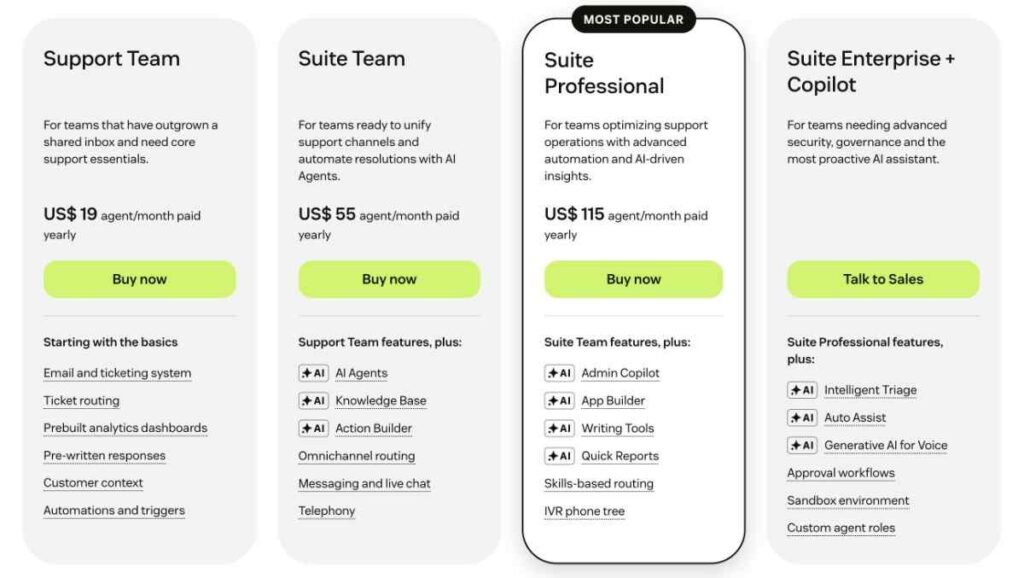
Image via Zendesk
Best for: Enterprise support teams that need full ticketing and scale.
Usability: Zendesk is one of the feature-rich Gmelius alternatives with a steep learning curve.
Pro tip: Only step up to Zendesk when ticket volume and channels truly exceed what a shared inbox can handle. Otherwise, you pay for power you will not use.

Image via Superhuman
Superhuman is the Gmelius alternative for individuals who want email speed rather than a shared inbox. It’s a fast, keyboard-first email client with AI-assisted writing, built for Gmail and Outlook accounts.
We can honestly say that Superhuman solves a different problem than Gmelius.
Key features
Pros
Cons
Pricing
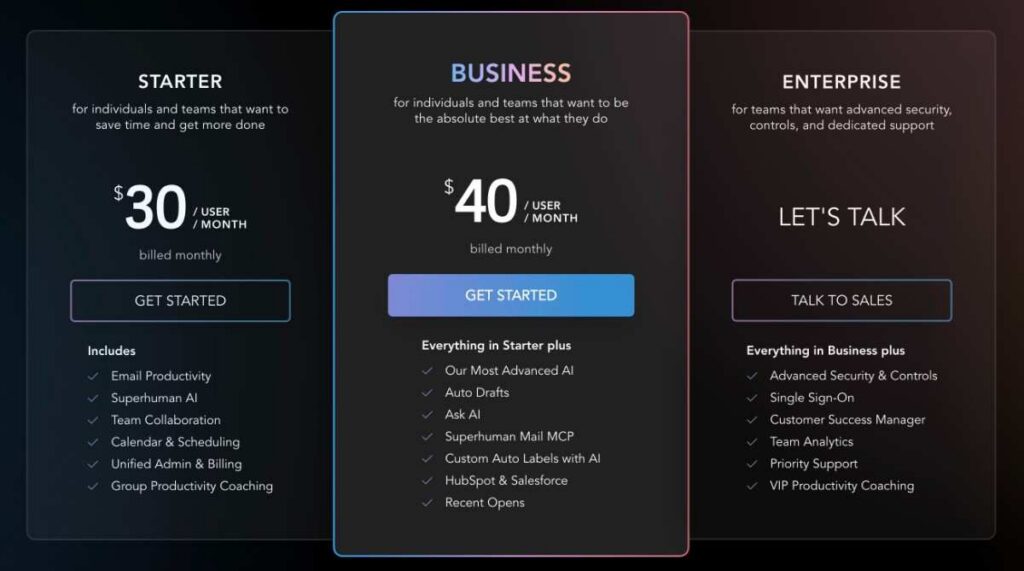
Image via Superhuman
Best for: Executives and high-volume senders who want the speed of personal email.
Usability: Has a slight learning curve to master shortcuts. But once you’re used to it, it’s one of the Gmelius alternatives that offer a great user experience.
Pro tip: Pair Superhuman with a shared inbox or reply-time analytics tool if your team also needs visibility. On its own, Superhuman will not report team SLAs.
The best Gmelius alternatives include timetoreply, Front, Missive, Drag, Hiver, Help Scout, Streak, and Superhuman. Each offers unique strengths and serves a different purpose. So, choose the right fit based on your specific needs.
Also Read:
The right Gmelius alternative is the one that fits your team’s needs, not the one with the longest feature list. To narrow your options, focus on three things: the email platform you use, the job you need done, and the size of your team.
Start with your email platform. If you use Gmail, Drag, Streak, and Hiver are good options. If you are on Outlook or mixed, Missive, Hiver, or timetoreply fit.
Next, think about the job you need the tool to do. It could be team collaboration, customer support, or reply-time tracking. Finally, look at your team size, since seat minimums and per-user pricing can raise costs.
Here’s a quick guide to choosing the right Gmelius alternative.
There is one more thing to think about before you switch: migration. Export your Gmelius data first. Most tools can’t import everything with one click, so expect to rebuild your sequences, automations, and Kanban boards. Check with each vendor to see what import options they provide.
For teams that want to keep their inbox and simply measure performance, setting customer service SLAs can help.
The right Gmelius alternative fits your platform, team’s needs, and size. It should also give you clear insight into your reply-time performance.
Also Read:
1. What is the best Gmelius alternative?
There is no single best option; it depends on the job. The timetoreply tool is best for measuring and improving reply times. Missive and Drag suit shared inboxes, Hiver or Front a full help desk, and Streak Gmail-based sales. Match the tool to your platform, use case, and team size.
2. Does Gmelius work with Outlook or Microsoft 365?
No. Gmelius runs only in Gmail and Google Workspace, with no Outlook or Microsoft 365 versions as of 2026. If your team is on Outlook, look at Hiver, which supports both, or Missive for a cross-platform inbox. For reply-time reporting across Gmail and Outlook together, timetoreply is one of the best Gmelius alternatives.
3. Is there a free Gmelius alternative?
Yes. Gmelius has no free plan, just a 7-day trial. Among the Gmelius alternatives, Hiver, Help Scout, and Missive offer free plans, and Streak has a free tier for individuals. Most others, including Drag, Front, and Zendesk, offer free trials rather than free plans.
4. Why do teams look for Gmelius alternatives?
Common reasons include seat-based pricing, a 50-user Enterprise minimum, and Gmail-only access with no Outlook. Some teams also want deeper reporting than a shared inbox provides. Compare pricing, fit, and features when comparing Gmelius alternatives to find the best option.
5. What’s the best Gmelius alternative for Outlook teams?
Hiver and Missive are good Gmelius alternatives if your team uses both Outlook and Gmail. If you mainly need to track and improve reply times across Outlook and Gmail, timetoreply is the best fit. It provides detailed analytics, without changing how your team works.
6. Gmelius vs Drag: Which is better for Gmail teams?
Both are Gmail-native and use Kanban-style boards, so they feel similar. Drag usually has a lower entry price and built-in AI-assisted drafting. Gmelius leans harder into email sequences and workflow automation. Choose Drag for simple shared boards and Gmelius if sequences matter more to you.
7. Do Gmelius alternatives have better reporting and analytics?
Most shared inboxes, including Gmelius, report basic activity. For deeper reply-time and SLA analytics, a dedicated tool like timetoreply goes further than any inbox’s built-in stats. If proving response times to customers or leadership matters, timetoreply is one of the best Gmelius alternatives for you.
8. How do I migrate off Gmelius?
Export your Gmelius data first. Most Gmelius alternatives can’t import everything in one click, so you’ll need to rebuild your sequences, automations, and Kanban boards. Ask each vendor what import tools they offer before you switch. Running both tools briefly in parallel can reduce risk while your team learns the replacement.
9. Are Gmelius alternatives cheaper than Gmelius?
Several Gmelius alternatives have more affordable starting tiers than Gmelius’s $21 Meli tier. Drag begins at $16, Missive at $18, and Zendesk at $19. But seat minimums, billing terms, and feature tiers differ, so compare the plan you would actually buy, not just the entry price.
10. Is Gmelius a full help desk or just a shared inbox?
Gmelius is a Gmail-native shared inbox with sequences, automation, and Kanban boards, not a full help desk. For ticketing, knowledge bases, and self-service portals, Help Scout, Freshdesk, or Zendesk go further. If you only need shared email and light automation, a shared inbox like Gmelius or Drag may be enough.
11. Which Gmelius alternative is right for a mid-market team?
If your team uses both Gmail and Outlook, you need more than a shared inbox. Gmelius alternatives, such as Missive or Hiver, handle collaboration across tools. The timetoreply tool tracks reply times and SLA compliance across mailboxes. Together, they fill the gap left by a Gmail-only tool like Gmelius.
Also Read:
The best Gmelius alternative depends on three things: your email platform, the job you need done, and your team size.
If you want to stay in Gmail, Drag and Streak keep it simple. If you are on Outlook or mixed, Missive and Hiver fit. And if you need to prove replies are getting faster, that is where reply-time analytics earns its place.
See how fast your team really replies, on Gmail and Outlook, with a quick walkthrough of timetoreply.
Which of these Gmelius alternatives best fits your team? Tell us in the comments.
Get live inbox alerts and reply quickly to customer emails with timetoreply

Head of Customer Success @ timetoreply
Barry Blassoples is the Head of Customer Success at timetoreply, where he helps customer-facing teams boost revenue and protect brand reputation by providing actionable insights to improve their business email response times. He has over 15 years of leadership experience across customer success, sales, and marketing roles in high-growth tech companies.


Trusted by high-performing inbound sales teams and customer-facing teams globally.
Close more deals and delight more customers with the faster, smarter, deeper email analytics and performance optimization software that works straight from your team’s inbox.