
Customer retention software helps you spot at-risk accounts early, before they churn. Different tools track different signals, then flag the accounts that look at risk. That early warning gives you time to act.
The tricky part is that no single customer retention software solution tracks every retention signal. Some track product usage, others monitor support tickets, and a few measure response times.
If you pick the wrong type, you could miss the signal that matters while paying for one you don’t need.
This guide compares 11 customer retention tools built for B2B teams. You’ll get published prices, honest limits, and clear picks by use case.
The best customer retention software depends on the problem you’re solving. Use timetoreply for reply speed, Gainsight for account health, Userpilot for adoption, and Zendesk for support. Match your main problem to the right group below:
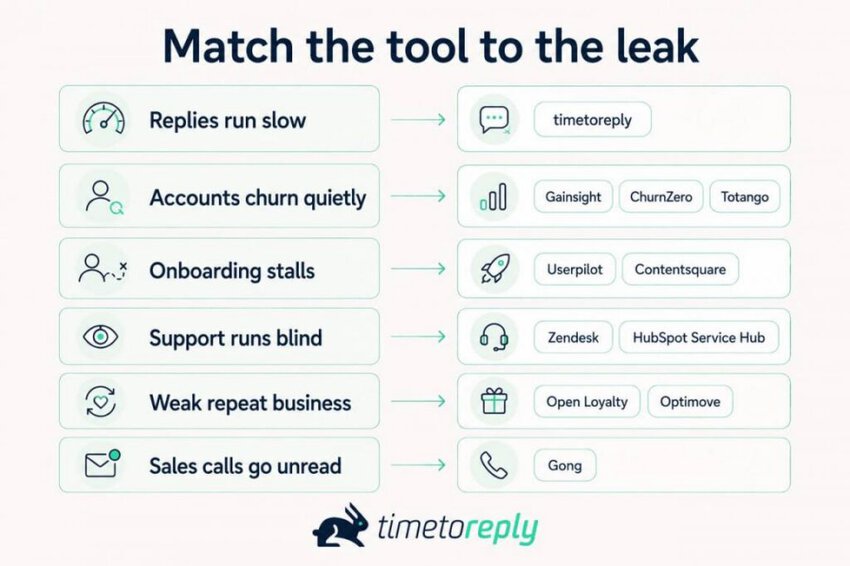
Buying two customer retention software programs that do the same job is the costliest mistake here. A quick customer churn analysis tells you which job to solve first.
The timetoreply suits a team struggling with slow email response times. Gainsight and ChurnZero are better suited to declining usage before renewal.
Choose Userpilot when onboarding problems cause users to disengage early. The best choice depends on your biggest retention challenge. Identify the signal you need to monitor, then compare tools built around it.
Customer retention software helps you spot the accounts most likely to churn, then act before they do. Different tools monitor different signals, from product usage to support tickets to response times. Then they flag at-risk accounts.
Think of it as an early warning system for your customer base. While sales tools help you close new deals, this software helps you keep the customers you already won.
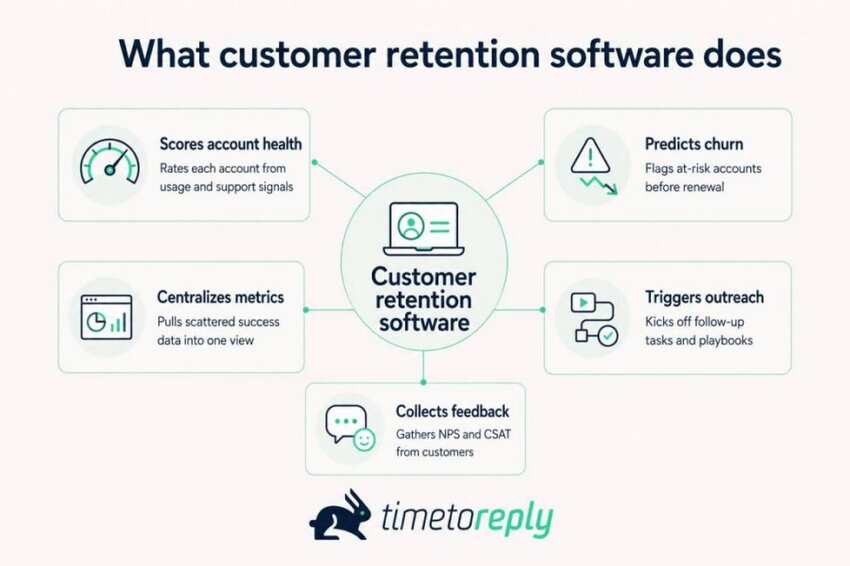
Most of these customer retention software tools share a few core jobs. They score how healthy each account is. Some tools also predict who might churn next quarter. And they gather scattered customer success metrics, like usage, renewals, and support volume, into one dashboard.
Beyond that, many trigger follow-up tasks and collect customer feedback. Some also report on which actions moved retention, so you can repeat what worked.
People call this software by a few different names.
You’ll see it listed as customer retention management software or a customer retention platform. Some vendors label it a customer retention management system. Agencies tend to say client retention software instead.
The names overlap, though they don’t always point to the exact same product. Each one broadly aims to keep customers longer.
Also, buyers often confuse customer retention software with CRM tools. They aren’t the same. A CRM’s main job is managing the sales relationship and pipeline. Customer retention software focuses on keeping the customers you’ve already won.
Customer retention software tracks signals that predict churn, such as falling usage, slow replies, or poor support scores. Depending on the tool you choose, it can flag at-risk accounts, prompt outreach, or report on what’s working.
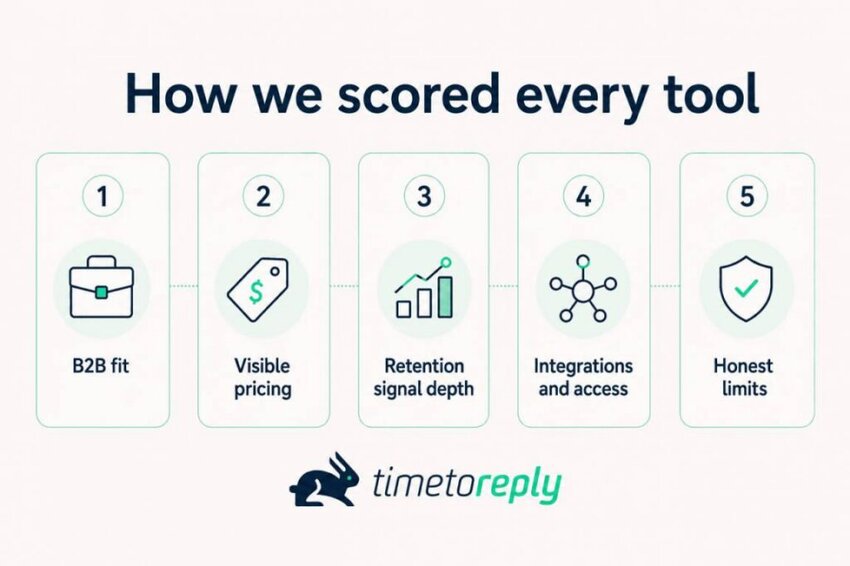
We chose these tools on five criteria, including B2B fit, visible pricing, and the usefulness of the data each tool tracks. Here’s what each criterion meant in practice:
We went straight to each vendor’s documentation to verify product features and pricing. We also checked independent ratings on platforms such as G2 and Capterra.
Our customer success analytics guide breaks down the criteria behind these evaluations. This approach keeps the comparisons grounded in current product information and real customer feedback.
A tool earns its spot by fitting B2B teams, showing its pricing, and measuring a clear retention signal. We also weighed integrations, limits, and independent scores from G2 and Capterra.
Here’s every customer retention software in this guide side by side so you can compare prices and ratings fast:
| Tool | Best for | Free plan or trial | Starting price | Rating (source) |
| timetoreply | Reply time and email SLA visibility | 14-day trial, no card | $44/mailbox/month, billed annually | 4.5/5 (Capterra) |
| Gainsight | Enterprise customer success | Product Experience only | No public pricing | 4.5/5 (G2) |
| ChurnZero | SaaS health scores and playbooks | No free trial | No public pricing | 4.7/5 (G2) |
| Zendesk | Support-led retention | 14-day trial | $19/agent/month, billed annually | 4.3/5 (G2) |
| HubSpot Service Hub | CRM plus lifecycle automation | Free tier, 2 users | $20/seat/month | 4.4/5 (Capterra) |
| Totango | Mid-market account health | No free trial | No public pricing | 4.3/5 (G2) |
| Userpilot | Product adoption and onboarding | 14-day trial, no card | $299/month, 2,000 active users | 4.6/5 (Capterra) |
| Gong | Revenue and conversation intelligence | No free trial | No public pricing | 4.8/5 (Capterra) |
| Optimove | Retention campaign timing | No free trial | No public pricing | 4.6/5 (G2) |
| Open Loyalty | Loyalty and rewards programs | No free trial | No public pricing | 4.8/5 (Capterra) |
| Contentsquare | Experience and behavior analytics | Free tier + 15-day trial | $49/month | 4.6/5 (G2) |
Note: Prices are as of August 2026.
Prices range from $19 per agent to $299 per month, and six of the 11 tools publish no price at all. Free tiers are rare, so shortlist on the signal you need to track, then check pricing for each.
The best customer retention software tools are timetoreply, Gainsight, ChurnZero, Zendesk, HubSpot Service Hub, Totango, Userpilot, Gong, Optimove, Open Loyalty, and Contentsquare. Each entry below lists the signals the tool tracks, its cost, and its limitations.
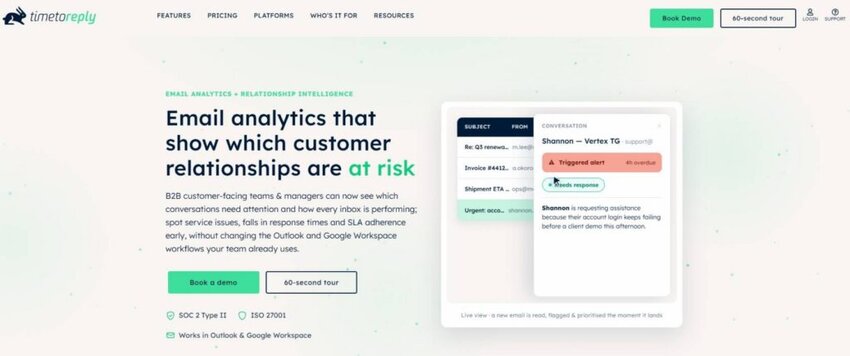
Image via timetoreply
Topping the list is timetoreply; it is the customer retention software that tracks your team’s email responsiveness. It measures first-reply, average, and median response times by mailbox and by person.
It also checks those times against the SLA targets you set and warns you before a conversation breaks one.
It measures one signal well: how fast your team replies. Most customer retention software tools read product usage or support tickets. For B2B teams that run on email, an unanswered thread is often an early warning sign.
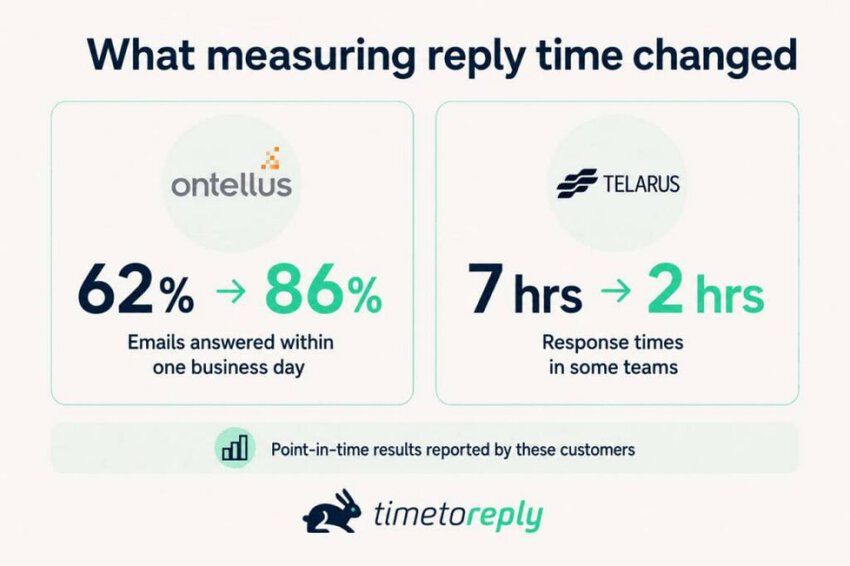
These success stories from Ontellus and Telarus show how measuring reply time can improve response time.
Ontellus increased the share of emails answered within one business day from 62% to 86%. That jump came from giving managers a number they could see. This way, slow threads couldn’t hide in busy inboxes anymore.
Telarus cut response times in some groups from seven hours to two. It achieved that by setting targets per team and catching breaches early.
Key features
Pros
Cons
Pricing
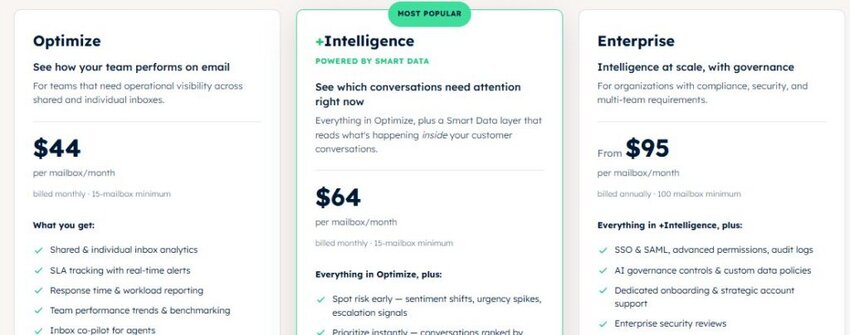
Image via timetoreply
Tool level: Intermediate.
Usability: Setup is a quick connection via OAuth or IMAP — no migration or major workflow change. It connects directly to Google Workspace, Outlook, and Microsoft 365 through a secure login.
Pro tip: Set reply-time targets by customer tier before setting a company-wide one. A single blended response time hides the accounts you can least afford to lose.
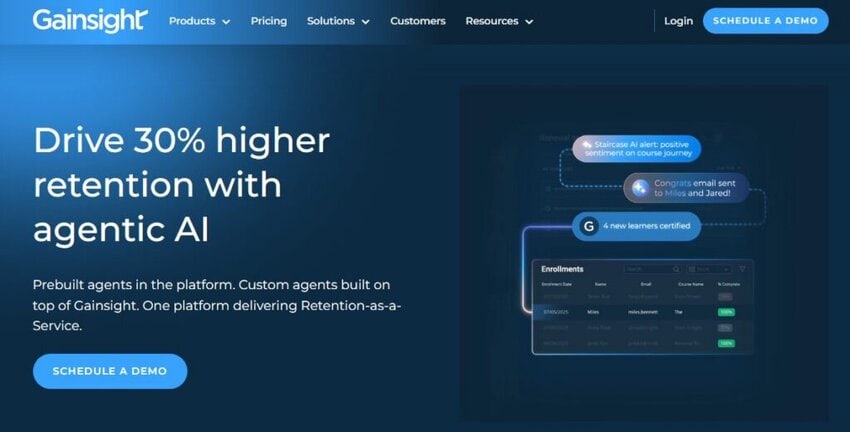
Image via Gainsight
Gainsight is the customer retention software built for enterprise customer success teams. It builds a single account view and scores health across very large books of accounts.
This customer retention software also helps teams manage success plans and forecast renewals and expansion.
It handles enterprise-scale account books with deep health scoring and renewal forecasting. That depth suits teams with thousands of accounts and a dedicated customer service (CS) operations function.
Key features
Pros
Cons
Pricing
Tool level: Expert.
Usability: Demanding to set up; expect full implementation, a dedicated admin, and a few months before the health scores are reliable.
Pro tip: Don’t launch health scoring with too many inputs at once. Start with two or three you trust and test them against real renewals for a quarter. This helps because it shows which signals predict churn before you add more. The right customer success metrics usually earn their place fast.
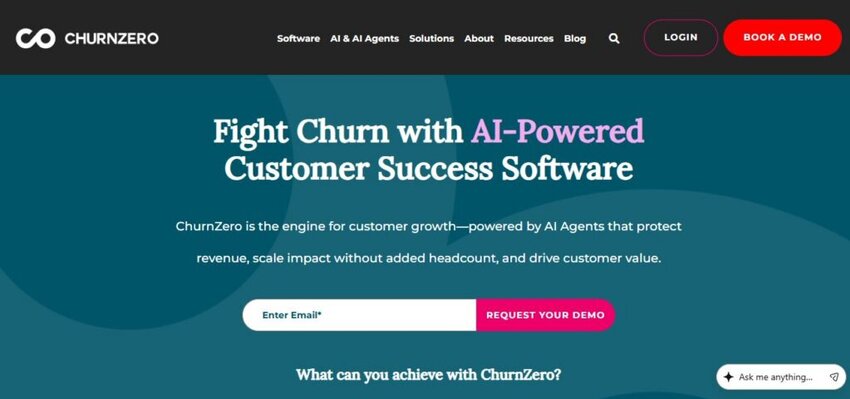
Image via ChurnZero
ChurnZero is customer retention software built for SaaS customer success teams that need live health scores and automated playbooks. It reads the customer data your team already uses. Then it recommends and runs the next step inside the workflow.
It’s built to help smaller CS teams manage more accounts through automation. The AI agents handle routine steps, reducing the manual setup work involved.
Key features
Pros
Cons
Pricing
Tool level: Intermediate to expert.
Usability: Familiar to anyone who has run a CS platform before. Also, the AI agents reduce the configuration burden that older tools came with.
Pro tip: Before the demo, take note of the account behaviors you believe predict churn for your business. Ask ChurnZero to score against those, not just its default template. Your own churn prediction signals are a useful starting point to test against.
Also Read:
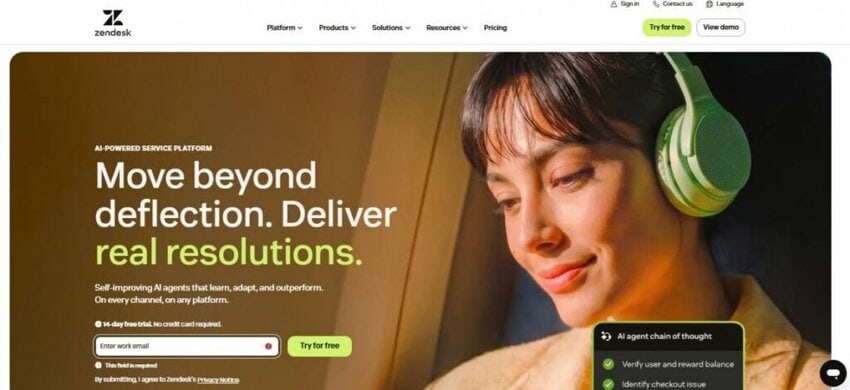
Image via Zendesk
Zendesk is customer retention software that many support teams already own and use daily. It pulls support channels into one queue and resolves common tickets with AI agents. That support data can help you spot accounts with rising complaints or slow resolutions.
It earns a place here because support data is a strong early signal of churn risk. Its large integration ecosystem lets that data connect to the rest of your stack.
Key features
Pros
Cons
Pricing
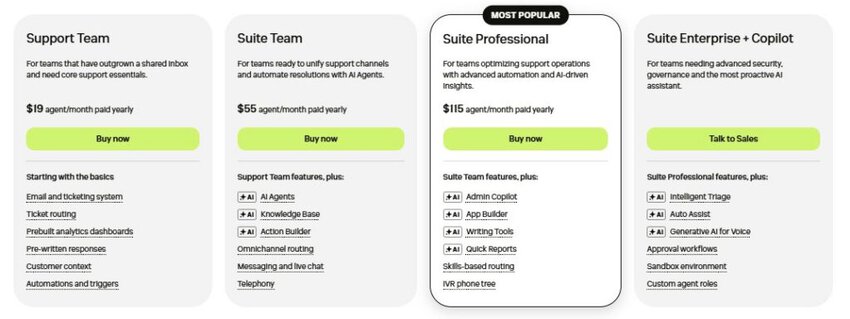
Image via Zendesk
Tool level: Beginner to expert.
Usability: Agents pick it up quickly. But admins take longer once triage rules, SLAs, and AI configuration come into play.
Pro tip: If you adopt this customer retention software, decide beforehand which conversations remain in email. Some key accounts prefer a direct email thread over a ticket, so keep those personal where it matters for the customer relationship.

Image via HubSpot Service Hub
HubSpot Service Hub is a customer service platform within HubSpot’s CRM. It supports retention by keeping service and sales data in one record. It combines ticketing, service analytics, and one-to-one email.
That shared record gives support and sales teams the same view of each customer. Teams already standardized on HubSpot get the most out of it.
Key features
Pros
Cons
Pricing
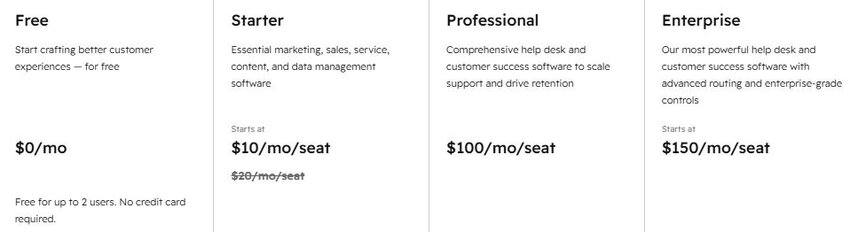
Image via HubSpot Service Hub
Tool level: Beginner to intermediate.
Usability: One of the platforms on this list with a light learning curve. Watch the total cost as you add seats and paid features, since it climbs faster than the entry price suggests.
Pro tip: Price the onboarding fee into year one before you compare tiers. A $100 seat with a $1,500 setup fee costs far more than the sticker price in year one. The same math applies to any customer service software with setup fees.
Also Read:

Image via Totango
Totango is customer retention software for growing CS teams that need more than spreadsheets but less than a heavy enterprise platform. It predicts churn from account history, tracks key milestones, and summarizes account health for executives.
It fits the middle ground well, being faster to stand up than heavy enterprise platforms. Since merging with Catalyst, its portfolio splits across three products: Enterprise, Premier, and Catalyst Growth.
Key features
Pros
Cons
Pricing
Tool level: Intermediate.
Usability: Generally quicker to configure than enterprise customer retention software. The AI summaries give team leaders a readable account overview without them having to navigate the entire platform.
Pro tip: Ask which of the three products your quote actually covers, and confirm what’s included at your tier. Check what upgrading or moving between products would cost later, so a future switch doesn’t catch you out. Weigh it against how you measure customer satisfaction today.
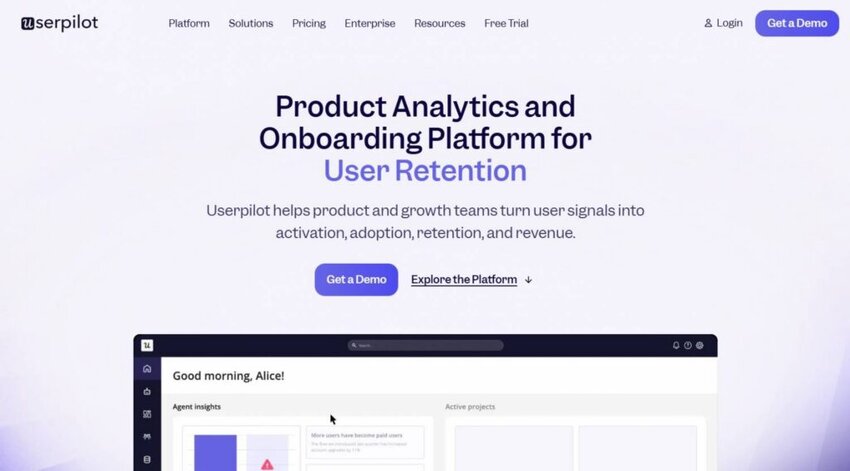
Image via Userpilot
Userpilot is customer retention software focused on product adoption. Its tools help teams guide users through onboarding and encourage deeper product engagement.
The platform combines in-app experiences with product analytics to identify adoption gaps. Teams can then see where users struggle or disengage during the customer journey.
It concentrates on the early product experience rather than the renewal conversation. For product-led teams, that onboarding focus is the appeal. For product-led businesses, a smoother onboarding step can lift retention before renewal is ever in question.
Key features
Pros
Cons
Pricing
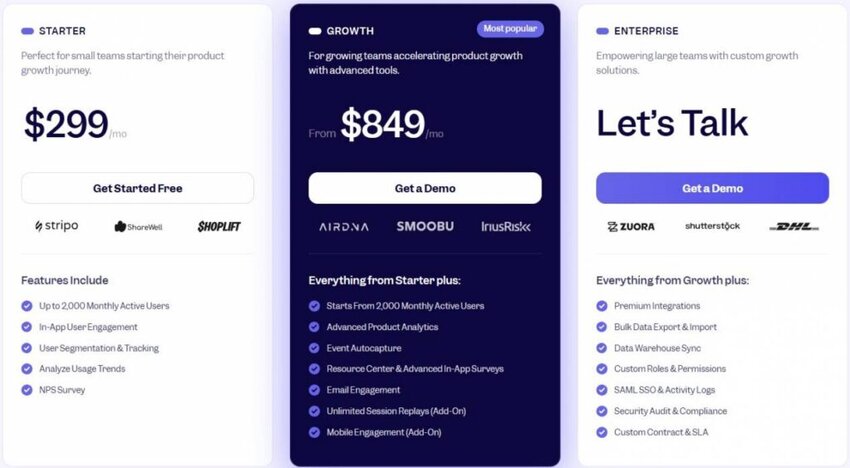
Image via Userpilot
Tool level: Intermediate.
Usability: The flow builder needs little to no coding for most use cases. But this customer retention software takes longer to configure on the analytics side.
Pro tip: Find the one or two activation events most linked to renewal, then build flows around those first. Tie them back to your customer engagement strategy so the flows serve a clear goal.
Also Read:
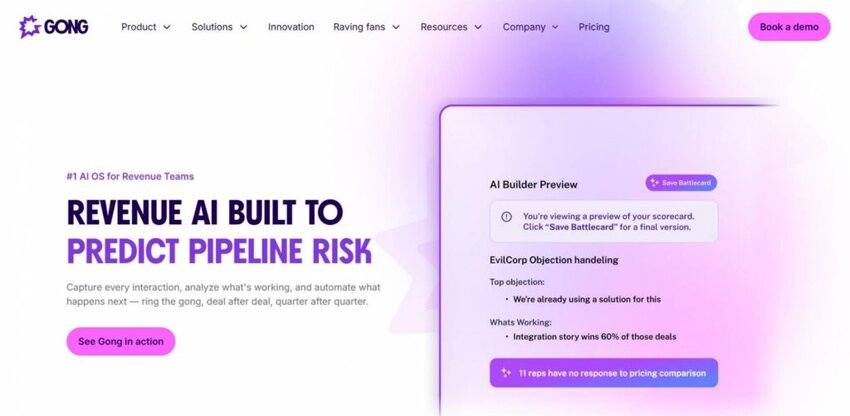
Image via Gong
Gong is customer retention software for teams whose churn signals show up in conversations, not dashboards. It automatically captures calls, emails, and meetings. After that, it surfaces deal risk and buying signals from what was actually said, rather than from a manual health score.
Gong’s data source is the recorded conversation, which sets it apart from the health-score tools. For revenue teams, that depth on live dialogue is the point. It reads intent that never makes it into a CRM field.
Key features
Pros
Cons
Pricing
Tool level: Expert.
Usability: Capture is invisible to reps, which is the point. Getting value from the insight layer takes deliberate enablement.
Pro tip: Use this customer retention software for renewal calls first before new-business calls. Post-sale conversations often carry early churn signals but get far less attention than sales calls. The same logic applies to your customer service emails, where risk can hide.
Also Read:
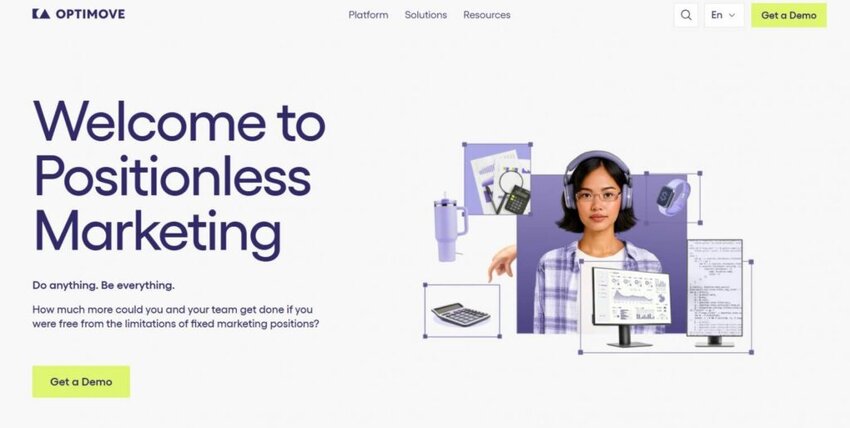
Image via Optimove
Optimove is customer retention software built around campaign timing. It uses predictive models to anticipate customer behavior, then times multichannel campaigns around those predictions. That’s a different approach from health scoring.
Knowing an account is at risk isn’t the same as knowing when to act. Optimove helps teams reach the right customer at the right moment with a retention campaign. For data-mature teams running high campaign volume, it’s a strong fit.
Key features
Pros
Cons
Pricing
Tool level: Expert.
Usability: Powerful, but it needs clean customer data and a data owner to run well. Budget for onboarding time before the models pay off.
Pro tip: Start with one at-risk segment and let the model choose send timing. Expanding before you’ve proven the timing wastes the model. Define the segment from your own customer retention data, not a template.
Also Read:
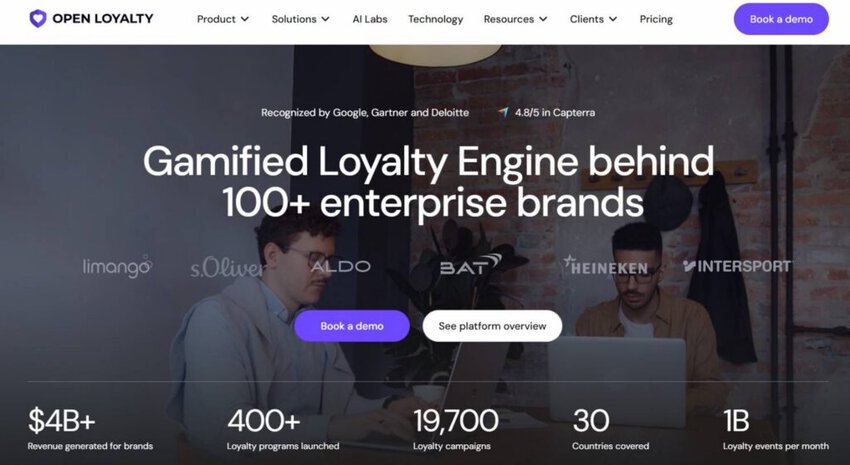
Image via Open Loyalty
Open Loyalty is a loyalty platform that supports retention, rather than a churn-risk or health-scoring tool like most others here. It’s an API-first engine for building points, tiers, rewards, and challenges into your own product.
That build-it-in attribute is the main selling point of this customer retention software. You get loyalty mechanics as infrastructure, shaped to fit your product. Teams with engineering capacity get the most from it.
Key features
Pros
Cons
Pricing
Tool level: Expert.
Usability: Structured and logical, but this is a platform you build on. Budget developer time, not just admin time.
Pro tip: Estimate your bill using a busy campaign period instead of a slower month. Active-member pricing makes peak periods more expensive. Your busiest quarter could therefore produce your highest software costs. Factor this into your conversion rate projections and campaign budgets.
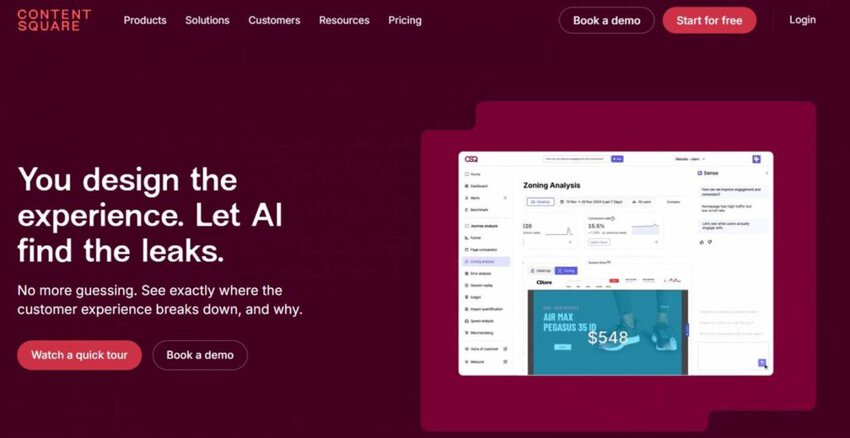
Image via Contentsquare
Contentsquare is customer retention software for experience analytics, built to show you why users drop off rather than just that they did. It captures how users move through your product and replays the sessions where they struggled.
It can also connect some of that friction to its revenue impact, so you know which issues to fix first.
Contentsquare is an experience analytics tool, so it fills the gap between “they stopped using it” and “here’s why.” That’s most useful for teams with a product or UX analyst who can act on the findings.
Key features
Pros
Cons
Pricing
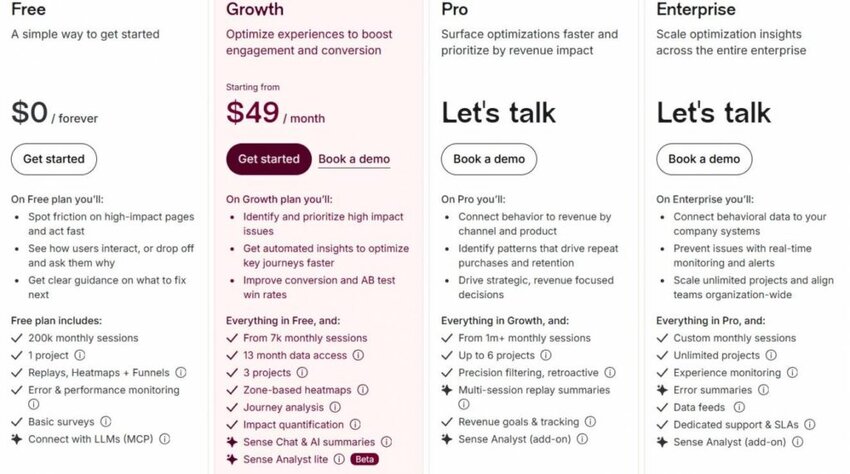
Image via Contentsquare
Tool level: Expert.
Usability: The visual tools are approachable. Turning what you see into a fix list is the harder half.
Pro tip: Review session recordings from recently churned accounts before relying on another dashboard. Look for patterns that reveal where customers struggled or disengaged. Those patterns can expose problems that metrics alone may miss. Compare your findings with the customer experience work completed for those accounts.
Shortlist the customer retention software tools that watch your weakest layer: timetoreply for reply speed, Gainsight or ChurnZero for account health, Userpilot for adoption, and Zendesk for support. Match the tool to the leak you can name, then compare inside that group.
Also Read:
1. What’s the best customer retention software?
There’s no single best customer retention software — the category covers different jobs. For starters, timetoreply covers reply time. Gainsight, ChurnZero, and Totango focus on account health, while Userpilot and Contentsquare focus on product adoption. Zendesk, HubSpot, and Gong handle service and conversations. Pick the layer where your retention actually leaks, then shortlist inside it.
2. Is customer retention software the same as a CRM?
No. A CRM’s main focus is the sales relationship, covering contacts, deals, and pipeline, though many also handle post-sale accounts. Customer retention software focuses on keeping and growing the customers you’ve already won. It tracks health status and risks across accounts you already won.
While the two integrate often, they’re responsible for different stages of a customer journey. Most teams run both systems — CRM as the record and the customer retention software as the early warning.
3. What’s a good free program to keep track of clients?
A few tools here offer free entry points. HubSpot Service Hub has a free tier for up to two users, and Contentsquare’s Experience Analytics has a free plan covering 200,000 monthly sessions. Zendesk, timetoreply, and Userpilot offer 14-day trials instead of a free tier.
4. What are some effective customer retention programs?
Effective retention programs start with one clear, measurable goal. They also assign ownership and track progress against a baseline. Many onboarding programs focus on reducing time-to-first-value.
Customer success teams also use health-score reviews to identify at-risk accounts before renewal. Some companies add response-time SLAs for customer support. Those SLAs often vary by customer tier or account value.
5. What are the 8 Cs of customer retention?
The framework is often presented as eight principles: customer focus, communication, consistency, care, credibility, convenience, community, and commitment.
But because it doesn’t have a universally recognized source or definition, it’s better viewed as a practical guide than a formal industry standard. Customer retention software typically supports a few of these areas — particularly communication, consistency, and convenience.
6. What are the 3 Rs of customer retention?
One popular loyalty model measures three outcomes: retention, repeat purchases, and referrals. Frederick Reichheld helped bring this approach to wider attention through his work on loyalty economics. Customers who stay longer often become more valuable to a business. Loyal customers can also introduce new customers through referrals. This approach gives retention a broader role within the business. It becomes more than a way to prevent churn.
7. What’s the best customer loyalty software?
Open Loyalty is the specialist option here, built as an API-first engine for points, tiers, and rewards. Optimove isn’t loyalty software in the same sense — it orchestrates the timing of retention campaigns rather than running reward programs. For repeat-purchase businesses, Open Loyalty is the closer fit.
8. What’s the best CX software?
It depends on which part of the experience you’re fixing. The timetoreply software measures how fast your team responds, while Gong reads the conversations. Contentsquare leads on behavioral analytics and session replay. Zendesk and HubSpot Service Hub lead on service delivery. CX software isn’t one category, so the same diagnosis-first rule applies before you shortlist.
9. What are examples of CX tools?
In addition to the 11 tools covered here, the wider category includes survey and voice-of-customer platforms, journey-mapping tools, and conversation-intelligence software. Many teams combine a few of these to cover different signals.
10. What are the best customer retention strategies?
The best retention strategies put someone firmly in charge of the results. Set response-time targets for each customer tier and hold teams to them. Check health scores on a regular schedule instead of waiting for renewal. Find where customers get stuck during onboarding and fix that friction. Most importantly, do something with customer feedback. Insights sitting untouched in a dashboard will not improve retention.
11. What are three types of customer retention methods?
Practitioners often group retention methods three ways: behavioral, relational, and structural. Behavioral methods catch risk early through health scores and response-time monitoring. Relational methods handle the human side, things like account reviews and proactive customer outreach. Structural methods make leaving harder or staying more valuable. For example, it could embed your product into a customer’s daily workflow or reward long-term contracts.
Also Read:
The right customer retention software is the one that watches the layer where your accounts are slipping. Account health, product adoption, service, loyalty, and reply time each solve a different problem. No single platform covers all five well.
Start by naming the churn signal your accounts are failing on, whether that’s slow replies, falling usage, or weak onboarding. Then shortlist tools that track that signal.
Once it’s in place, track whether it moves the metric you picked, like churn rate, retention rate, or response time. Working in that order saves you from buying two tools that do the same job.
If your accounts run on email, start there with timetoreply. Reply speed is a signal few tools track, and one many email-led teams can act on quickly.
See how it could work for your team and book a demo
Get live inbox alerts and reply quickly to customer emails with timetoreply

CEO @ timetoreply
Howard Moodycliffe is CEO of timetoreply, an email analytics & relationship intelligence platform for B2B customer-facing teams. He writes about email performance, SLA management, and how organisations can use communication data to protect customer relationships and revenue.



Trusted by high-performing inbound sales teams and customer-facing teams globally.
Close more deals and delight more customers with the faster, smarter, deeper email analytics and performance optimization software that works straight from your team’s inbox.