
Getting useful feedback from customers isn’t always easy. Clients don’t always say what they think, and even when they do, the information can be scattered. That’s why you need the best customer feedback tools.
They help you collect important customer responses in one place. Customer feedback tools then go beyond that by helping you make sense of the collected feedback. You can then use this to provide high-quality services.
Without a structured way to collect and review feedback, businesses risk guessing at what their clients want.
With the best customer feedback tools, you can reply professionally to emails faster, address concerns directly, and show clients that their opinions have a real impact.
So read on to discover the best customer feedback tools you can use.
Finding the right customer feedback tool shapes how well your business understands and responds to client needs. Here are the factors to keep in mind.
If you’re running a business that constantly interacts with customers, here are the best customer feedback tools you can use.
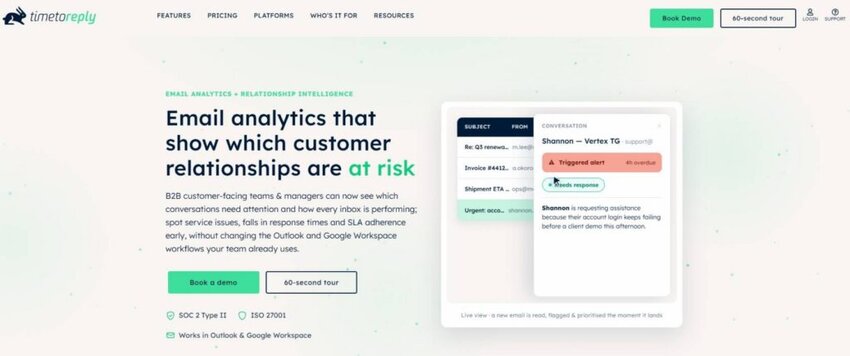
Image via timetoreply
timetoreply is an email analytics tool that centralizes all important customer messages in one place. This provides your entire team with easy access, making it easy to respond to every message on time.
It’s one of the best customer feedback tools you can use to achieve your customer satisfaction goals. On top of getting timely alerts, every team member can handle timely responses to customers.
This is crucial for B2B businesses that handle a lot of inquiries in a day; it doesn’t leave much room for customer dissatisfaction. This is because email responses may affect customer satisfaction
Plus, you can keep track of how fast your team members respond to your customers. This allows you to assign the most important tasks to the most efficient individuals, improving communication efficiency.
Key features
Pros
Cons
Pricing
timetoreply comes with three price plans:
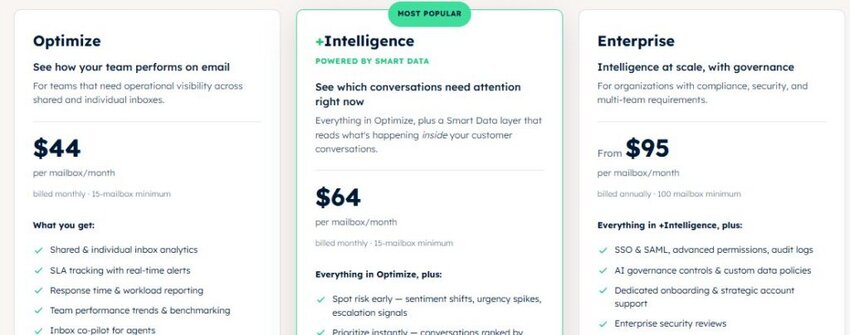
Image via timetoreply
Tool level
Usability
Pro tip: Consider setting up alerts for the most urgent messages to ensure there’s no backlog of unreplied customer service emails.
Also Read:
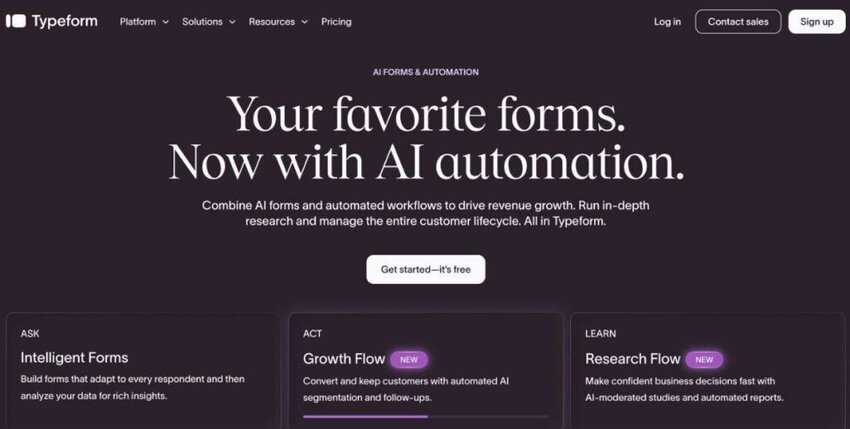
Image via Typeform
Typeform gives your business a creative way to collect customer feedback. It turns forms and surveys into engaging, conversation-style reports
It’s an ideal option if you want higher response rates and data that people actually want to fill out.
This customer feedback tool provides options for setting up follow-up questions. This is to encourage customers to elaborate a little more on the questions or suggestions they may have.
Additionally, customer support teams using Typeform will find it easy to generate and reuse forms as opposed to creating new ones from scratch every time.
Key features
Pros
Cons
Pricing
You get four price plans with Typeform that include the following:
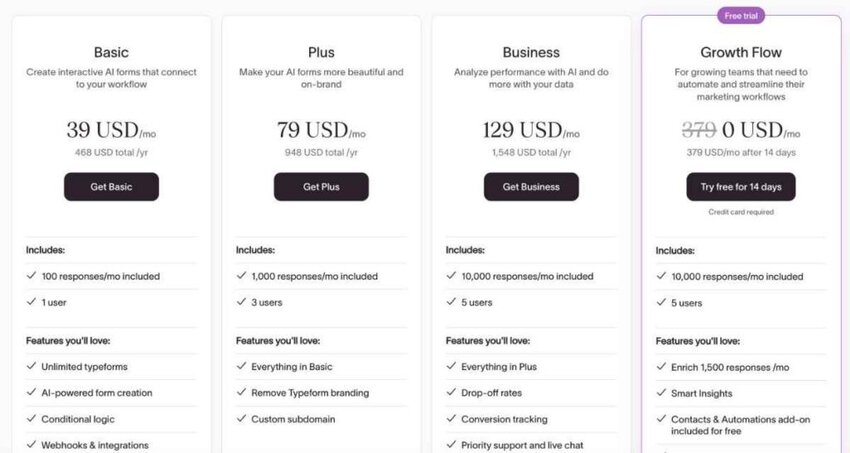
Image via Typeform
Tool level
Usability
Pro tip: Use question flow analytics to identify where drop-offs are highest, then simplify or remove questions around those points. That helps improve completion without losing the insight you need.
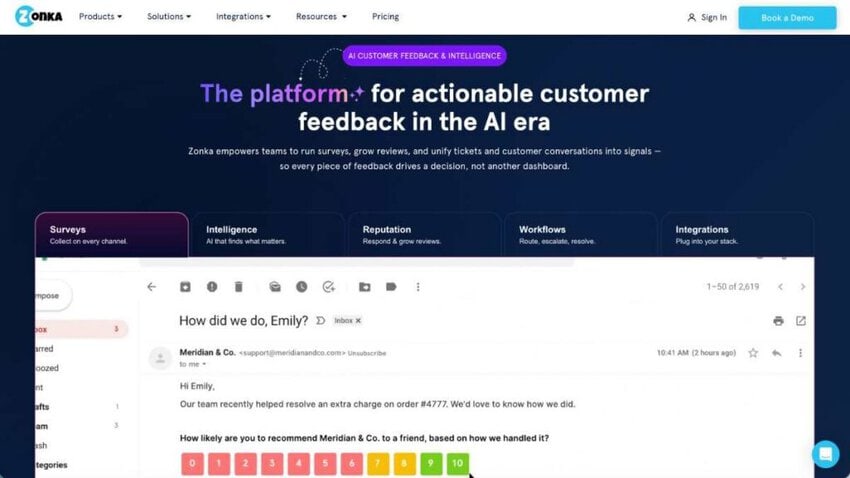
Image via Zonka Feedback
Zonka Feedback is one of the best customer feedback tools that supports omnichannel surveys, including offline environments.
It uses AI-powered analytics that include sentiment, themes, and impact scoring to parse large volumes of qualitative and quantitative feedback.
Like most of the best customer feedback tools, Zonka Feedback offers real-time alerts and dashboards by location/agent/team. You also get tools to close the feedback loop. This ensures no single customer message is left pending.
Key features
Pros
Cons
Pricing
Zonka Feedback is one of the customer feedback tools that offer customized plans. Contact support for a custom quote.
Tool level
Usability
Pro tip: Make use of the AI-powered sentiment and thematic analysis to auto-tag feedback so your teams aren’t manually sorting through comments.
Also Read:
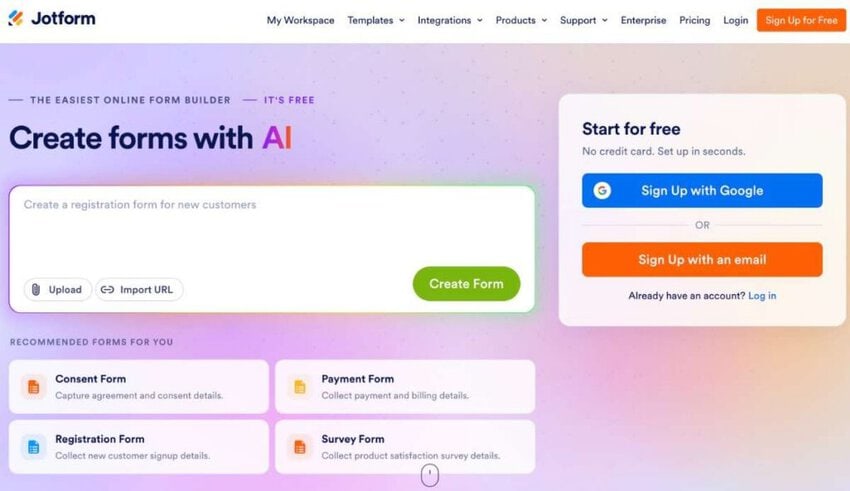
Image via Jotform
Jotform is different from many other customer feedback tools covered in this article. It’s a flexible form and survey builder, so you decide exactly what you ask customers and where you ask it.
One thing that makes this customer feedback tool reliable is how easy it is to build and share forms. You can start from a template or a blank form, then send it through a link, an email, or an embed on your website.
For businesses in the B2B space, Jotform is especially helpful because it lets teams collect structured feedback after a project, a support request, or an onboarding call without any coding.
For example, you can send a short satisfaction survey with a follow-up email and send every response straight to a spreadsheet or CRM for your team to review.
Key features
Pros
Cons
Pricing
Jotform offers five price plans that include the following:
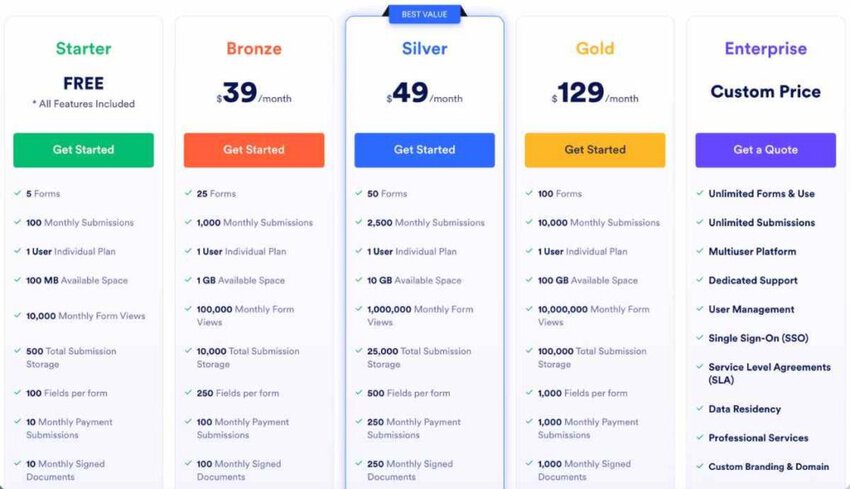
Image via Jotform
Tool level
Usability
Pro tip: Use conditional logic to ask follow-up questions only when they’re useful. Someone giving a low rating can see an extra question, while others won’t.
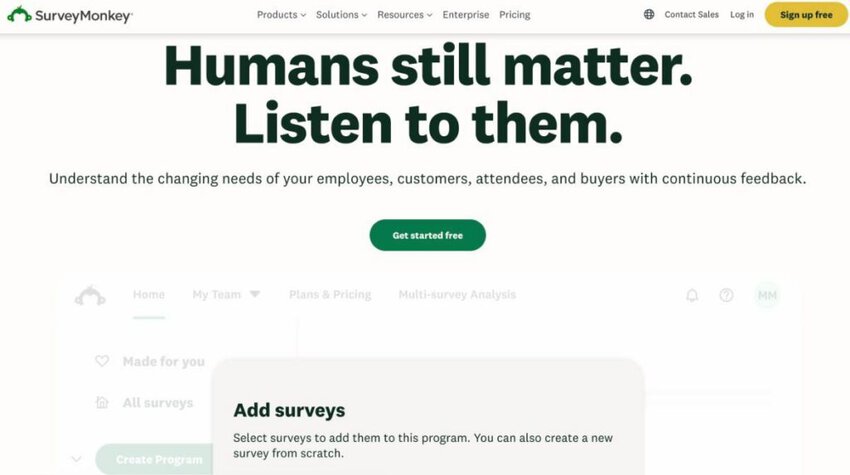
Image via SurveyMonkey
If you’re planning to scale up, SurveyMonkey is one of the best customer feedback tools for you. It grants your business a reliable way to collect and analyze customer opinions at scale.
SurveyMonkey allows you to build surveys quickly and share them across multiple channels. From email to social media, this makes it simple to reach your audience wherever they are.
Another SurveyMonkey strength lies in its wide range of templates and question types that fit different use cases.
You can run customer satisfaction surveys, product feedback polls, or employee engagement questionnaires with the same platform.
Furthermore, you can track trends, monitor satisfaction over time, and even compare results across departments or client groups
Key features
Pros
Cons
Pricing
SurveyMonkey has a multi-tiered pricing plan that includes the following:
Team Plans
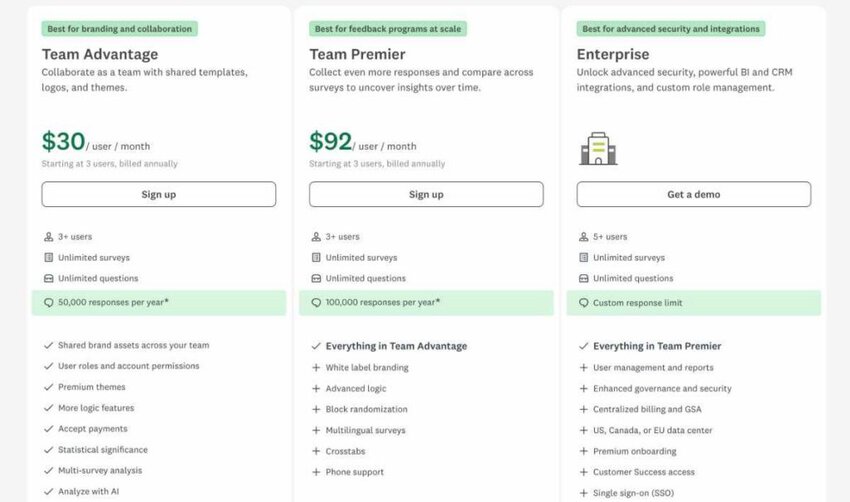
Image via SurveyMonkey
Individual Plans
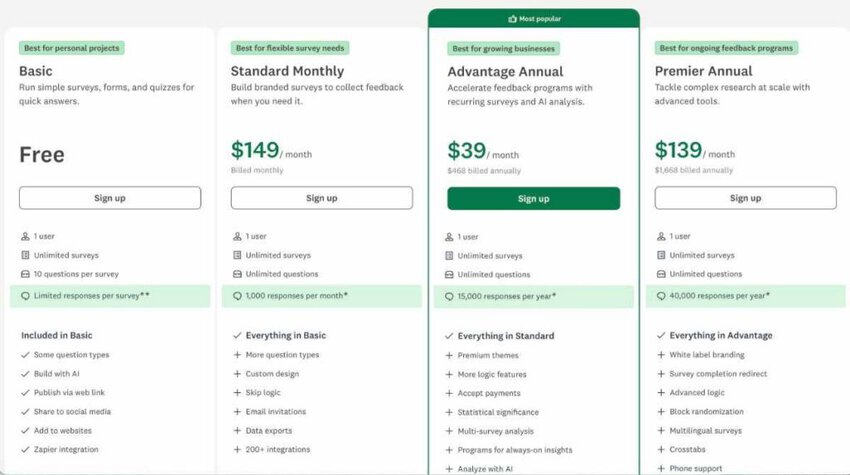
Image via SurveyMonkey
Enterprise
Tool level
Usability
Pro tip: Utilize question skip logic to personalize surveys, allowing respondents only to see questions relevant to them. This improves completion rates and produces cleaner customer data.
Also Read:
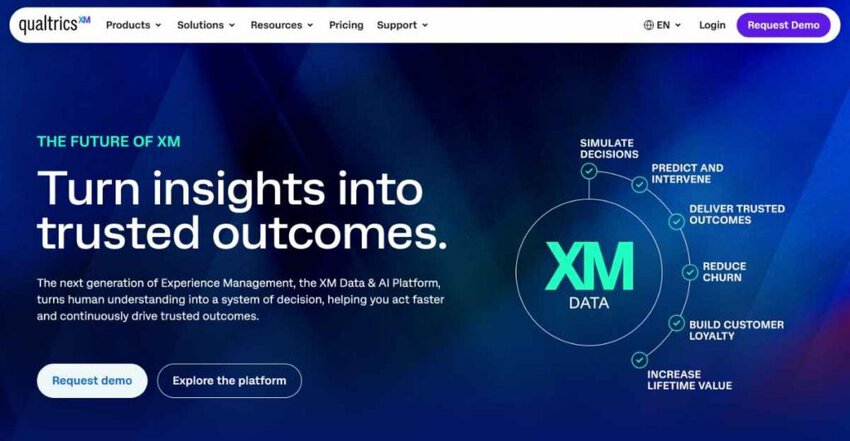
Image via Qualtrics
Next on our list of the best customer feedback tools is Qualtrics. You can use it to measure customer satisfaction, track experience trends, and make data-backed decisions.
Another thing that sets Qualtrics apart from other customer feedback tools is its flexibility. It supports advanced survey design and predictive analytics. Plus, it integrates with business systems that many companies already use.
You can gather feedback through email, web, mobile apps, or even offline collection, making it versatile for different industries. This wide coverage ensures that no customer voice is left unheard, whether it’s a large client or a smaller account.
This customer feedback tool also comes with an intuitive analytics dashboard that gives real-time visibility into customer satisfaction. This allows managers to filter results by segment, department, or region.
Key features
Pros
Cons
Pricing
Like many customer feedback tools on this list, Qualtrics offers custom pricing.
Tool level
Usability
Pro tip: Set up automated alerts that notify your team when feedback scores drop below a set threshold. This makes it easy to address issues before they grow into larger problems.
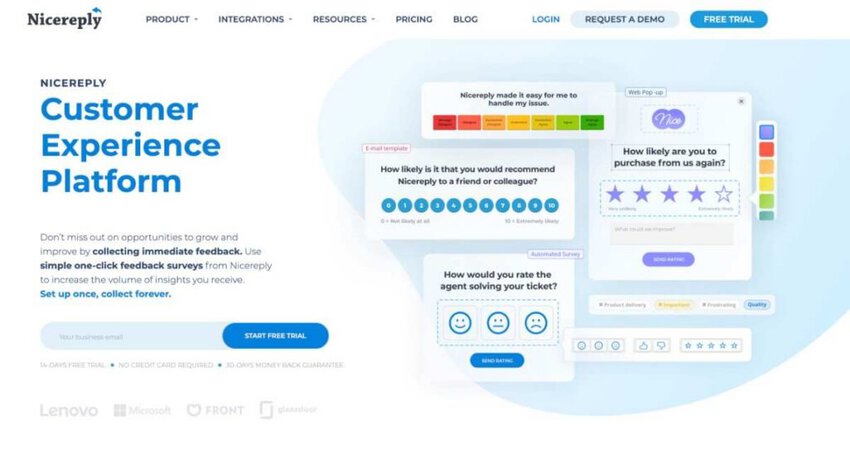
Image via Nicereply
Nicereply is a customer satisfaction tool designed for support teams. It measures CSAT, CES, and NPS through short surveys sent directly with your support emails.
One thing that makes this customer feedback tool reliable is how easy it makes responding. Customers can rate service with one click from an email signature or a post-resolution email.
For businesses in the B2B space, Nicereply is especially helpful because it measures feedback per agent or team. That shows you which team members deliver the best service and where clients feel less satisfied.
For example, you can compare satisfaction scores across account managers after every resolved client email. Teams can then coach the lowest scorers and learn from the highest ones.
Key features
Pros
Cons
Pricing
Nicereply offers four price plans that include the following:
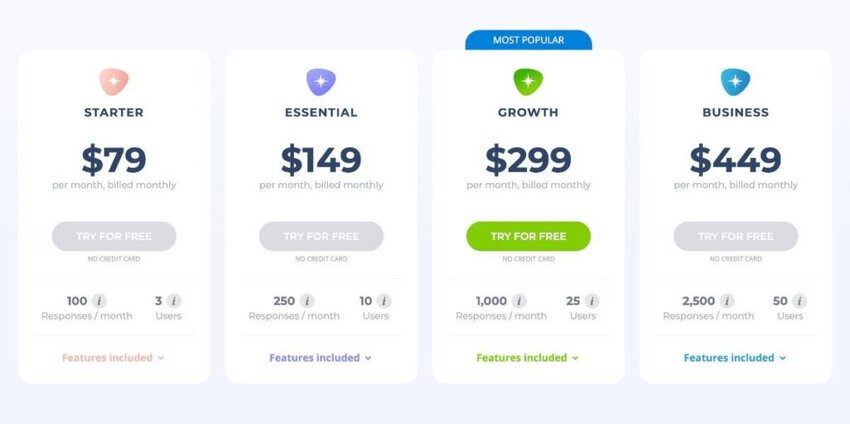
Image via Nicereply
Tool level
Usability
Pro tip: Add the survey to your email signature. This gives clients an easy way to rate their experience after each reply.
Also Read:
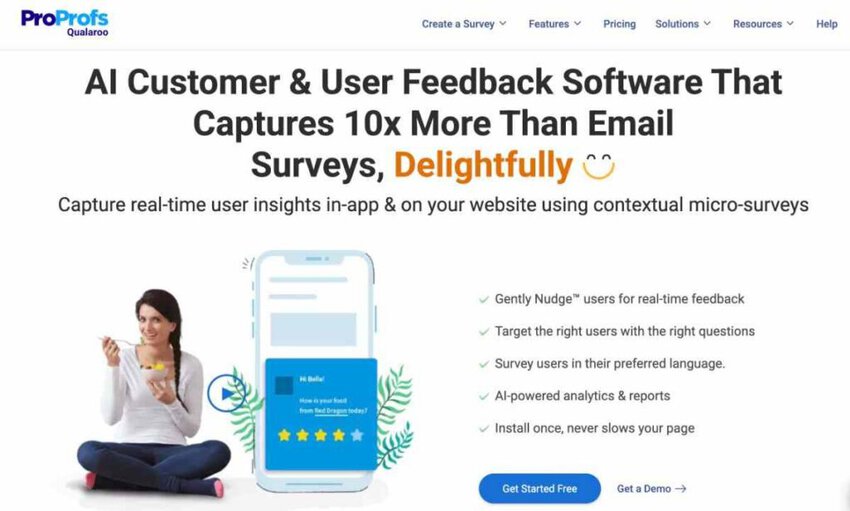
Image via Qualaroo
Qualaroo is one of the best customer feedback tools that delivers a strong mix of flexibility and intelligence when gathering feedback.
It allows companies to trigger feedback requests (they call them Nudges™) based on user behavior, demographics, or other internal signals.
That means rather than bombarding every visitor, you ask in-context questions. These types tend to lead to high-quality responses.
But what makes Qualaroo one of the best customer feedback tools is its wide omnichannel support. You can keep track of all feedback across the web, mobile apps (iOS & Android), and even prototypes in tools like Figma or InVision.
This unified view of user sentiment ensures you don’t miss anything important.
Key features
Pros
Cons
Pricing
Like many customer feedback tools, Qualaroo also offers tiered pricing:
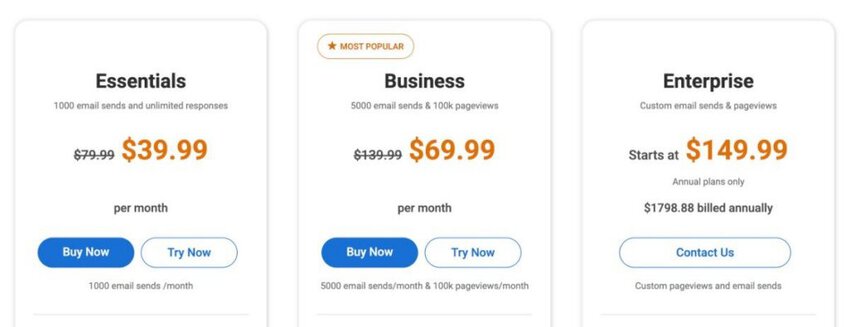
Image via Qualaroo
Tool level
Usability
Pro tip: Deploy Nudges early in critical moments where communication drop-offs might happen rather than waiting until customers completely disappear.
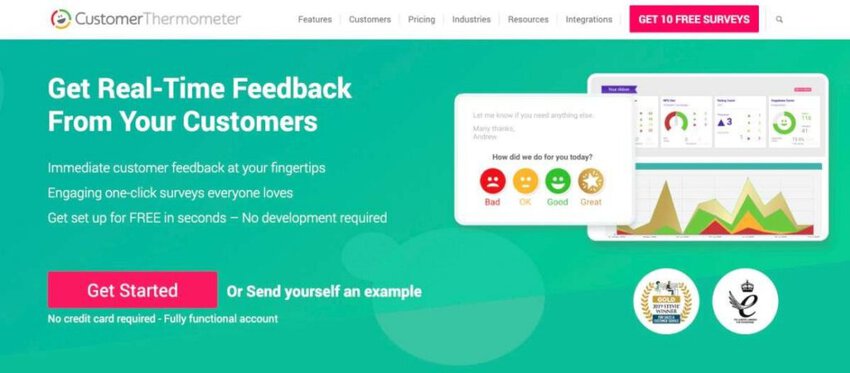
Image via Customer Thermometer
Customer Thermometer is different from many other customer feedback tools covered in this article. It focuses on one-click surveys that customers can answer straight from an email, without opening a long form.
One thing that makes this customer feedback tool reliable is how simple it makes responding. You can place rating buttons in your email signature, helpdesk replies, or website, and customers give feedback with a single click.
For businesses in the B2B space, Customer Thermometer is especially helpful because feedback is collected right inside the emails your team already sends. It also lets you follow up with a short question so you can see why a customer gave their rating.
For example, you can add a thumbs-up or thumbs-down rating to every client reply and review the results to spot where service is falling short.
Key features
Pros
Cons
Pricing
Customer Thermometer prices by monthly survey responses and offers the following plans:
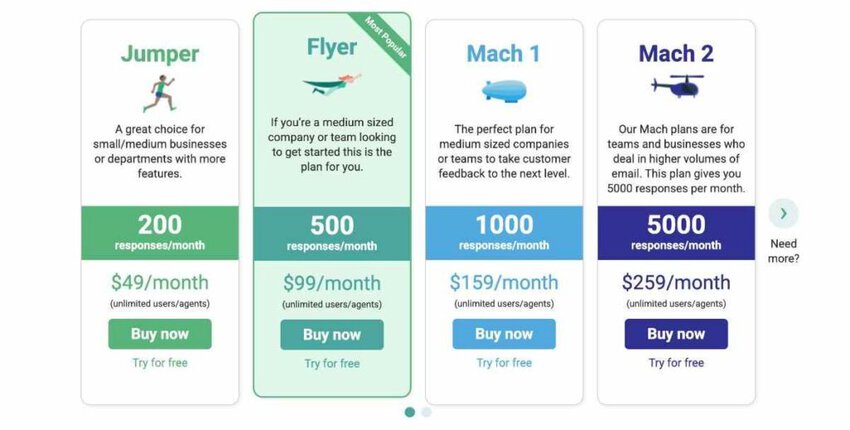
Image via Customer Thermometer
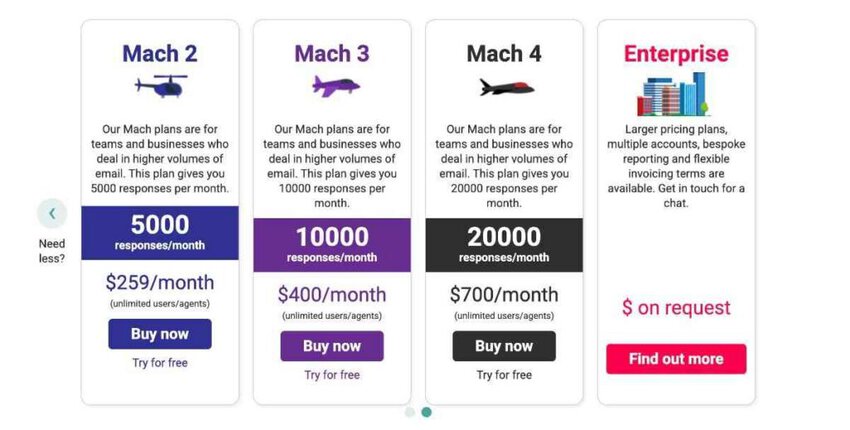
Image via Customer Thermometer
Tool level
Usability
Pro tip: Add the rating buttons to your email signature. Customers can respond in one click, which usually means more feedback than a separate survey link.
Also Read:
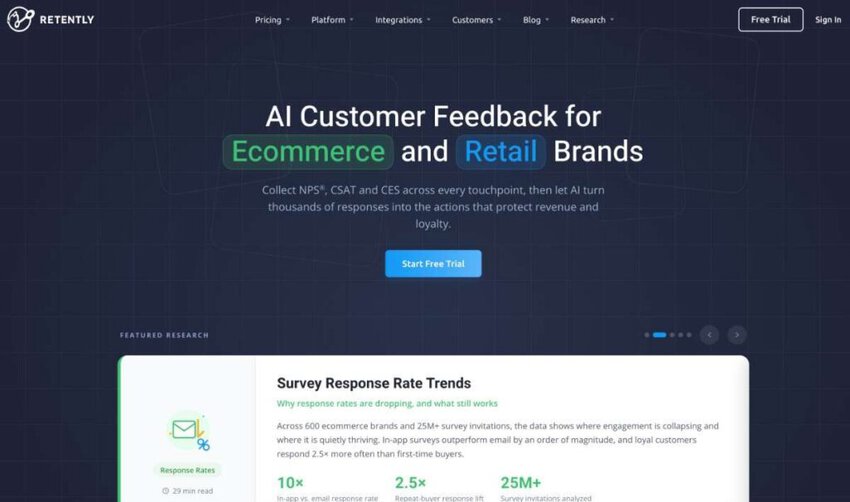
Image via Retently
Next up on our list of the best customer feedback tools is Retently. It’s a user feedback platform built around Net Promoter Score (NPS), CSAT, CES, and similar survey methods.
It supports collecting well-timed follow-up emails and feedback at key stages in the customer lifecycle: after purchases, support interactions, or onboarding.
Retently then gives you analytics, routing, and automation to act on that feedback.
Additionally, as one of the best customer feedback tools, Retently offers a rich range of integrations. It works with CRMs like Salesforce, PipeDrive, HubSpot, and more to make your workflows easier and centralized.
Key features
Pros
Cons
Pricing
Retently has two levels of pricing:
Ecommerce and Retail
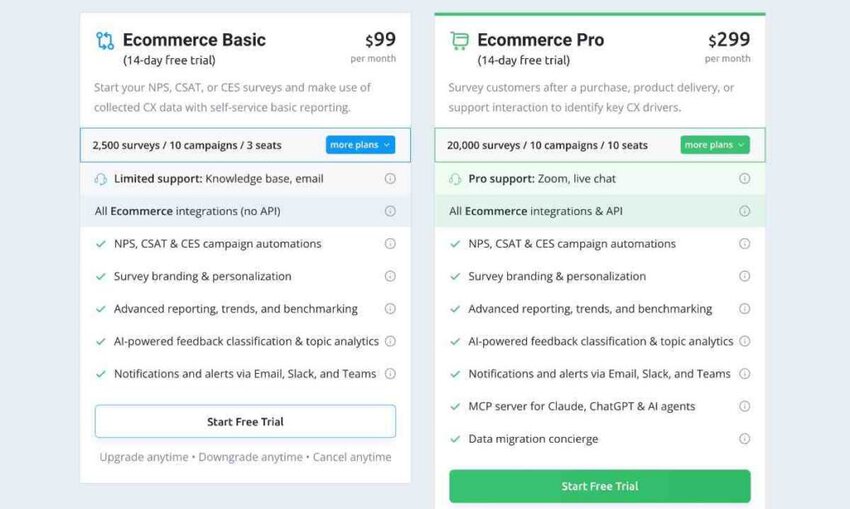
Image via Retently
B2B Business
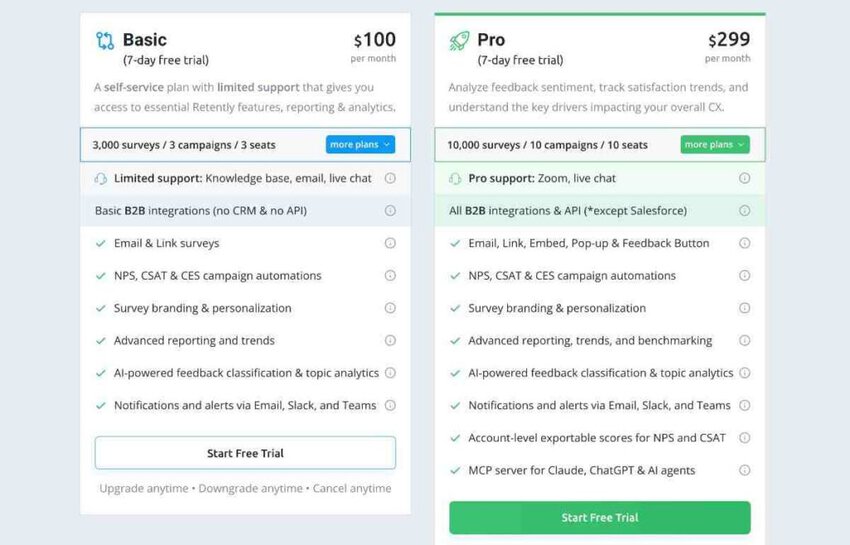
Image via Retently
Tool level
Usability
Pro tip: Use the template editor’s merge fields to personalize survey subject lines and analyze feedback based on customer attributes. This boosts response rates.
Image via Survicate
Survicate is another customer feedback tool that helps B2B businesses collect valuable feedback and transform it into actionable insights.
It supports surveys on websites, in-app, via email, with customizable logic and multilingual options.
On top of this, Survicate supports automated workflows that reduce time spent on repetitive tasks. There’s integration support for major CRMs and marketing tools, alongside AI-powered text analysis.
All these capabilities allow customer feedback to flow into existing systems and be tagged, grouped, and acted upon.
Key features
Pros
Cons
Pricing
This customer feedback tool comes with monthly and yearly pricing plans
Monthly
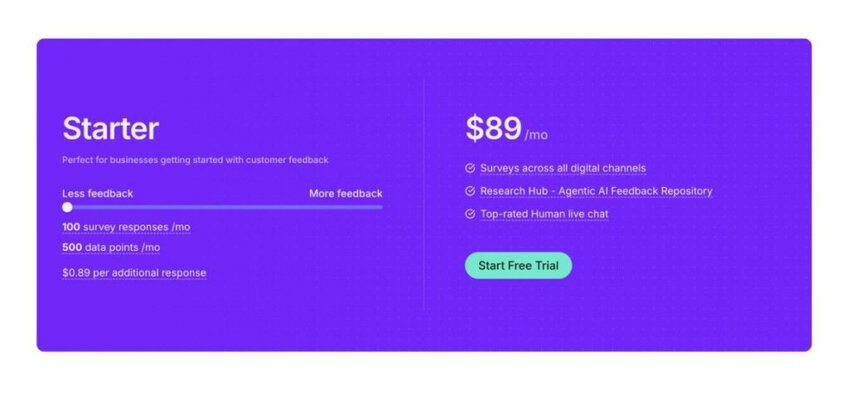
Image via Survicate
Yearly
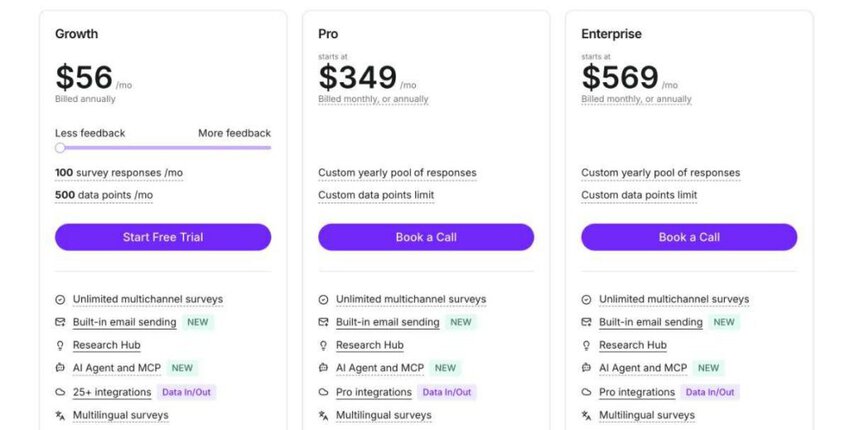
Image via Survicate
Tool level
Usability
Pro tip: Use the AI-powered topic categorization to automatically tag and group open-ended survey responses. This allows your team to see key themes without manually reading every reply.
Also Read:
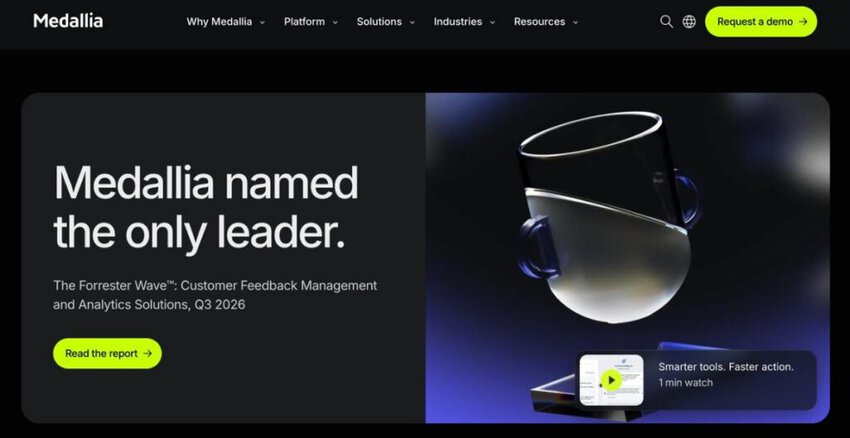
Image via Medallia
Medallia is a full-scale experience management platform and one of the best customer feedback tools for multiple reasons.
It helps organizations gather, analyze, and act on feedback from customers, employees, and other stakeholders in real time. You can use it to capture feedback via surveys, web, in-app, contact center, digital behavior, and more.
Furthermore, this customer feedback tool applies AI and text analytics, tracks customer journeys, and delivers dashboards and workflows. This ensures important customer insights reach all levels of the organization.
Medallia is designed for enterprise-scale operations, where high volumes of feedback, cross-channel signals, and complex reporting are crucial.
Key features
Pros
Cons
Pricing
Medallia only provides custom pricing. Contact support for a quote.
Tool level
Usability
Pro tip: Use the “Key Driver Analysis” feature to pinpoint which touchpoints most strongly correlate with loyalty or satisfaction. This will help you focus on improvements that matter.
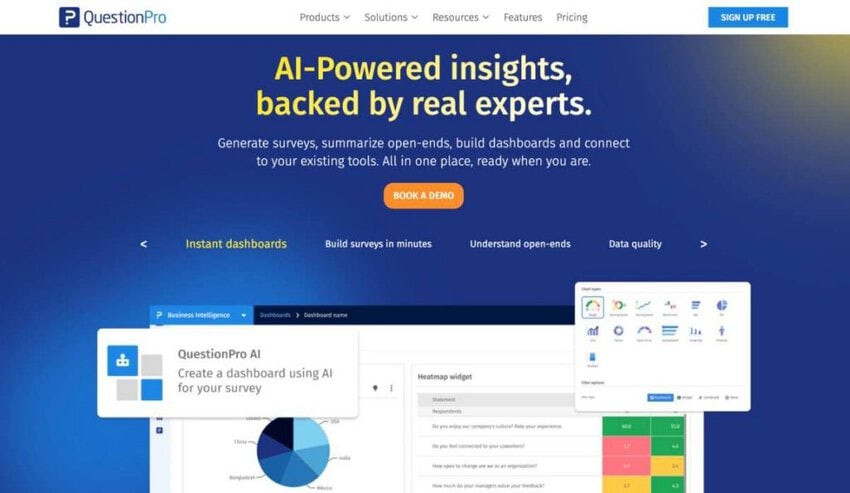
Image via QuestionPro
QuestionPro stands out among the best customer feedback tools because it doesn’t just collect responses. It makes them actionable for business teams.
It’s widely used across industries by companies that need advanced survey design, strong analytics, and enterprise-level compliance.
QuestionPro uses survey logic, a wide variety of question types, and real-time dashboards.
For B2B professionals, its strong security certifications like GDPR, HIPAA, and ISO make it a trusted choice for handling sensitive data.
These strengths position it as an ideal option for customer experience and market research.
Key features
Pros
Cons
Pricing
QuestionPro provides you with four price plans:
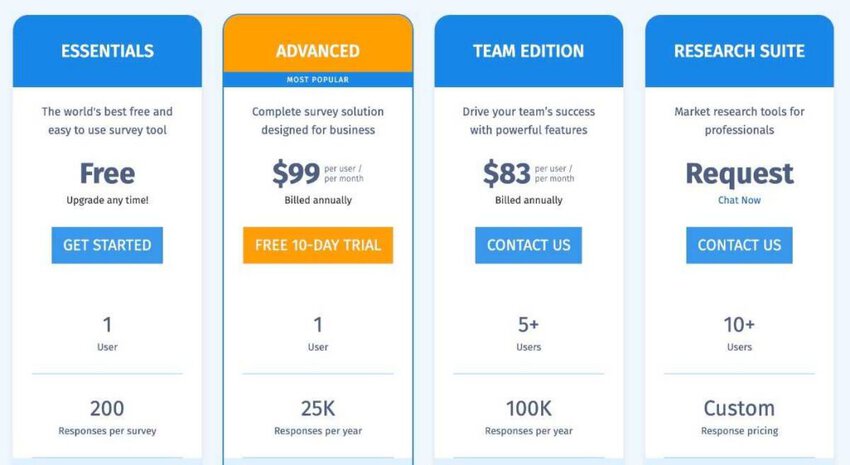
Image via QuestionPro
Tool level
Usability
Pro tip: Use the conjoint and MaxDiff analysis feature to test pricing strategies before launching a product to your target market.
Also Read:
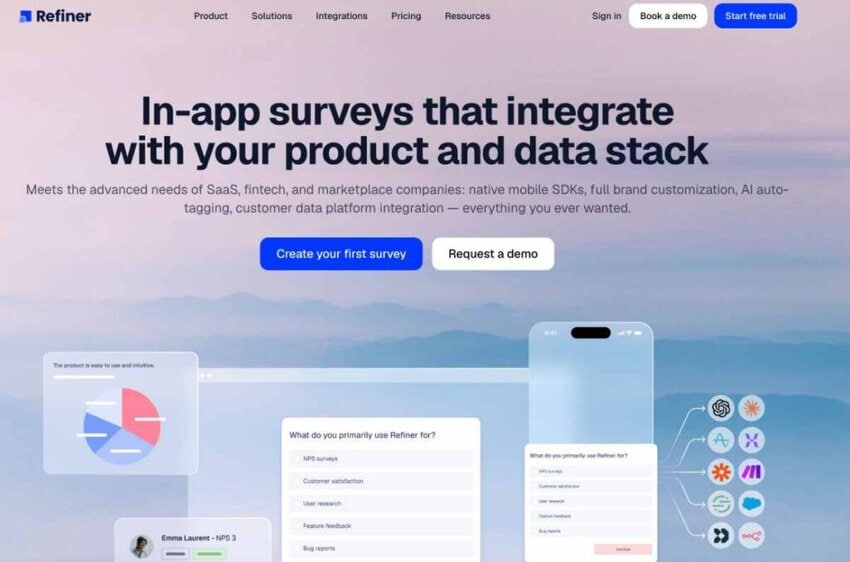
Image via Refiner
Refiner is different from many other customer feedback tools covered in this article. It is built specifically for SaaS companies, helping them survey users and measure satisfaction inside their products.
One thing that makes this customer feedback tool reliable is its ready-made survey templates. You can launch NPS, CSAT, CES, and product-market-fit surveys quickly, then segment responses to see which users are promoters or detractors.
For businesses in the B2B space, Refiner is especially helpful because it lets teams ask the right customers the right questions at the right moment. It also flags negative feedback so someone can follow up.
You could send a short survey after onboarding and compare low scores across customer groups. This can help you see where the customer experience needs improvement.
Key features
Pros
Cons
Pricing
Refiner offers three price plans that include the following:
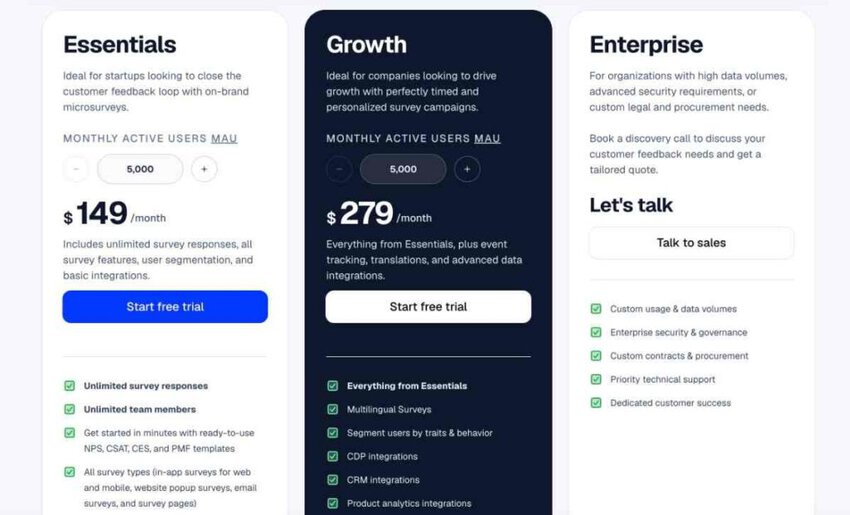
Image via Refiner
Tool level
Usability
Pro tip: Group your surveys by customer type or plan to get more relevant feedback. Send CSAT surveys after key moments, such as onboarding or support requests.
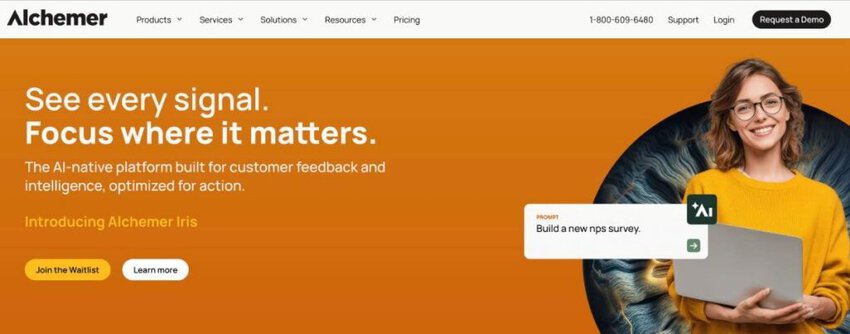
Image via Alchemer
Alchemer captures feedback via surveys, digital prompts on websites or apps, and from third-party channels. This is ideal as it means you don’t just rely on one source.
The omnichannel capability gives a clearer picture of customer sentiment and behavior.
Plus, there’s less chance of data silos when using Alchemer since data flows into one unified platform. This translates to faster insights and more coordinated responses across teams.
Another strong point is the customer service analytics and reporting tools. For example, there’s Alchemer Pulse, which turns messy open-text feedback into usable signals in real time. This helps your teams pick up trends, prioritize issues, and track sentiment.
Key features
Pros
Cons
Pricing
Alchemer has four price plans:
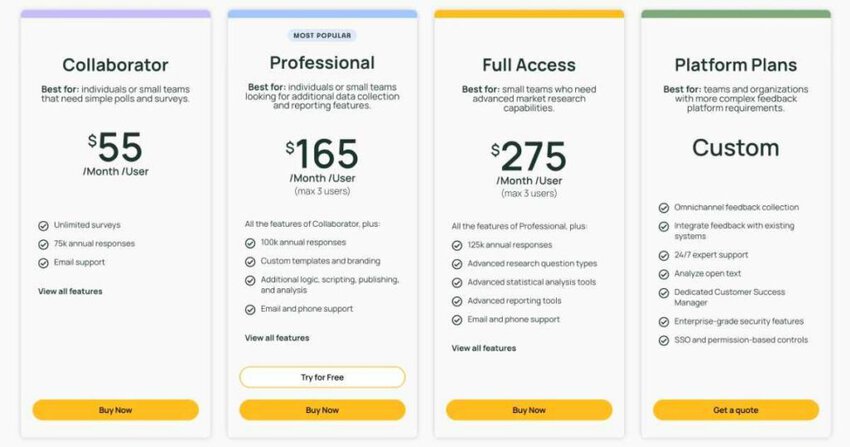
Image via Alchemer
Tool level
Usability
Pro tip: Set up automated workflows or triggers so that when feedback crosses a threshold, specific team members are notified automatically. That feature helps ensure no critical feedback slips through the cracks.
Also Read:
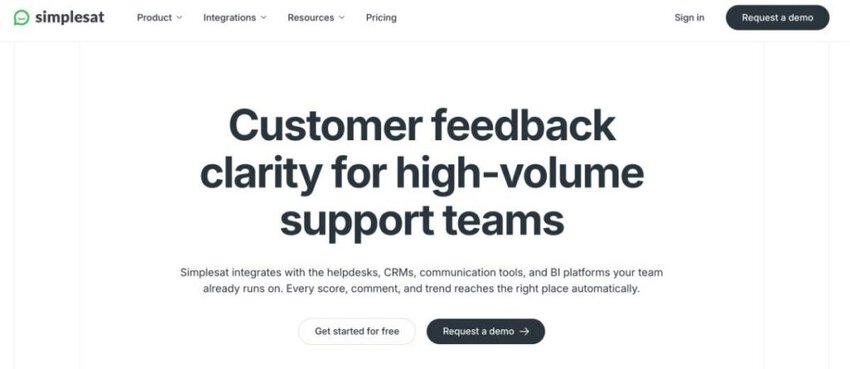
Image via Simplesat
Simplesat is a customer feedback tool built for helpdesk and support teams that handle email. It lets you send short CSAT, CES, and NPS surveys without using a separate survey tool.
One thing that makes this customer feedback tool reliable is how it fits your workflow. You can embed one-click surveys in ticket-closure emails, so customers rate service straight from their inbox.
For businesses in the B2B space, Simplesat is especially helpful because it connects feedback to each support interaction. It also sends real-time notifications for negative feedback, so your team can follow up quickly.
Key features
Pros
Cons
Pricing
Simplesat offers four price plans that include the following:
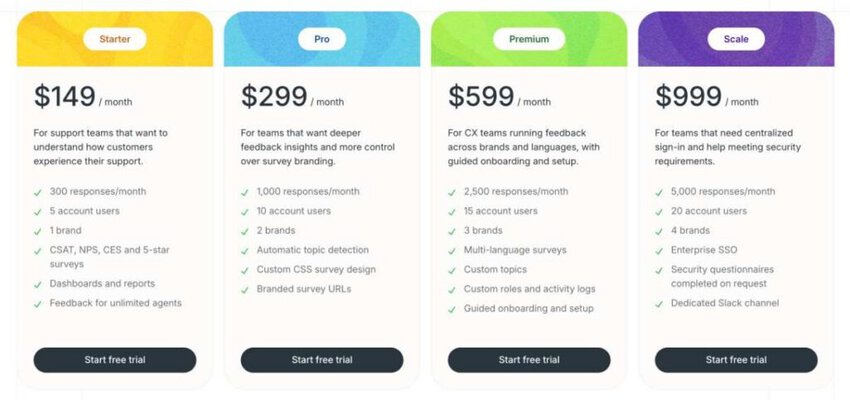
Image via Simplesat
Tool level
Usability
Pro tip: Pair each survey with a follow-up question, so low scores come with a clear reason.
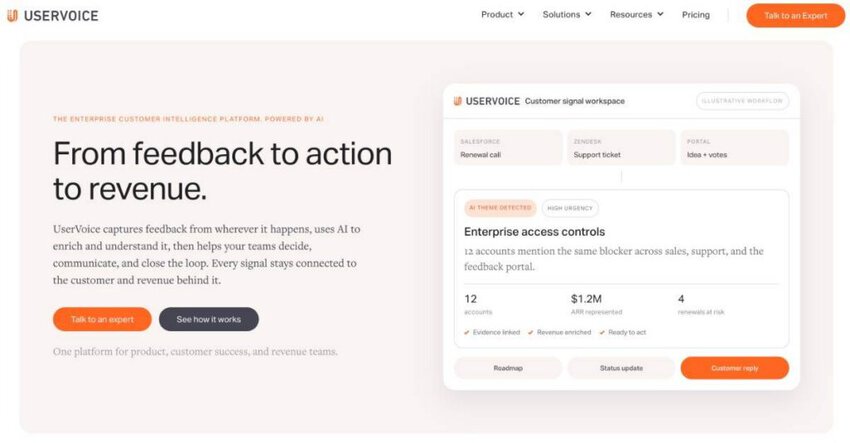
Image via UserVoice
UserVoice helps businesses manage and prioritize product feedback in an organized way.
You can capture ideas and requests directly from customers, partners, or internal teams and then sort them into a centralized system.
This setup makes it one of the best customer feedback tools because teams see what customers are asking for most often. You can accurately spot patterns in requests, then focus on improvements that will have the biggest impact.
UserVoice also gives product managers analytics to track trending ideas and filter feedback by customer segment or account type. This ensures decisions are based on data rather than assumptions.
Key features
Pros
Cons
Pricing
Usage-based pricing; contact sales for details.
Tool level
Usability
Pro tip: Use segmentation filters to prioritize feedback from high-value accounts so your roadmap reflects the needs of your most important customers.
Also Read:

Image via AskNicely
AskNicely is a customer feedback tool that connects frontline teams directly with useful customer sentiment. Instead of limiting feedback to email management reports, the platform shares results with relevant teams shaping customer experiences.
This creates a culture where feedback isn’t just collected, but actively used to improve service delivery daily.
For businesses in competitive industries, that kind of visibility means stronger customer loyalty and quicker response times.
Another reason AskNicely stands out among the best customer feedback tools is speed. It can send quick surveys through multiple channels like email, SMS, and mobile apps.
Plus, the data comes back in real time, giving businesses immediate visibility into how their customers feel. This constant loop of feedback means teams don’t have to wait too long for formal reports.
Key features
Pros
Cons
Pricing
AskNicely offers customized plans that you can access by contacting the support team
Tool level
Usability
Pro tip: Use AskNicely’s automation to send feedback directly into Slack or Microsoft Teams so your staff sees customer sentiment in real time.
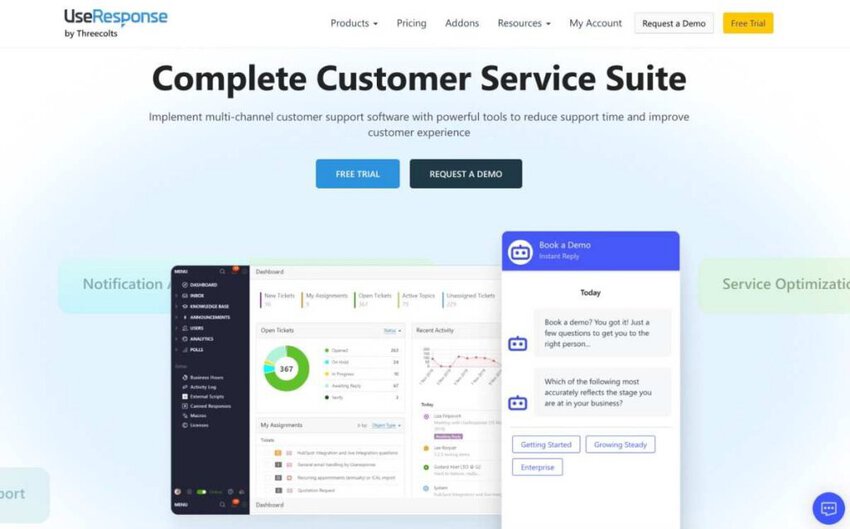
Image via UseResponse
Next on our list of the best customer feedback tools is UseResponse. UseResponse centralizes all the important channels that customers normally use. This saves time and makes it easier to respond faster.
Furthermore, UseResponse has a community feedback feature. Customers can share ideas, vote on suggestions, and track progress.
This builds transparency and helps businesses focus on improvements customers truly care about.
Analytics also makes this customer feedback tool a great choice for B2B brands. Managers can track email response times, customer satisfaction, and team performance with detailed reporting.
The platform even supports multilingual service, so businesses with global customers can deliver a consistent experience.
Key features
Pros
Cons
Pricing
You get two price plans with UseResponse;
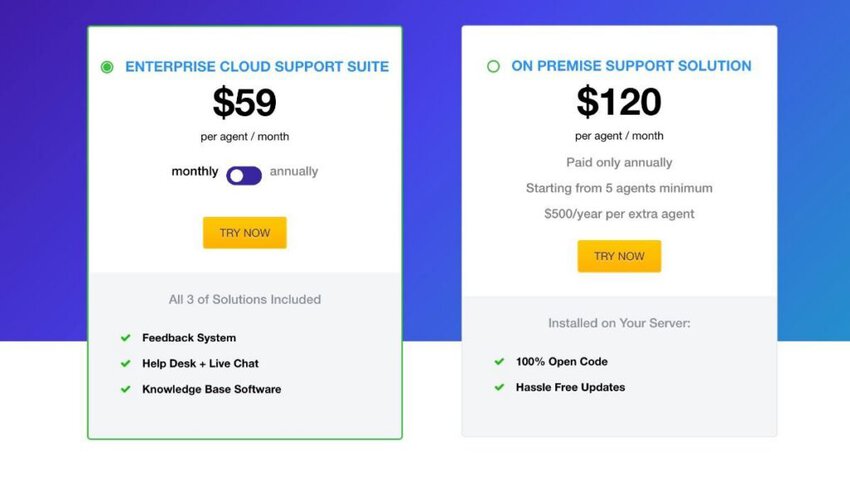
Image via UseResponse
Tool level
Usability
Pro tip: Use the automation triggers in UseResponse to route tickets to the right department instantly. This cuts down on response delays and improves customer satisfaction.
Also Read:
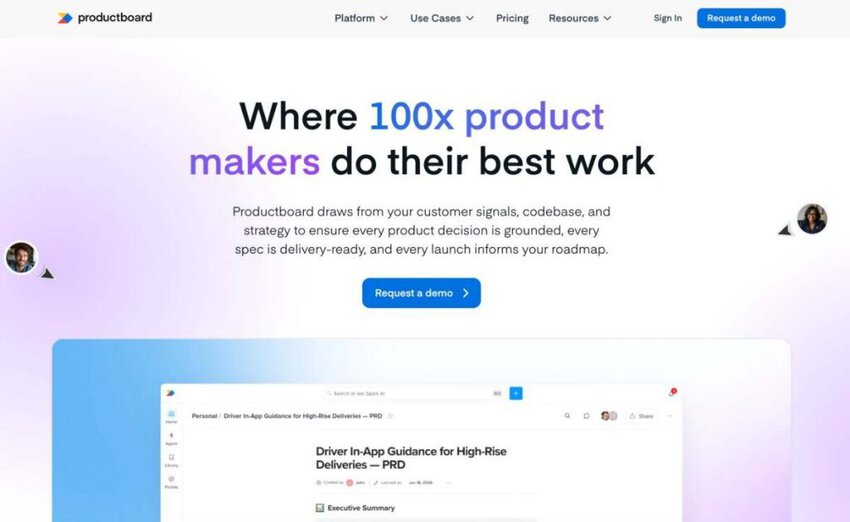
Image via ProductBoard
Next on our list of the best customer feedback tools is ProductBoard. It connects customer input directly to product decisions by centralizing all feedback in one platform.
This makes it easier to understand what customers really need, and link those insights to feature ideas that matter.
This customer feedback tool also supports alignment across teams. Product managers can use this to create clear roadmaps that tie features back to business goals.
On the other hand, developers get to see the context behind requests, while leadership gets visibility into how product priorities match company strategy.
ProductBoard also closes the loop with customers. When an idea they suggested or voted on gets shipped, they’re notified.
This alone is one of the reasons ProductBoard is considered one of the best customer feedback tools for building customer trust.
Key features
Pros
Cons
Pricing
Custom pricing.
Tool level
Usability
Pro tip: Use ProductBoard’s prioritization matrix to compare customer requests against business goals. It keeps your roadmap focused on what matters most.
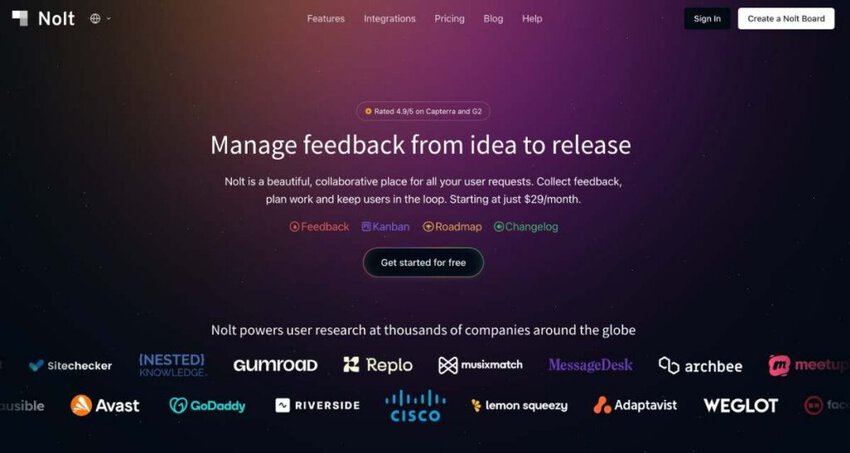
Image via Nolt
Wrapping up our list of the best customer feedback tools is Nolt. It comes with a unique polling system where customers vote on ideas, which gives teams a quick way to see what matters most to their community. This removes guesswork from product decisions.
You also get a collective dashboard that displays all the important information from all communication channels.
This helps companies keep track of feature requests, prioritize updates, and show users that their voices are being heard.
On top of this, this customer feedback tool makes communication with customers transparent. Teams can publish public roadmaps, share status updates, and close the loop with customers directly on the board. This keeps everyone in sync and reduces frustration
Key features
Pros
Cons
Pricing
Nolt comes with three pricing plans:
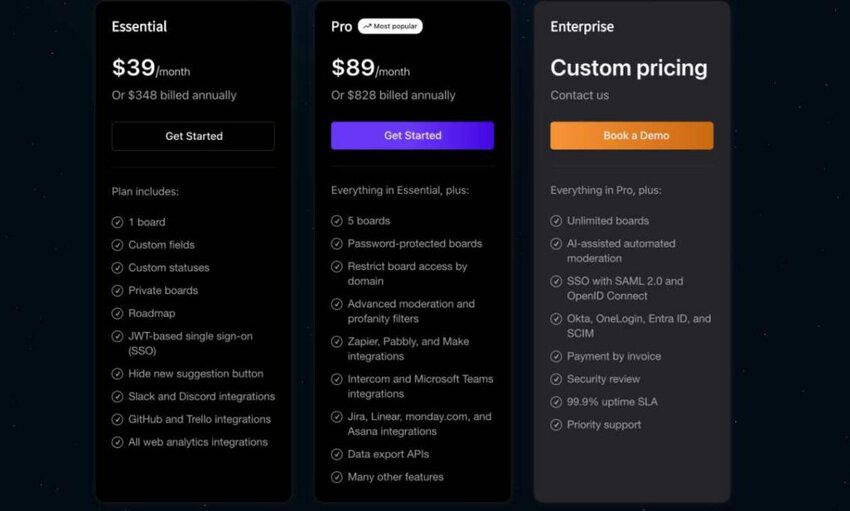
Image via Nolt
Tool level
Usability
Pro tip: Use Nolt’s voting system to identify the most impactful features quickly. This helps teams focus development on what customers care about most.
Also Read:
1. What is the best customer feedback tool?
The best customer feedback tool will depend on how your team works and what you need. B2B email teams can use timetoreply to keep an eye on response times. Typeform is a better choice for engaging surveys, while Qualtrics gives larger enterprises more advanced analytics.
2. Is Microsoft Forms a good survey tool?
Microsoft Forms is a straightforward option for creating quick surveys and quizzes. It integrates smoothly with Office 365, which makes it a natural fit for teams already using Microsoft products.
That said, it may feel limiting for businesses that need advanced reporting, detailed analytics, or highly customized surveys. Compared to advanced customer feedback tools like timetoreply, Microsoft Forms is more of a starter option for simple data collection.
3. What is the best way to collect feedback from customers?
The best way depends on how your customers prefer to communicate and the type of insights you need.
Email remains one of the most reliable channels for B2B feedback since it’s already built into daily communication.
Surveys also remain popular because they give structure to customer opinions. Using a mix of structured surveys and direct communication analysis gives a balanced view of customer sentiment.
4. Does Google offer a free survey tool?
Yes, Google offers Google Forms, which is completely free to use. It lets businesses create surveys, quizzes, and questionnaires with real-time collaboration.
Since it integrates with Google Sheets, responses can be stored and analyzed easily, which makes it handy for simple feedback collection.
While it can’t compete with specialized platforms that are built as the best customer feedback tools. It’s still a practical starting point for businesses that want to gather feedback quickly without extra costs.
5. What’s the best free survey tool?
Several options stand out depending on what you need.
timetoreply is great for businesses that want to measure feedback indirectly through email responsiveness, especially in B2B sales environments.
It gives teams a way to track performance without asking customers to fill out long surveys.
Other options include Qualaroo, which lets you collect input directly from website visitors with on-site surveys. There’s also Survicate, which makes it simple to send out targeted surveys across multiple channels.
These three are among the best customer feedback tools available for free or with free plans that businesses can start using right away.
Choosing the right customer feedback tool can make all the difference in how well your business understands and responds to customer needs.
The best customer feedback tools don’t just gather data: they help you make sense of it and act quickly.
It’s also clear that some tools are better suited for large enterprises needing advanced analytics, while others shine for smaller teams looking for speed and simplicity. What matters is picking a platform that fits seamlessly into your workflows.
If you’re ready to improve response times and build stronger relationships with your clients, the best customer feedback tools, like timetoreply, are a great place to start.
Try timetoreply today and see how it can help your business stay connected, efficient, and customer-focused.
Get live inbox alerts and reply quickly to customer emails with timetoreply

CEO @ timetoreply
Howard Moodycliffe is CEO of timetoreply, an email analytics & relationship intelligence platform for B2B customer-facing teams. He writes about email performance, SLA management, and how organisations can use communication data to protect customer relationships and revenue.



Trusted by high-performing inbound sales teams and customer-facing teams globally.
Close more deals and delight more customers with the faster, smarter, deeper email analytics and performance optimization software that works straight from your team’s inbox.